
Microsoft 365 has revolutionised the way businesses operate, offering a suite of powerful tools for communication, collaboration, and productivity. However, simply subscribing to Microsoft 365 isn't enough. To truly unlock its potential and ensure a secure and efficient modern workplace, you need robust Microsoft 365 IT support.
This is especially true in today's dynamic business environment, where cybersecurity threats are constantly evolving and the demand for seamless remote work experiences is paramount. Let's explore how expert IT support, coupled with strategic implementation of features like Intune managed services and Microsoft Defender, can transform your Microsoft 365 experience.
 An office worker looking stressed at their computer, representing the frustration of dealing with IT issues without proper support.
Why is expert Microsoft 365 IT support important for Australian businesses?
Expert Microsoft 365 IT support is crucial for Australian businesses to effectively leverage the platform's full potential and maintain robust operational efficiency. Given the complexity of Microsoft 365, specialised knowledge is essential for seamless onboarding, secure configuration, and ongoing optimisation. For example, a dedicated IT support team ensures a smooth migration process, minimising disruption that could cost an average Australian small business approximately $1,500 per hour in lost productivity during downtime. They proactively monitor systems for stability, implement tailored security policies like those offered by Microsoft Defender, and configure intricate settings to optimise workflows. This proactive approach helps businesses avoid common pitfalls, ensures continuous availability of critical tools, and provides rapid troubleshooting, enabling sustained productivity and growth for organisations across Australia, from major cities to regional hubs, in an increasingly digital landscape.
- Seamless Onboarding and Migration: Moving to Microsoft 365 can be a daunting task. Expert support ensures a smooth and efficient migration, minimising disruption to your business operations. Consider reading our guide on Seamless Cloud Migration to Microsoft 365.
- Configuration and Customisation: Microsoft 365 offers a wealth of customisation options to tailor the platform to your specific business needs. IT support can help you configure settings, implement policies, and optimise workflows for maximum efficiency. Optimise your workplace by Optimising Your Modern Workplace with Microsoft 365.
- Proactive Monitoring and Maintenance: Preventative maintenance is crucial for ensuring the stability and reliability of your Microsoft 365 environment. IT support teams can proactively monitor your systems, identify potential issues, and resolve them before they impact your business. Learn about how Robust IT Infrastructure: Cloud & Disaster Recovery can help.
- Troubleshooting and Issue Resolution: When problems arise, prompt and effective troubleshooting is essential. IT support provides rapid response and resolution to minimise downtime and keep your business running smoothly. Learn more about Microsoft 365 & Azure: Scaling Your Business in 2024.
- Training and User Support: Empowering your employees with the knowledge and skills they need to effectively use Microsoft 365 is critical for maximising its value. IT support can provide training and ongoing support to help your team get the most out of the platform.
How can Intune managed services secure my devices and data?
Intune managed services significantly enhance device and data security by offering robust mobile device management (MDM) and mobile application management (MAM) capabilities. This allows Australian businesses to enforce critical security policies such as strong password requirements, data encryption, and conditional access, which restricts resource access based on device compliance or location. For instance, Intune can automatically block access to sensitive company files from non-compliant devices, effectively reducing cybersecurity risks and preventing an estimated 80% of data breaches stemming from unmanaged endpoints. Additionally, it enables secure app deployment and updates, ensuring that only authorised and current applications are used on company devices. If a corporate laptop is misplaced, Intune facilitates remote data wiping within minutes, protecting sensitive information from unauthorised access and maintaining data integrity across your entire fleet, regardless of employee location. This comprehensive approach ensures that devices, whether company-owned or personal, adhere to strict security postures.
Intune allows you to:
- Enforce Security Policies: Implement password policies, encryption requirements, and other security measures to protect sensitive data.
- Manage App Deployment: Control which apps are installed on company devices and ensure that they are kept up to date.
- Remote Wipe Devices: In the event of a lost or stolen device, remotely wipe the data to prevent unauthorised access. Learn more about Modern Workplace Security: Intune & Defender.
- Conditional Access: Control access to resources based on device compliance, location, and other factors. Learn more on Microsoft Learn about Conditional Access: https://learn.microsoft.com/en-us/entra/identity/conditional-access/overview
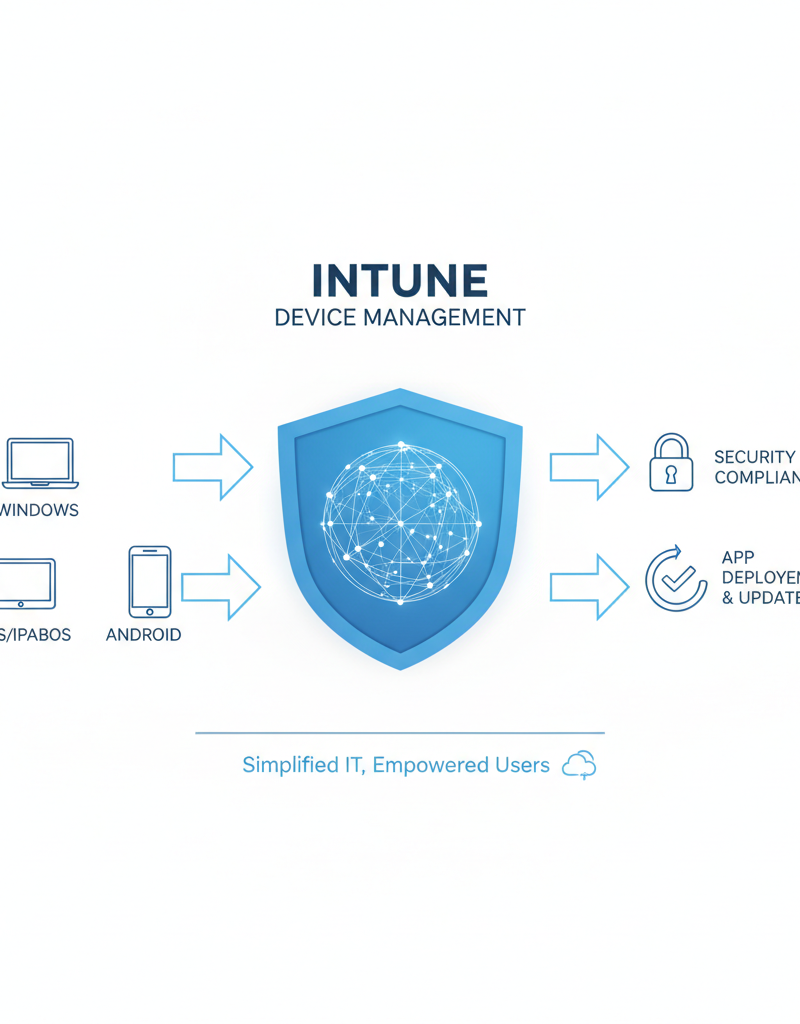 A visual representation of Intune's device management capabilities, showing various devices (laptops, phones, tablets) being managed from a central dashboard.
How does Microsoft Defender provide robust defence against cyber threats?
Microsoft Defender provides robust defence against cyber threats by offering a comprehensive suite of security tools meticulously designed to protect Microsoft 365 environments from a wide array of malicious activities. It proactively detects and blocks sophisticated attacks such as malware, phishing attempts, and ransomware before they can inflict damage on an organisation's systems. Through advanced threat protection and Endpoint Detection and Response (EDR) capabilities, Defender enables real-time investigation and swift response to unfolding security incidents. For instance, its integrated threat intelligence, continuously updated by Microsoft's global security experts, helps Australian businesses stay resilient against emerging threats and proactively addresses vulnerabilities. This comprehensive and layered security approach, when integrated with expert Microsoft 365 IT support, significantly strengthens overall cyber resilience for businesses, safeguarding critical data and ensuring operational continuity.
Microsoft Defender offers:
- Advanced Threat Protection: Detect and block sophisticated attacks before they can cause damage.
- Endpoint Detection and Response (EDR): Investigate and respond to security incidents in real-time.
- Threat Intelligence: Stay ahead of emerging threats with up-to-date threat intelligence from Microsoft's security experts. Read more about Microsoft Defender for Business on the Microsoft 365 blog: https://www.microsoft.com/en-us/microsoft-365/blog/2021/11/18/microsoft-defender-for-business-is-coming-soon-to-protect-small-and-medium-sized-businesses/
- Vulnerability Management: Identify and remediate vulnerabilities in your systems and applications. Ensure Entra ID: Your Business Continuity Lifeline.
By integrating Microsoft Defender with your Microsoft 365 IT support, you can create a layered security approach that protects your business from the ever-evolving threat landscape. Consider using Azure Backup & Helpdesk: Disaster Recovery for M365 for backup and recovery.
How can I choose the right Microsoft 365 IT support partner in Australia?
To choose the right Microsoft 365 IT support partner in Australia, businesses should prioritise providers demonstrating extensive platform expertise, a proactive approach to system management, and highly responsive support. A qualified partner will possess a deep understanding of all Microsoft 365 components and offer strong security solutions, such as Intune managed services and Microsoft Defender, to protect against cyber threats. It's crucial to select a provider that proactively monitors your systems, identifying and addressing potential issues before they impact operations, thereby ensuring business continuity. For example, many leading Australian managed IT providers guarantee an initial response time of under 15 minutes for critical incidents, underscoring their commitment to rapid and effective assistance. Additionally, the ideal partner should provide scalable solutions that seamlessly adapt to your evolving business needs.
- Extensive Microsoft 365 Expertise: Ensure that the provider has a deep understanding of the Microsoft 365 platform and its various components.
- Proactive Approach: Choose a provider that proactively monitors your systems and identifies potential issues before they impact your business. Learn more about how you can Secure Your Business with Azure Backup & Modern Workplace.
- Responsive Support: Look for a provider that offers timely and effective support when you need it most. Optimise IT with Optimise IT with Microsoft 365 & Expert Support.
- Comprehensive Security Solutions: Ensure that the provider offers robust security solutions, including Intune managed services and Microsoft Defender, to protect your business from cyber threats.
- Scalable Solutions: As your business grows, your IT needs will evolve. Choose a provider that can scale their services to meet your changing requirements.
 A team of IT professionals working collaboratively in a modern office environment, representing the expertise and support provided by a managed IT service provider.
How can Mycelium 365 be my partner for Microsoft 365 success?
Mycelium 365 can be your partner for Microsoft 365 success by offering comprehensive IT support that spans businesses across Melbourne, Sydney, Perth, Brisbane, and internationally, ensuring secure, efficient, and productive modern workplaces. Our team of experienced professionals specialises in unlocking the full potential of Microsoft 365 through dedicated services like complete Microsoft 365 management, from initial configuration and customisation to ongoing maintenance. Crucially, we deliver robust cybersecurity via Microsoft Defender implementation and Intune managed services for device and data protection, aiming to reduce security incidents by up to 25% for our clients. Furthermore, Mycelium 365 provides seamless Azure cloud services integration, IT helpdesk support, and expert cloud migration, allowing your business to leverage the full suite of Microsoft 365 tools with minimal disruption and maximum operational continuity.
- Microsoft 365 Management: We handle all aspects of Microsoft 365 management, from configuration and customisation to ongoing maintenance and support.
- Azure Cloud Services: We can help you leverage the power of Azure to extend your Microsoft 365 environment and build scalable cloud solutions. Migrate with SharePoint & Azure: Streamline Your Cloud Migration.
- Cybersecurity with Microsoft Defender: We provide comprehensive cybersecurity solutions, including Microsoft Defender implementation and management, to protect your business from cyber threats. Secure and scale with Secure & Scale: Managed IT Services for Modern Businesses.
- Intune Device Management: We offer Intune managed services to help you manage and secure your devices and data.
- IT Helpdesk Support: Our dedicated helpdesk team is available to provide prompt and effective support whenever you need it. Be prepared with M365: Your Business Continuity Lifeline.
- Cloud Migrations: We provide seamless cloud migration services to move your business to Microsoft 365 with minimal disruption.
By partnering with Mycelium 365, you can focus on your core business while we take care of your IT needs. Contact us today to learn more about how we can help you maximise your Microsoft 365 investment. You can read about the benefits of Boost Efficiency with Managed IT & Cloud Migration. For more information on Microsoft's Cloud Adoption Framework, visit https://learn.microsoft.com/en-us/azure/cloud-adoption-framework/.
 The Mycelium 365 logo, representing the company's commitment to providing comprehensive IT solutions.