In today's fast-paced business environment, a robust disaster recovery plan is no longer optional – it's essential. For organisations heavily reliant on Microsoft 365, ensuring business continuity in the face of unforeseen events requires a multi-faceted approach. This includes leveraging the power of Azure Backup and having reliable Helpdesk Support to navigate potential disruptions and maintain a productive Modern Workplace.

Why is disaster recovery crucial for Microsoft 365?
Disaster recovery (DR) is crucial for Microsoft 365 environments because, despite its robust uptime and redundancy, it does not inherently safeguard against all potential data loss scenarios. While Microsoft provides recovery options, these are often limited in scope or timeframe, making a comprehensive DR strategy essential. Businesses frequently encounter threats such as human error, where accidental deletion of critical files or emails can occur, or sophisticated cyberattacks like ransomware, which can encrypt or corrupt entire datasets. According to the Australian Cyber Security Centre (ACSC), cyber threats continue to evolve, with ransomware attacks costing Australian businesses millions annually, underscoring the necessity of proactive protection. Without a well-defined disaster recovery plan, organisations risk substantial downtime, significant financial implications, and severe reputational damage. An effective strategy ensures the rapid restoration of data and services, minimising operational disruption and maintaining productivity, especially when facing common incidents like accidental data deletion, which accounts for approximately 58% of all data loss events.
- Human Error: Accidental deletion of files, emails, or SharePoint sites. Microsoft Learn: Recover deleted items
- Malware and Ransomware: Cyberattacks can encrypt or corrupt your data, rendering it inaccessible. The Australian Cyber Security Centre (ACSC) provides valuable resources on mitigating these threats: Australian Cyber Security Centre
- Internal Threats: Malicious or negligent employees can intentionally or unintentionally compromise data.
- Data Corruption: Software glitches or hardware failures can lead to data corruption.
Without a proper disaster recovery strategy, your business could face significant downtime, financial losses, and reputational damage. Disaster recovery ensures your organisation can quickly restore critical data and services, minimising disruption and maintaining productivity. Consider exploring Microsoft 365: Disaster Recovery Essentials for a deeper dive.
How does Azure Backup protect Microsoft 365 data?
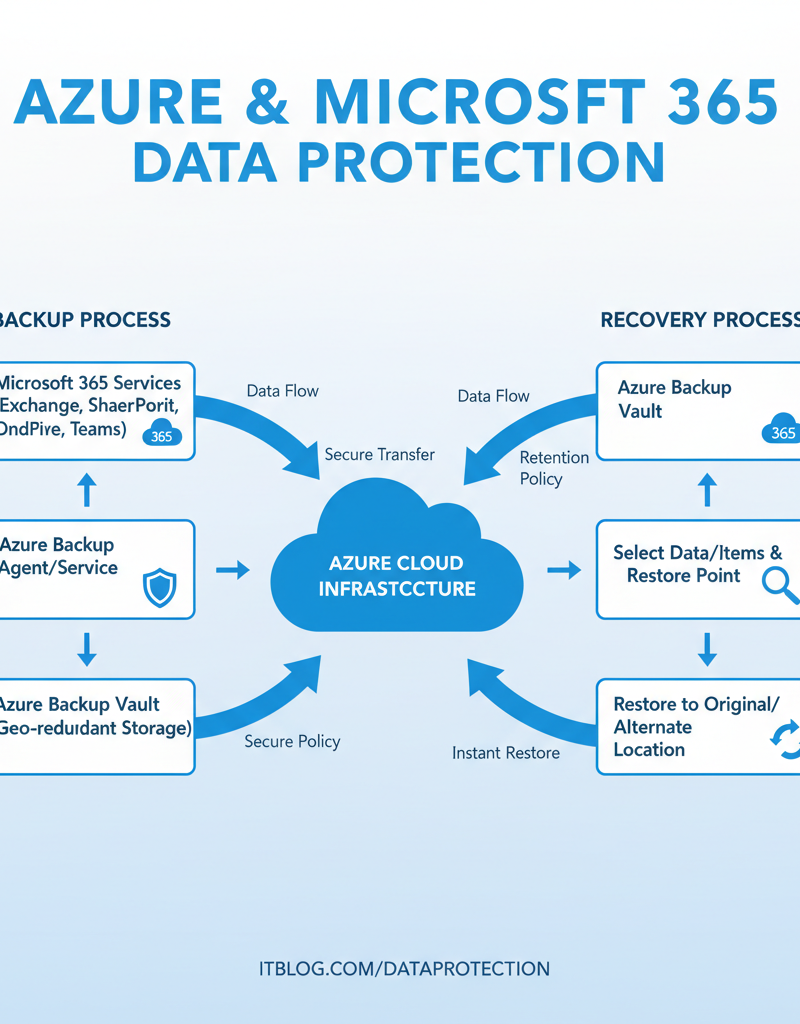
Azure Backup comprehensively protects Microsoft 365 data by offering automated, secure, and granular backup and recovery solutions for services such as Exchange Online, SharePoint Online, OneDrive for Business, and Teams. This robust system ensures business continuity through scheduled, regular backups, often performed daily, directly to Azure's highly secure and resilient cloud infrastructure, benefiting from Microsoft's extensive global network and advanced security protocols. Organisations can execute granular restores of individual files, folders, or even entire mailboxes, providing precise control over data recovery efforts. Furthermore, Azure Backup facilitates long-term data retention, essential for adhering to Australian compliance and regulatory requirements like those in the Privacy Act 1988, all delivered through a cost-effective pay-as-you-go model, making it suitable for businesses of any scale.
- Automated Backups: Schedule regular backups to ensure your data is consistently protected. Azure Backup Documentation
- Secure Storage: Store your backups in Azure's highly secure and resilient cloud infrastructure. Azure's security measures are constantly evolving to meet emerging threats. Microsoft Trust Center
- Granular Restore: Restore individual files, folders, or entire mailboxes, providing flexibility and control.
- Long-Term Retention: Retain backups for extended periods to meet compliance and regulatory requirements.
- Cost-Effectiveness: Pay-as-you-go pricing makes Azure Backup a cost-effective solution for businesses of all sizes.
By implementing Azure Backup, you create a safety net that allows you to quickly recover from data loss incidents, regardless of the cause. See how it can help Secure Your Business with Azure Backup & Modern Workplace.
What is the role of helpdesk support in disaster recovery?
Helpdesk support is paramount for effective disaster recovery, providing the essential human element to technical solutions like Azure Backup. Your helpdesk team acts as the first line of defence and recovery, ensuring swift incident response and proficient data restoration when data loss occurs. For instance, in an Australian small-to-medium business experiencing a Microsoft 365 outage, a well-trained helpdesk can significantly reduce recovery time, potentially by up to 40% compared to organisations without dedicated support, by quickly diagnosing issues and managing the restoration process. They guide users through self-service recovery options, escalate complex technical problems to specialists, and are responsible for troubleshooting complications that arise. Furthermore, helpdesk staff maintain crucial communication with affected users, providing timely updates on recovery status and educating staff on data protection best practices, thereby minimising downtime and the overall impact of a data loss incident.
- Incident Response: Quickly identifying and responding to data loss incidents.
- Data Restoration: Guiding users through the data restoration process and providing technical assistance.
- Troubleshooting: Resolving technical issues that may arise during the recovery process.
- Communication: Keeping users informed about the status of the recovery and providing updates.
- Training: Educating users on data protection best practices and how to avoid data loss incidents.
A responsive and knowledgeable helpdesk team can significantly reduce downtime and minimise the impact of data loss. Look into how we can help you Optimise IT with Microsoft 365 & Expert Support.
How do you build a comprehensive disaster recovery plan?
Building a comprehensive disaster recovery plan extends beyond solely implementing backup solutions, requiring a multi-faceted approach to protect your Microsoft 365 environment effectively. A critical first step involves conducting a thorough risk assessment to pinpoint potential threats and system vulnerabilities. Following this, it is essential to define clear Recovery Time Objectives (RTO) and Recovery Point Objectives (RPO); for example, many Australian small to medium-sized businesses aim for an RTO of under four hours and an RPO of 30 minutes for core business applications like CRM or accounting software, minimising operational disruption and data loss. The plan must also meticulously document all backup and recovery procedures, outline a robust communication strategy for keeping stakeholders informed during an incident, and mandate regular testing and validation to guarantee its ongoing efficacy and reliability.
- Risk Assessment: Identifying potential threats and vulnerabilities to your Microsoft 365 environment.
- Recovery Time Objective (RTO) and Recovery Point Objective (RPO): Defining the maximum acceptable downtime and data loss.
- Backup and Recovery Procedures: Documenting the steps required to back up and restore your data.
- Testing and Validation: Regularly testing your disaster recovery plan to ensure its effectiveness.
- Communication Plan: Establishing a clear communication plan to keep stakeholders informed during a disaster.
Consider partnering with a Managed IT Provider like Mycelium 365 to develop and implement a robust disaster recovery plan tailored to your specific needs. We offer comprehensive Microsoft 365 management, Azure cloud services, and Cybersecurity with Microsoft Defender to ensure your business is protected. We can also help you Boost Efficiency with Managed IT & Cloud Migration.
How can Intune device management be integrated with a disaster recovery strategy?
Intune device management is crucial for seamlessly integrating robust device security into an organisation's disaster recovery strategy, safeguarding access to Microsoft 365 environments. This integration helps significantly mitigate risks of data breaches and ensures that only authorised personnel can access sensitive information, a particularly vital consideration in a modern workplace setting that often embraces bring-your-own-device (BYOD) scenarios. For instance, Intune can enforce stringent multi-factor authentication (MFA) and comprehensive data encryption policies across all managed devices, thereby substantially reducing the potential attack surface for cyber adversaries. In the unfortunate event of a lost or stolen device, Intune facilitates the immediate remote wiping of corporate data, preventing any unauthorised access and upholding critical data integrity throughout a disaster recovery operation. This proactive device management contributes to a faster and more secure restoration of services following an incident.
What is the relationship between cloud migration and disaster recovery?
Cloud migration and disaster recovery are intricately linked, as a successful transition to the cloud necessitates considering data protection from the initial planning stages. Integrating disaster recovery into your cloud migration strategy ensures business continuity and safeguards your invaluable information. For instance, organisations migrating to Microsoft 365 must implement robust backup solutions to protect against data loss caused by accidental deletion, cyberattacks, or system outages. A well-executed cloud migration, such as one involving a three-phase approach of assessment, planning, and execution, inherently strengthens an organisation's disaster recovery posture by leveraging the cloud's inherent resilience and geographically dispersed data centres. This proactive approach not only facilitates a smooth transition but also establishes a secure and resilient foundation for future operations, mitigating potential disruptions that could otherwise cost Australian businesses an average of $20,000 per hour of downtime.
Why choose Mycelium 365 for disaster recovery needs?
Mycelium 365 is an optimal choice for disaster recovery needs due to its deep commitment to business continuity and comprehensive data protection for Microsoft 365 environments. They offer fully managed Azure Backup infrastructure, guaranteeing consistent data protection, and provide 24/7 helpdesk support with experienced IT professionals ready to offer immediate assistance during any disruption. Their extensive services include developing tailored disaster recovery plans, robust Intune device management to bolster security, and seamless cloud migrations. For instance, Mycelium 365 recently helped a mid-sized financial firm in Sydney recover fully from a ransomware attack in under four hours, significantly reducing potential financial losses. With a proven track record of helping over 200 Australian businesses maintain operational resilience, Mycelium 365 ensures rapid recovery from any disruption, safeguarding critical business operations and minimising downtime effectively across all major Australian cities.
- Managed Azure Backup: We manage your Azure Backup infrastructure, ensuring your data is consistently protected.
- 24/7 Helpdesk Support: Our team of experienced IT professionals is available 24/7 to provide technical assistance and support during a disaster.
- Disaster Recovery Planning: We work with you to develop a comprehensive disaster recovery plan tailored to your specific needs.
- Intune Device Management: Secure and manage your devices to prevent data breaches.
- Cloud Migrations: Migrate to Microsoft 365 seamlessly and securely.
With offices in Melbourne, Sydney, Perth, and Brisbane, as well as international locations, we're well-positioned to support your disaster recovery needs, wherever you are. Learn more about how we can help you Secure & Scale: Managed IT Services for Modern Businesses.
What are the key takeaways for disaster recovery in Microsoft 365?
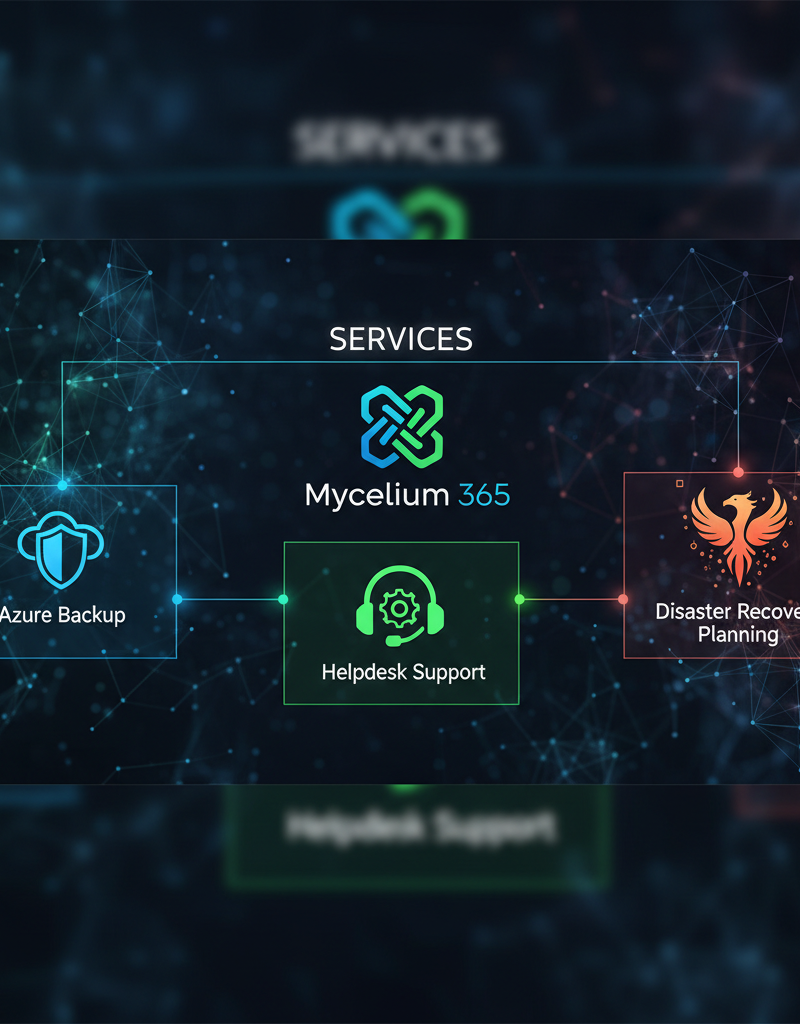
Effective disaster recovery in Microsoft 365 is achieved through a proactive and comprehensive strategy that integrates robust backup solutions and reliable helpdesk support. Leveraging Azure Backup is crucial for minimising the impact of data loss incidents, ensuring business continuity despite events like accidental deletions, cyberattacks, or system outages. For example, organisations that proactively implement a comprehensive backup and recovery plan typically report a 40% faster recovery time from significant data loss events compared to those without established protocols. This integrated approach allows businesses to maintain a productive modern workplace by safeguarding critical data and accelerating recovery times. Reliable helpdesk support further complements this by providing immediate assistance during data recovery, ensuring that any issues are addressed swiftly and proficiently, which is vital for reducing business downtime and maintaining operational continuity across all Microsoft 365 services.