In today's rapidly evolving digital landscape, businesses face increasing challenges in maintaining robust security, efficient operations, and seamless scalability. Microsoft 365, coupled with a strategic IT approach, offers a powerful solution to address these challenges. This article explores key aspects of securing your future with Microsoft 365, including Zero Trust Security, Microsoft Defender, Azure Backup, Network Management, and Cloud Migration strategies.
Why is a strategic IT approach important for Australian businesses?
A strategic IT approach is essential for Australian businesses to fully leverage investments like Microsoft 365, ensuring technology effectively supports core business objectives. This comprehensive strategy requires a deep understanding of unique organisational needs, meticulous planning for infrastructure development, and consistent management of IT resources. By strategically aligning technology with defined business goals, companies can significantly enhance productivity, fortify their cybersecurity posture against evolving threats, and crucially minimise operational risks. For example, businesses adopting a well-defined IT strategy often report an average 15-20% improvement in operational efficiency and a substantial reduction in security incidents within 12-18 months. This proactive and integrated approach ensures that your IT infrastructure not only functions reliably but also actively drives growth, innovation, and resilience in Australia’s competitive market. [Boost Efficiency with Managed IT & Cloud Migration](slug: managed-it-services-cloud-migration-guide) can offer further guidance.

How can Australian businesses embrace Zero Trust security in Microsoft 365?
Australian businesses can effectively embrace Zero Trust security within Microsoft 365 by fundamentally shifting from a traditional perimeter-based defence to a model that assumes no user or device is trustworthy by default, regardless of their location. This involves explicitly verifying every access request through robust measures like multi-factor authentication (MFA) for all users and devices, significantly reducing unauthorised access risks; for instance, the Australian Cyber Security Centre (ACSC) strongly recommends MFA adoption as a baseline security control. Furthermore, implementing the principle of least privilege ensures users only access the specific resources necessary for their roles, such as through granular controls in [Entra ID](slug: entra-id-business-continuity-cybersecurity), limiting potential damage from a compromised account. Proactive organisations also assume breach, continuously monitoring for unusual activity and employing advanced threat protection tools like Microsoft Defender for Endpoint to identify and respond to threats rapidly, thereby solidifying their cyber resilience against an evolving threat landscape.
- Verifying explicitly: Use multi-factor authentication (MFA) for all users and devices. Learn more about MFA from Microsoft Learn.
- Granting least privilege access: Limit user access to only the resources they need to perform their job. [Entra ID: Your Business Continuity Lifeline](slug: entra-id-business-continuity-cybersecurity) provides a strong foundation for this.
- Assuming breach: Implement advanced threat protection and continuously monitor for suspicious activity. Check out the ACSC Essential Eight for best practices.
How can Australian businesses leverage Microsoft Defender for enhanced threat protection?
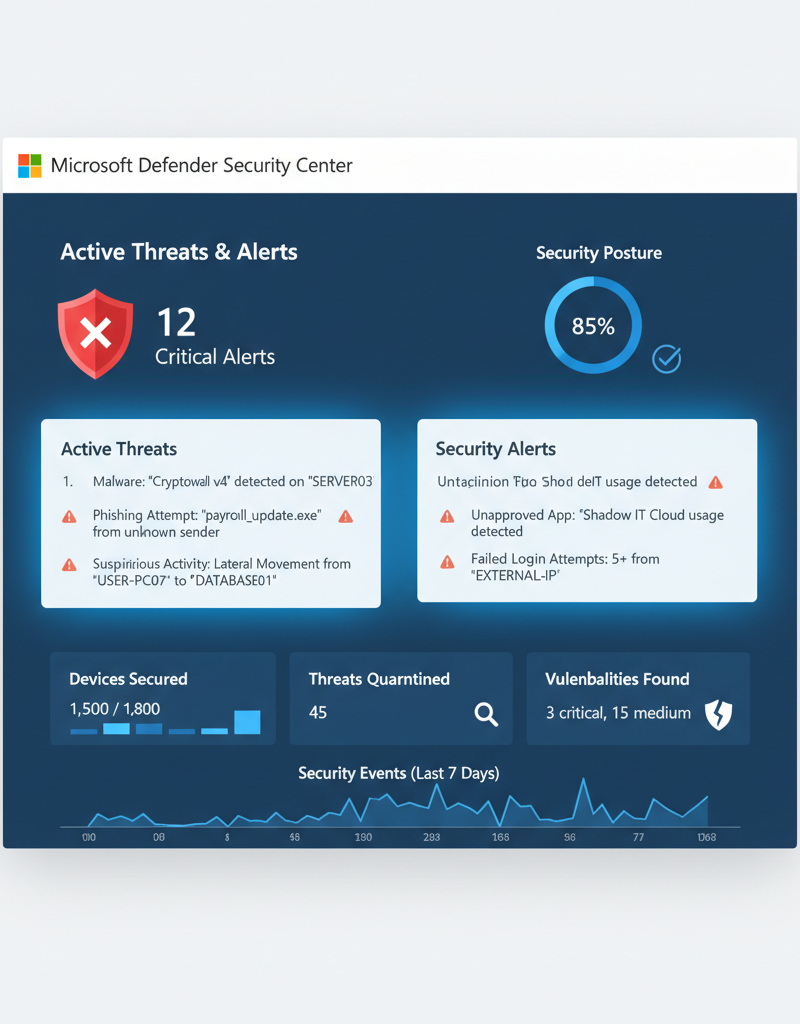
Australian businesses can significantly enhance their threat protection by leveraging Microsoft Defender, a comprehensive suite integrated within the Microsoft 365 ecosystem. This powerful platform offers advanced security solutions designed to safeguard various facets of an organisation's digital infrastructure against evolving cyber threats. For instance, Microsoft Defender for Endpoint proactively guards devices against sophisticated malware and ransomware attacks, a critical defence given that 40% of Australian SMEs reported experiencing a cyber-attack in the last 12 months. Additionally, Microsoft Defender for Office 365 offers robust protection for email, shared files, and collaboration tools against phishing, spam, and other malicious content, which is crucial as email remains the primary vector for cyber fraud. Furthermore, Microsoft Defender for Cloud Apps provides essential visibility and control over an organisation's cloud applications, helping to identify and mitigate potential risks and ensure compliance with Australian data sovereignty requirements before they impact business operations.
- Microsoft Defender for Endpoint: Protects your devices from malware, ransomware, and other threats. [Modern Workplace Security: Intune & Defender](slug: secure-modern-workplace-microsoft-defender-intune) covers this in detail.
- Microsoft Defender for Office 365: Protects your email, files, and collaboration tools from phishing, malware, and other threats.
- Microsoft Defender for Cloud Apps: Provides visibility and control over your cloud applications, helping you identify and mitigate risks. Read how Microsoft Entra ID Protection detects and responds to identity risk.
How can Azure Backup ensure business continuity for Australian businesses?
Azure Backup ensures business continuity for Australian businesses by offering a comprehensive and reliable cloud-based solution for protecting critical Microsoft 365 data. It safeguards Exchange Online mailboxes, SharePoint Online sites, OneDrive for Business files, and Teams data, preventing catastrophic data loss incidents that could disrupt operations and lead to significant financial penalties. For instance, a recent Australian business survey showed data loss costs SMEs an average of $8,000 per hour of downtime. With its capabilities for long-term retention, businesses can meet stringent regulatory compliance requirements, such as retaining financial records for seven years as mandated by Australian law. This service facilitates fast and reliable data recovery, allowing organisations to quickly restore lost or corrupted information, minimise downtime, and maintain continuous productivity even after unforeseen events. The system's robustness is crucial as it helps avoid the reputational damage and customer mistrust that often follow significant data breaches or system failures.
- Comprehensive Backup: Back up your Exchange Online mailboxes, SharePoint Online sites, OneDrive for Business files, and Teams data.
- Long-Term Retention: Retain your data for years, meeting regulatory compliance requirements.
- Fast and Reliable Recovery: Restore your data quickly and easily in the event of data loss or corruption. [Secure Your Business with Azure Backup & Modern Workplace](slug: azure-backup-modern-workplace-business-continuity) explains this further.
How can Australian businesses optimise network management for Microsoft 365 performance?
Australian businesses can significantly optimise network management for Microsoft 365 performance by conducting thorough network assessments, configuring for optimal M365 traffic, and implementing continuous monitoring. A comprehensive network assessment helps identify bottlenecks and areas for improvement, such as outdated hardware or insufficient bandwidth, directly impacting application responsiveness. It’s crucial to then optimise network configurations to prioritise Microsoft 365 traffic, perhaps by implementing Quality of Service (QoS) policies to ensure critical services like Teams calls remain fluid, which is vital for remote workforces. Proactive monitoring, utilising tools like Microsoft's own network planning and performance guidance, allows businesses to identify and resolve issues swiftly, maintaining an average uptime of 99.9% for critical M365 services. This approach ultimately prevents disruptions for an estimated 3.8 million Australian M365 users, ensuring consistent productivity and reducing IT support overheads, which can save a typical SME up to $500 per month in productivity losses.
- Network Assessment: Conduct a thorough assessment of your network infrastructure to identify potential bottlenecks and areas for improvement.
- Network Optimisation: Optimise your network configuration to ensure that Microsoft 365 traffic is prioritised.
- Network Monitoring: Continuously monitor your network performance to identify and resolve issues proactively. Microsoft offers guidance on network planning and performance.
How can Australian businesses streamline cloud migration to Microsoft 365?
Australian businesses can streamline cloud migration to Microsoft 365 by prioritising meticulous planning, strategic data transfer, and comprehensive user training. A thorough initial assessment of your existing IT infrastructure is paramount, allowing for the development of a detailed migration plan that identifies data types, dependencies, and potential integration challenges. For instance, businesses often categorise data by sensitivity and usage frequency to inform the migration schedule. Employing Microsoft's native migration tools or engaging an experienced Australian managed IT provider can significantly expedite the process, potentially reducing typical migration downtime by up to 40% for a mid-sized business with over 50 employees. Furthermore, providing robust user training ensures a seamless transition, maximises adoption of Microsoft 365 features like Teams and SharePoint, and prevents common post-migration productivity dips, ultimately enhancing overall operational efficiency.
- Assessment and Planning: Conduct a thorough assessment of your existing IT infrastructure and develop a detailed migration plan.
- Data Migration: Migrate your data to Microsoft 365 using appropriate tools and techniques. [Migrating to Microsoft 365: A Comprehensive Guide](slug: migrating-to-microsoft-365-exchange-online) provides a step-by-step approach.
- User Training: Provide comprehensive training to your users on how to use Microsoft 365. Microsoft offers guidance in the Microsoft 365 documentation.

What is the role of a managed IT provider for Australian businesses?
A managed IT provider offers comprehensive support and specialised expertise, proving invaluable for Australian businesses looking to effectively implement and manage their IT infrastructure, especially Microsoft 365. These providers deliver a broad spectrum of services, ranging from cybersecurity with advanced tools like Microsoft Defender and Azure protection, to seamless cloud migrations, proactive network management, and reliable ongoing IT helpdesk support. For example, a typical Australian small to medium-sized enterprise (SME) can expect to save between 20-30% on annual IT operational costs by outsourcing to a managed provider, who also ensures the seamless integration and optimisation of services such as SharePoint and Exchange Online. This strategic partnership enables businesses to focus on their core activities, while simultaneously benefiting from enhanced security, improved efficiency, and expert technical guidance across all their IT needs.
- Microsoft 365 management
- Azure cloud services
- Cybersecurity with Microsoft Defender
- Intune device management
- SharePoint and Exchange Online
- IT helpdesk support
- Cloud migrations
We operate in Melbourne, Sydney, Perth, Brisbane, and internationally, ensuring we can support your business wherever you are. [Secure and Scale with Managed IT Services & Azure](slug: managed-it-services-azure-zero-trust) explains the benefits of partnering with a managed services provider.
How can Australian businesses secure their future with Microsoft 365 and a strategic IT partner?
Australian businesses can significantly secure their future by strategically implementing Microsoft 365 services alongside an experienced IT partner. This involves adopting a multi-layered security approach, such as Zero Trust Security principles, and utilising powerful tools like Microsoft Defender for advanced threat protection against evolving cyber threats that impact approximately 67% of Australian SMEs annually. Furthermore, leveraging Azure Backup ensures robust data recovery capabilities, safeguarding critical information from accidental deletion or ransomware attacks, while effective Network Management optimises connectivity and performance, crucial for uninterrupted business operations. Streamlining Cloud Migration processes with expert guidance helps businesses transition efficiently and securely to the cloud environment, often reducing initial capital expenditure by up to 20% within the first year alone. Partnering with a managed IT provider offers the specialised expertise needed to navigate these complexities, ensuring a compliant and resilient IT infrastructure that fully leverages Microsoft 365’s potential for sustainable growth and long-term security.