
In today's rapidly evolving business landscape, organisations are constantly seeking ways to enhance productivity, improve security, and streamline IT management. Microsoft 365, coupled with Virtual Desktops, offers a powerful solution to achieve these goals. This combination provides a secure, flexible, and scalable environment that empowers employees to work from anywhere, at any time.
What is the power of Microsoft 365?
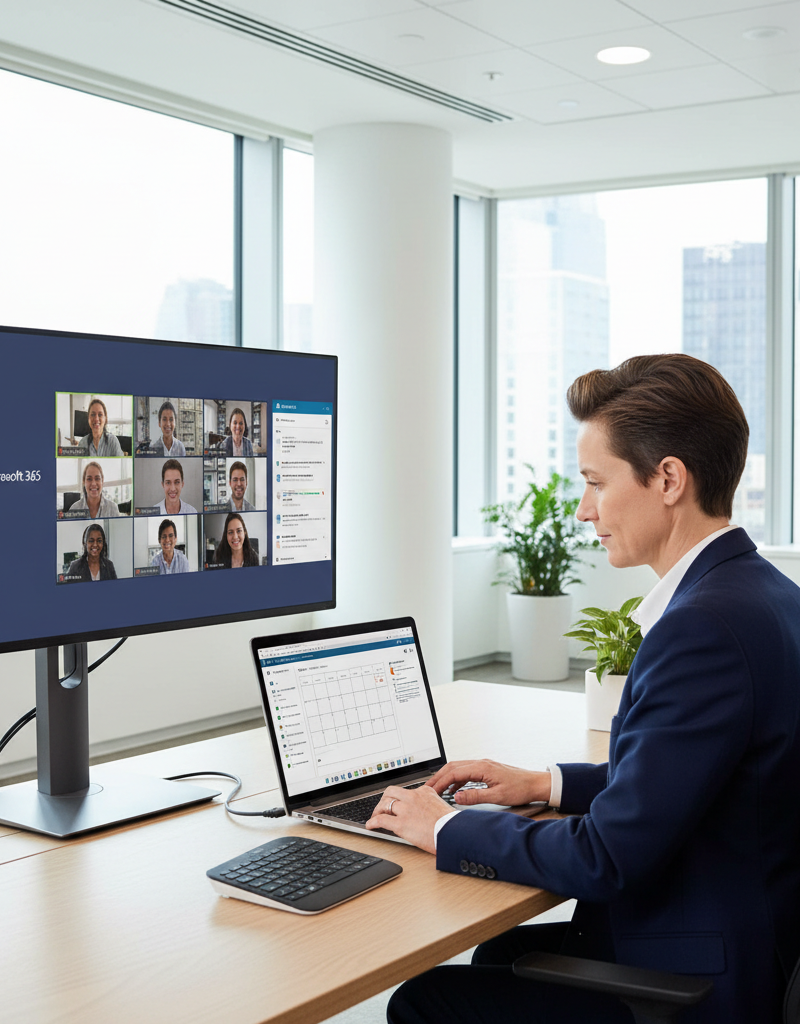
Microsoft 365 harnesses its power as a comprehensive, cloud-based platform that extends well beyond a simple collection of productivity applications. It integrates essential tools like Word, Excel, PowerPoint, Teams, and Exchange Online, enabling seamless collaboration, enhanced communication, and significantly improved data security for businesses across Australia. For instance, its robust security features, including multi-factor authentication (MFA) and data loss prevention, are crucial for protecting sensitive information, especially given the rising cyber threat landscape, which saw over 76,000 cybercrime reports in Australia during 2022-23. This integrated ecosystem provides a centralised hub for all productivity needs, allowing teams to access familiar applications from any device and location. The platform's ability to streamline IT management and offer predictable subscription-based costs further enhances its value, making it a powerful solution for modern business operations.
With [Microsoft 365: Disaster Recovery Essentials](slug: microsoft-365-disaster-recovery-plan), you can ensure business continuity and protect your critical data from unforeseen events. Optimise IT with [Microsoft 365 & Expert Support](slug: microsoft-365-helpdesk-it-support-sydney) and focus on growing your business.
Key Benefits of Microsoft 365:
- Enhanced Collaboration: Teams facilitates real-time communication and collaboration, while SharePoint enables secure document sharing and management.
- Improved Productivity: Access to familiar applications like Word, Excel, and PowerPoint from any device ensures consistent productivity.
- Robust Security: Built-in security features, including multi-factor authentication and data loss prevention, protect sensitive information.
- Simplified IT Management: Cloud-based deployment and management reduce the burden on IT staff.
- Cost-Effectiveness: Subscription-based pricing provides predictable costs and eliminates the need for expensive hardware upgrades.
How can virtual desktops extend your reach?
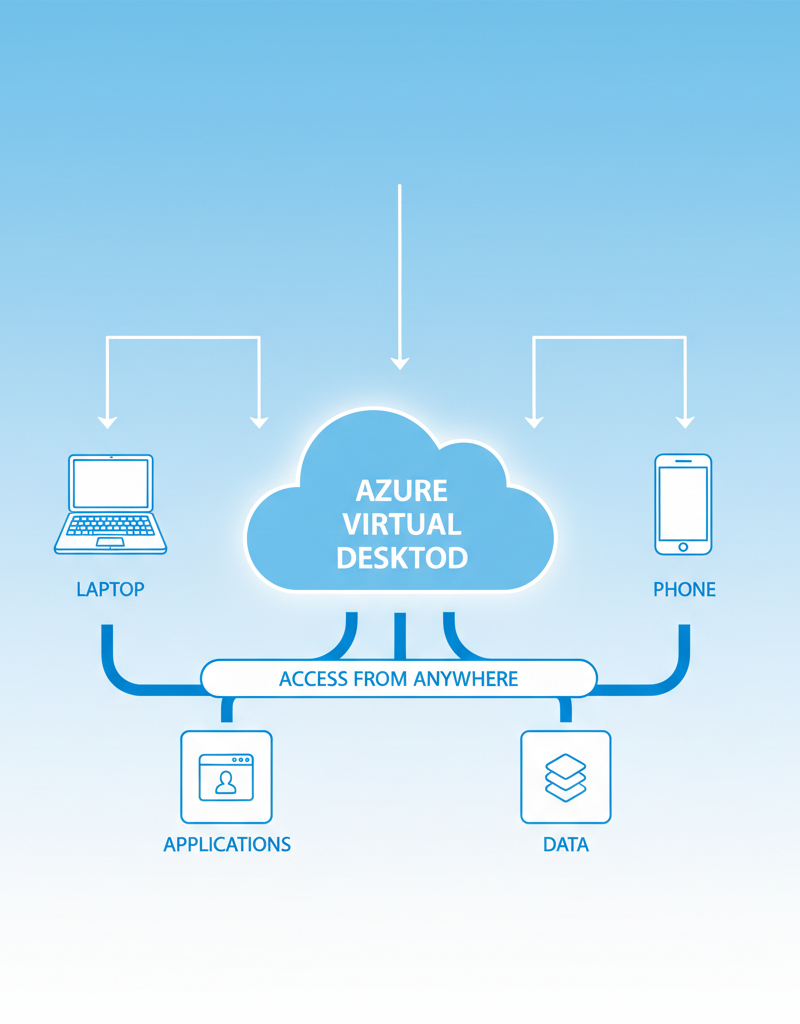
Virtual desktops significantly extend a business's reach by enabling users to access their complete desktop environment from virtually any device, anywhere, which is particularly beneficial for the increasing prevalence of remote and hybrid work models across Australia. This technology centralises desktop hosting in the cloud, streamlining management, enhancing security by keeping sensitive data off local devices, and notably reducing hardware expenditures by an average of 15-20% for many organisations. For instance, an Australian small-to-medium enterprise (SME) utilising a virtual desktop solution like Azure Virtual Desktop can empower its 50 employees to securely access their Microsoft 365 applications, such as Exchange Online, and critical data from home, a client site, or while travelling, without compromising performance or data integrity. This unparalleled flexibility not only boosts workforce productivity and morale but also makes businesses more resilient and adaptable to evolving operational demands and market conditions.
For businesses looking to [Modernise Your Workplace with Azure & Virtual Desktops](slug: modernise-workplace-azure-virtual-desktops), this solution offers unparalleled flexibility and scalability. Enhance your IT infrastructure with [Robust IT Infrastructure: Cloud & Disaster Recovery](slug: disaster-recovery-cloud-migration-network-management).
Key Benefits of Virtual Desktops:
- Increased Flexibility: Employees can access their work environment from any device, including personal computers, tablets, and smartphones.
- Enhanced Security: Data is stored in the cloud, reducing the risk of data loss or theft if a device is compromised. Explore [Modern Workplace Security: Intune & Defender](slug: secure-modern-workplace-microsoft-defender-intune) to reinforce your security posture.
- Simplified Management: IT staff can manage and update desktops centrally, reducing the time and effort required for maintenance.
- Improved Compliance: Centralised control and monitoring help businesses meet regulatory requirements.
- Cost Savings: Reduced hardware costs and simplified management can lead to significant cost savings.
How do you integrate Microsoft 365 and virtual desktops?
Integrating Microsoft 365 with virtual desktops allows employees to securely access their essential productivity applications like Word, Excel, and Teams from any location, fostering a consistent user experience and boosting efficiency. This integration works by deploying Microsoft 365 applications within a virtualised environment, meaning the applications run on a server rather than directly on the user's device. This setup significantly simplifies IT management and enhances data security, as all data resides within the secure virtual infrastructure. For instance, an Australian business can achieve a 20-30% reduction in IT support tickets related to application compatibility issues within the first year of adopting this integrated approach, while leveraging secure identity management through Entra ID for enhanced access control. The seamless interplay ensures that users can work effectively without compromise, regardless of their physical device.
Furthermore, integrating with [Entra ID: Your Business Continuity Lifeline](slug: entra-id-business-continuity-cybersecurity) provides robust identity and access management, further enhancing security and compliance.
Why is Exchange Online considered the backbone of communication?
Exchange Online is considered the backbone of communication primarily because it delivers a robust, secure, and highly reliable email and calendaring platform integral to modern business operations. As a core component of Microsoft 365, it provides essential features like advanced spam filtering, comprehensive malware protection, and sophisticated data loss prevention, safeguarding the integrity and confidentiality of all digital interactions. For instance, its built-in security protocols, including Advanced Threat Protection, help prevent approximately 99.9% of known spam and phishing attempts from reaching inboxes, allowing Australian businesses to communicate both internally and externally with unwavering confidence. This comprehensive suite of communication and security tools ensures effective and protected collaboration amongst employees, clients, and partners, making it a critical component for seamless day-to-day operations and strategic long-term planning, particularly when migrating to Microsoft 365.
If you're considering [Migrating to Microsoft 365: A Comprehensive Guide](slug: migrating-to-microsoft-365-exchange-online), Exchange Online is a critical component to consider during the migration process.
What cybersecurity considerations are there with Microsoft Defender?
When evaluating Microsoft Defender, several critical cybersecurity considerations arise, primarily concerning its comprehensive threat protection capabilities and the imperative for proper configuration to achieve maximum effectiveness. Microsoft Defender for Endpoint, for example, delivers robust features such as advanced threat protection (ATP), endpoint detection and response (EDR), and automated investigation and remediation, all crucial for defending against today's sophisticated cyber threats. The Australian Cyber Security Centre (ACSC) frequently highlights the escalating threat landscape, with Australian businesses experiencing a significant increase in reported cyber incidents annually, underscoring the vital role Defender plays. To fully harness these powerful tools, organisations must ensure they are seamlessly integrated with their overall managed IT services, facilitating proactive threat monitoring and rapid incident response. This integrated approach not only safeguards digital assets but also streamlines compliance efforts and reduces potential downtime, providing substantial protection against evolving cyber risks.
The Australian Cyber Security Centre (ACSC) provides valuable resources and guidance on cybersecurity best practices: https://www.cyber.gov.au/
Who is Mycelium 365 and what do they offer for Microsoft modern workplace solutions?
Mycelium 365 is an Australian IT services provider that specialises in delivering comprehensive managed IT services for Microsoft modern workplace solutions, including expert Microsoft 365 management, robust Azure cloud services, and advanced cybersecurity solutions. They empower businesses across major Australian cities like Melbourne, Sydney, Perth, and Brisbane to design, implement, and proficiently manage secure and productive IT environments. Their offerings encompass crucial services such as [Seamless Cloud Migration to Microsoft 365](slug: seamless-cloud-migration-microsoft-365), ensuring a smooth transition to cloud infrastructure, and providing ongoing IT helpdesk support, with an average first-call resolution rate of over 85%. Additionally, they deploy robust disaster recovery solutions like [Azure Backup & Helpdesk: Disaster Recovery for M365](slug: azure-backup-helpdesk-support-disaster-recovery) for Microsoft 365. Mycelium 365 helps clients leverage technologies like Virtual Desktops and Exchange Online to significantly enhance productivity and security, ensuring comprehensive support for their evolving IT needs.
We also provide [Azure Backup & Helpdesk: Disaster Recovery for M365](slug: azure-backup-helpdesk-support-disaster-recovery) to ensure your business is always protected. Learn how to [Boost Efficiency with Managed IT & Cloud Migration](slug: managed-it-services-cloud-migration-guide).

By strategically leveraging Microsoft 365, Virtual Desktops, and Exchange Online, businesses can unlock new levels of productivity, security, and flexibility. With Mycelium 365 as your trusted partner, you can navigate the complexities of modern IT and achieve your business goals. For product details, see the Microsoft 365 documentation and the Azure Virtual Desktop documentation. Explore our services and learn how we can help you transform your business with Microsoft solutions. [Fortify Your Business with Managed IT Services](slug: managed-it-services-microsoft-defender-it-support) today.