Microsoft 365 has become the cornerstone of modern workplaces, offering a suite of powerful tools designed to boost productivity, enhance collaboration, and streamline business operations. However, migrating to, and effectively managing, Microsoft 365 can be complex. That's where an experienced Office 365 MSP (Managed Service Provider) like Mycelium 365 comes in. This guide will walk you through the key considerations when planning your switch to Microsoft 365, ensuring a smooth and successful transition.
Why switch to Microsoft 365?
Switching to Microsoft 365 offers Australian businesses a compelling suite of benefits, primarily by significantly enhancing productivity, collaboration, and security, while often leading to substantial IT cost reductions. This comprehensive platform provides integrated access to essential applications like Word, Excel, PowerPoint, and Teams, facilitating seamless workflows and real-time co-authoring among employees, thereby boosting overall efficiency. Its inherent scalability allows organisations to effortlessly adjust subscriptions based on fluctuating business needs, ensuring cost-effectiveness without being locked into rigid contracts. For instance, many small to medium-sized enterprises (SMEs) report an average 15-20% reduction in IT infrastructure spend within the first year of migration, recovering initial setup costs within months. Furthermore, robust, built-in security features and compliance tools protect vital data, providing peace of mind in an increasingly complex cyber threat landscape that saw a 13% increase in incidents reported by Australian businesses last year.
- Enhanced Productivity: Access to familiar applications like Word, Excel, PowerPoint, and Teams, all integrated for seamless workflow.
- Improved Collaboration: Real-time co-authoring, shared calendars, and integrated communication tools foster teamwork.
- Scalability and Flexibility: Easily adjust your subscription to meet changing business needs, paying only for what you use.
- Enhanced Security: Built-in security features and compliance tools protect your data and ensure regulatory adherence.
- Cost Savings: Consolidate IT infrastructure and reduce on-premises hardware costs.
- Anywhere Access: Work from any device, anywhere, with secure access to your data and applications.

What are the key considerations before you switch to Microsoft 365?
Before switching to Microsoft 365, businesses in Australia should carefully consider several key factors beyond simply migrating services. A thorough assessment of your current IT infrastructure is paramount to identify potential compatibility issues and formulate a robust data migration strategy, potentially utilising tools like the SharePoint Migration Tool. Planning for comprehensive user training is also crucial to maximise adoption and efficiency, as employees will need to adapt to new features. Furthermore, implementing strong security protocols, such as multi-factor authentication (MFA) and data loss prevention (DLP) policies, is essential from the outset to protect sensitive information. Finally, selecting the appropriate Microsoft 365 licensing plan from options like Business Basic, Standard, or Premium, which can vary by over $10 per user per month, ensures the chosen solution aligns with specific business needs, user numbers, and desired functionalities.
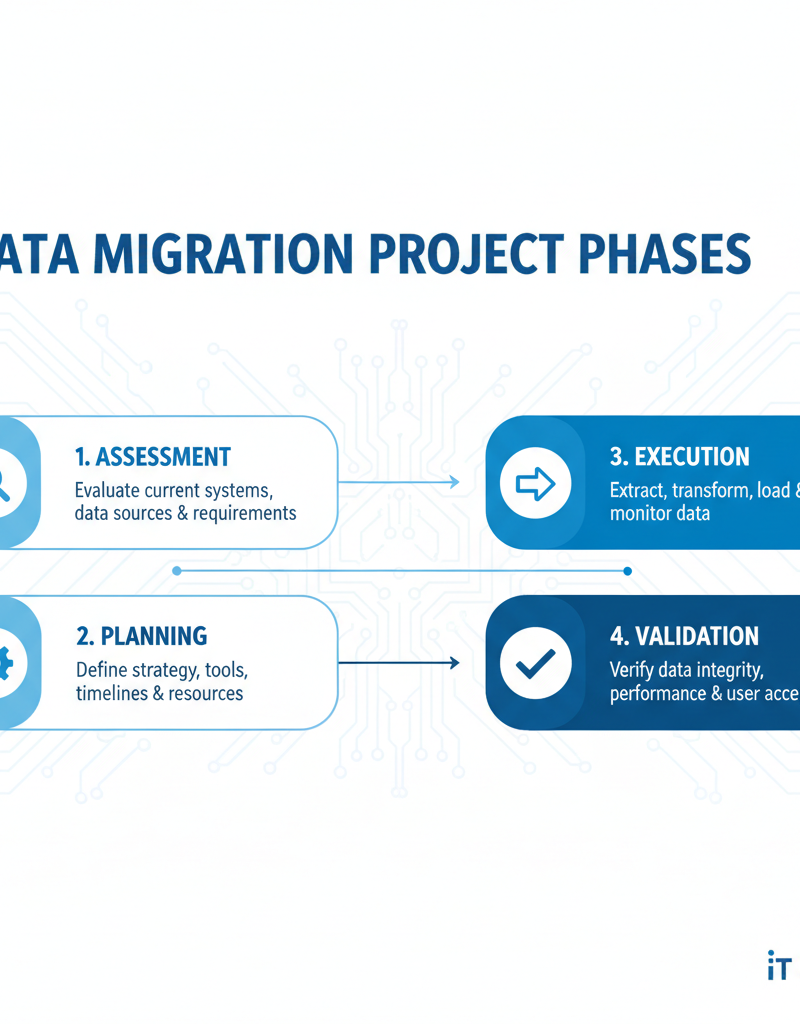
1. Assessment and Planning
- Current Infrastructure: Evaluate your existing IT infrastructure, including servers, network, and software. Identify potential compatibility issues and migration challenges.
- Data Migration: Develop a comprehensive data migration strategy, including data cleansing, transfer methods, and timelines. Consider tools like the SharePoint Migration Tool (https://learn.microsoft.com/en-us/sharepointmigration/).
- User Training: Plan for user training to ensure everyone can effectively use the new tools and features. Mycelium 365 offers comprehensive training programs as part of our managed services.
- Security Considerations: Implement robust security measures, including multi-factor authentication (MFA) and data loss prevention (DLP) policies. See our blog post on Modern Workplace Security: Intune & Defender.
- Licensing: Choose the right Microsoft 365 plan to meet your business needs. Consider factors like the number of users, required applications, and storage capacity. Microsoft provides a licensing guide here: https://m365maps.com/
2. Choosing the Right Microsoft 365 Plan
Microsoft offers a variety of Microsoft 365 plans, each tailored to different business needs. Some common options include:
- Microsoft 365 Business Basic: For businesses that need basic email, file storage, and online meeting capabilities.
- Microsoft 365 Business Standard: Includes desktop versions of Office apps, as well as email, file storage, and online meeting capabilities.
- Microsoft 365 Business Premium: Adds advanced security features and device management capabilities to the Business Standard plan. This is a great option for those looking at Intune, Cybersecurity & Managed IT: A Modern Approach.
- Microsoft 365 E3/E5: Enterprise-grade plans with advanced security, compliance, and analytics features.
3. Migrating Your Data
Data migration is a critical aspect of the switch to Microsoft 365. You need to ensure that your data is transferred securely and efficiently. Mycelium 365 provides Seamless Cloud Migration to Microsoft 365.
- Email Migration: Migrate your email accounts and data from your existing email server to Exchange Online. This can be done using various methods, including cutover migration, staged migration, and hybrid migration. See Microsoft's documentation on Exchange Online migration: https://learn.microsoft.com/en-us/exchange/mailbox-migration/mailbox-migration.
- File Migration: Migrate your files and documents to SharePoint Online and OneDrive. This can be done using the SharePoint Migration Tool or other third-party tools. Read our blog post on SharePoint & Azure: Streamline Your Cloud Migration.
- Application Migration: Migrate any on-premises applications to Azure or other cloud platforms. This may require reconfiguring the applications to work in the cloud environment. We cover this in Microsoft 365 & Azure: Scaling Your Business in 2024.
4. Security and Compliance
Security is paramount when migrating to the cloud. Microsoft 365 offers a range of security features, but it's important to configure them properly. This includes:
- Multi-Factor Authentication (MFA): Enforce MFA for all users to protect against password theft.
- Data Loss Prevention (DLP): Implement DLP policies to prevent sensitive data from leaving your organisation.
- Threat Protection: Use Microsoft Defender for Office 365 to protect against phishing, malware, and other threats. See our blog post on Fortify Your Business with Managed IT Services.
- Conditional Access: Configure conditional access policies to control access to resources based on user location, device, and other factors. See Entra ID: Your Business Continuity Lifeline.
5. Ongoing Management and Support
Once you've migrated to Microsoft 365, it's important to have a plan for ongoing management and support. This includes:
- Monitoring and Maintenance: Regularly monitor your Microsoft 365 environment to identify and resolve any issues.
- User Support: Provide ongoing support to your users to help them use the new tools and features effectively. Mycelium 365 has Optimise IT with Microsoft 365 & Expert Support.
- Security Updates: Stay up-to-date with the latest security updates and patches.
- Compliance Management: Ensure that your Microsoft 365 environment remains compliant with relevant regulations.
How can an Office 365 MSP help Australian businesses switch to Microsoft 365?
An Office 365 Managed Service Provider (MSP) can significantly help Australian businesses switch to Microsoft 365 by offering comprehensive support from initial planning to ongoing management. An MSP, such as Mycelium 365, provides essential expertise to streamline the entire migration process, ensuring a smooth and efficient transition of data, often completing the bulk of migration work for a typical Australian SME (10-50 users) in as little as 2-4 weeks. This expert guidance extends to configuring robust security settings to protect sensitive data and prevent cyber threats, a crucial aspect given that over 67,500 cybercrime reports were made in Australia in the last financial year. Furthermore, an MSP assists with cost optimisation by helping businesses select the most suitable Microsoft 365 plans and licensing options to avoid unnecessary expenditure, alongside providing continuous user support to maximise the platform's benefits and ensure staff can effectively utilise new features.
- Expert Guidance: We have deep expertise in Microsoft 365 and can provide expert guidance on planning, migration, and management.
- Streamlined Migration: We can handle the entire data migration process, ensuring a smooth and efficient transition. We also offer advice in Boost Efficiency with Managed IT & Cloud Migration.
- Enhanced Security: We can configure and manage your Microsoft 365 security settings to protect your data and prevent threats. Refer to Secure & Scale: Managed IT Services for Modern Businesses.
- Ongoing Support: We provide ongoing support to your users, helping them get the most out of Microsoft 365. This is similar to our Azure Backup & Helpdesk: Disaster Recovery for M365.
- Cost Optimisation: We can help you choose the right Microsoft 365 plan and optimise your licensing costs.

Are you ready to make the switch to Microsoft 365?
Making the switch to Microsoft 365 is a strategic decision that can significantly enhance business operations, but it necessitates thorough planning and expert execution to ensure a seamless migration. Engaging an experienced Office 365 Managed Service Provider (MSP) is crucial for navigating the complexities of this transition, encompassing everything from initial needs assessment and data migration to ongoing support. An MSP can help Australian businesses, particularly small to medium-sized enterprises, unlock the comprehensive features of Microsoft 365, such as advanced security protocols, robust compliance tools, and integrated collaboration applications like Teams and SharePoint. For instance, businesses often see a productivity increase of up to 25% within the first year post-migration due to improved communication and streamlined workflows. This partnership allows organisations to minimise downtime, mitigate potential data risks, and fully leverage the platform's capabilities, ultimately enabling them to concentrate on core business growth rather than technical challenges.
Read more about Optimising Your Modern Workplace with Microsoft 365.
Further reading:
- Australian Cyber Security Centre (ACSC): https://www.cyber.gov.au/
- Microsoft 365 Roadmap: https://www.microsoft.com/en-au/microsoft-365/roadmap