
In today's rapidly evolving digital landscape, businesses are increasingly reliant on cloud-based solutions to drive productivity and collaboration. Microsoft 365 stands as a cornerstone of the Modern Workplace, offering a suite of powerful tools for communication, collaboration, and data management. However, simply adopting Microsoft 365 isn't enough. Effective management, robust security, and a well-defined Disaster Recovery plan are crucial for maximising its benefits and mitigating potential risks. This guide provides a comprehensive overview of key considerations for managing your Microsoft 365 environment, ensuring security, resilience, and optimal performance.
How can Australian businesses embrace Zero Trust security in Microsoft 365?
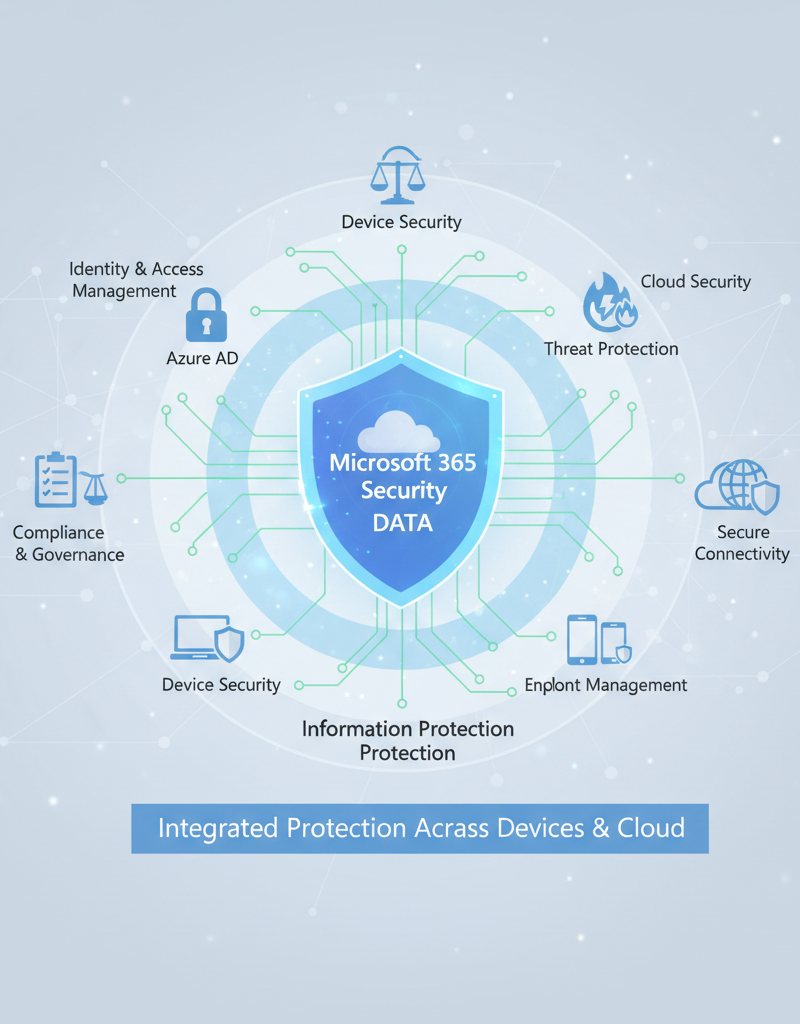
Australian businesses can embrace Zero Trust security in Microsoft 365 by fundamentally shifting from a "trust but verify" model to one of "never trust, always verify," which demands strict verification of every user, device, and application attempting to access resources, regardless of their location. This approach eliminates implicit trust and consistently verifies identities and device health. For example, implementing multi-factor authentication (MFA) for all Microsoft 365 users, a crucial first step, significantly reduces the risk of compromised credentials; Microsoft reports that MFA blocks over 99.9% of automated cyberattacks. Key implementation steps involve robust Identity and Access Management through Entra ID, ensuring device compliance via Microsoft Intune, protecting sensitive data using Microsoft Information Protection, segmenting networks to manage access, and utilising real-time threat detection and response capabilities with Microsoft Defender for Cloud Apps. Learn more about Zero Trust Security.
Implementing Zero Trust within your Microsoft 365 environment involves several key steps:
- Identity and Access Management (IAM): Enforce strong authentication methods, such as multi-factor authentication (MFA), for all users. Leverage tools like Entra ID (formerly Azure Active Directory) to manage user identities and access rights. See how Entra ID can become Your Business Continuity Lifeline.
- Device Management: Implement mobile device management (MDM) policies using Microsoft Intune to ensure that devices accessing Microsoft 365 resources are compliant with security requirements. Explore Modern Workplace Security: Intune & Defender.
- Data Protection: Classify and label sensitive data to apply appropriate security controls. Use Microsoft Information Protection (MIP) to encrypt data at rest and in transit, preventing unauthorized access even if a breach occurs. Microsoft Purview offers many data protection and governance tools.
- Network Segmentation: Segment your network to isolate critical resources and limit the impact of potential breaches. Use Azure Network Security Groups (NSGs) to control network traffic and prevent lateral movement of attackers.
- Threat Detection and Response: Implement robust threat detection and response capabilities using Microsoft Defender for Microsoft 365 to identify and respond to security incidents in real-time. Protect your business by ensuring your Fortify Your Business with Managed IT Services.
How do Australian businesses ensure business continuity with disaster recovery?
Australian businesses ensure business continuity by implementing comprehensive Disaster Recovery (DR) plans, which are crucial for minimising downtime and data loss stemming from unforeseen events like natural disasters, cyberattacks, or hardware failures. A robust plan for a Microsoft 365 environment typically involves reliable data backup and recovery solutions for critical platforms like Exchange Online, SharePoint Online, and OneDrive for Business, often leveraging Microsoft's built-in replication across multiple data centres for redundancy. Businesses must also define clear Recovery Time Objectives (RTO) and Recovery Point Objectives (RPO) to guide their backup strategy, aiming to restore critical operations within a specified timeframe, such as two to four hours for essential services. Adopting a "3-2-1 backup strategy," where three copies of data reside on two different media with one offsite, offers enhanced resilience. Regular testing of these DR plans, at least annually, is also vital to confirm their effectiveness and readiness in a real-world scenario.
Here are some key considerations for developing a robust Disaster Recovery plan for your Microsoft 365 environment:
- Data Backup and Recovery: Implement a reliable data backup and recovery solution to protect your critical data in Microsoft 365, including Exchange Online, SharePoint Online, and OneDrive for Business. Azure Backup & Helpdesk: Disaster Recovery for M365 is an excellent option.
- Replication and Redundancy: Leverage Microsoft's built-in replication and redundancy capabilities to ensure that your data is replicated across multiple data centres. This ensures that your data remains available even if one data centre experiences an outage.
- Recovery Time Objective (RTO) and Recovery Point Objective (RPO): Define your RTO and RPO to determine the maximum acceptable downtime and data loss in the event of a disaster. This will help you choose the appropriate backup and recovery solutions and strategies.
- Disaster Recovery Testing: Regularly test your Disaster Recovery plan to ensure that it is effective and that your team is prepared to respond to a disaster. Testing should include simulating different disaster scenarios and verifying that your recovery procedures work as expected.
- Consider a 3-2-1 Backup Strategy: Keep three copies of your data on two different media, with one copy offsite. This ensures greater resilience against different types of data loss scenarios. Azure Backup & Modern Workplace can help you achieve this.
How can Australian businesses optimise network management for Microsoft 365?
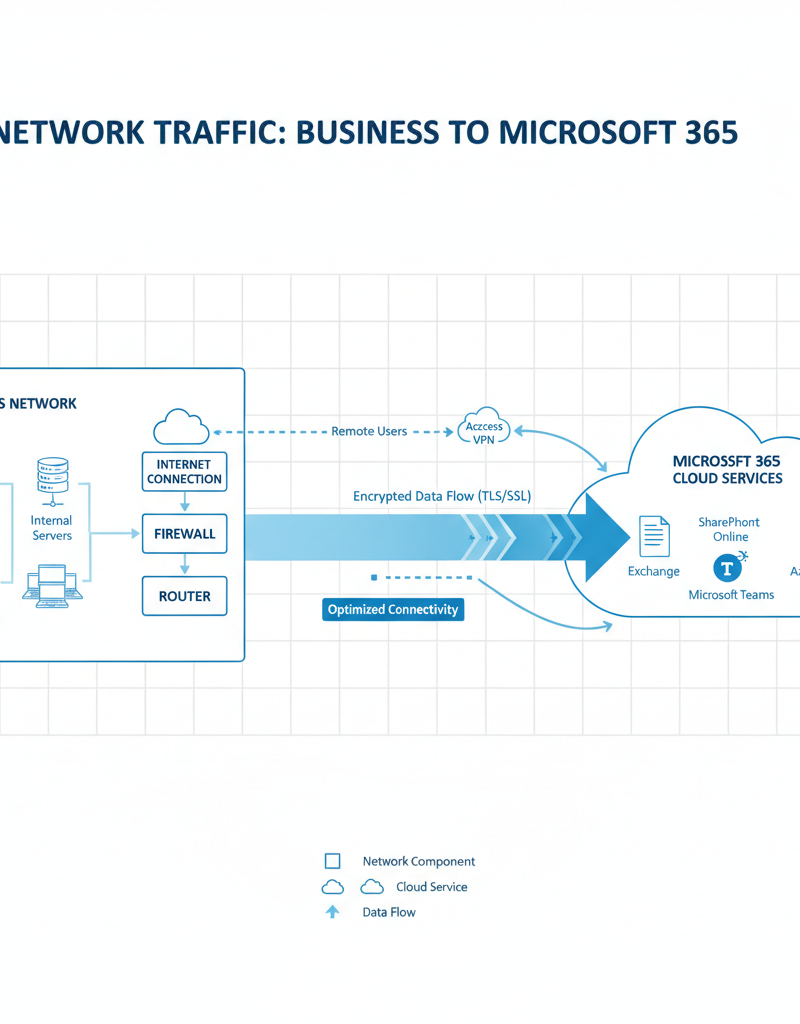
Australian businesses can optimise network management for Microsoft 365 by strategically ensuring adequate bandwidth, minimising network latency, and implementing Quality of Service (QoS) protocols. Suboptimal network performance, often due to insufficient bandwidth or high latency, can severely impede user productivity, leading to slow application response times and dropped communication, especially within critical platforms like Microsoft Teams. For instance, businesses should dedicate specific bandwidth for Microsoft 365 services and consistently monitor network utilisation to preemptively identify and address potential bottlenecks. A common benchmark suggests at least 150 Kbps per user for basic Teams calling. Implementing QoS correctly ensures that critical Microsoft 365 traffic is prioritised over other network data, guaranteeing optimal operation for essential applications. Furthermore, robust DNS resolution and continuous network monitoring, perhaps leveraging built-in tools, are vital for maintaining reliable and efficient access to all Microsoft 365 services.
Here are some key considerations for optimising your network for Microsoft 365:
- Network Bandwidth: Ensure that you have sufficient network bandwidth to support your Microsoft 365 workloads. Monitor network utilisation and identify any bottlenecks that may be impacting performance.
- Network Latency: Minimise network latency between your users and the Microsoft 365 data centres. Use network optimisation techniques, such as content delivery networks (CDNs), to improve performance for users who are geographically distant from the data centres. Check Microsoft's network performance recommendations.
- Quality of Service (QoS): Implement QoS policies to prioritise Microsoft 365 traffic over other types of network traffic. This ensures that critical applications, such as Teams, receive the bandwidth they need to function properly.
- DNS Resolution: Ensure that your DNS servers are properly configured to resolve Microsoft 365 domain names quickly and reliably. Use a reliable DNS provider with global coverage.
- Network Monitoring: Implement network monitoring tools to proactively identify and resolve network issues that may be impacting Microsoft 365 performance. Microsoft 365 monitoring tools can offer excellent insights.
Why should Australian businesses partner with a managed IT provider?
Australian businesses should partner with a managed IT provider to effectively manage complex Microsoft 365 environments, enhance security, and ensure critical business continuity. These providers offer specialised expertise and resources that allow organisations to optimise their Microsoft 365 setup without needing to hire a full in-house team. For example, a provider such as Mycelium 365 delivers comprehensive Microsoft 365 management, including proactive monitoring to identify and resolve issues before they impact operations. They also implement and manage security controls like multi-factor authentication and advanced threat protection, crucial for protecting sensitive data from the increasing cyber threats Australian businesses face daily. Furthermore, such partnerships encompass disaster recovery planning and testing, ensuring business resilience and minimizing downtime, which can cost small businesses an average of $8,000 per hour during an outage. This integrated approach ensures that Australian businesses can maximise their Microsoft 365 investment with expert support and fortified resilience across all their digital operations.
- Proactive Monitoring and Maintenance: We proactively monitor your Microsoft 365 environment to identify and resolve issues before they impact your business.
- Security Management: We implement and manage security controls to protect your Microsoft 365 data from cyber threats.
- Disaster Recovery Planning and Testing: We develop and test Disaster Recovery plans to ensure business continuity in the event of a disaster.
- Helpdesk Support: We provide 24/7 helpdesk support to your users, resolving technical issues quickly and efficiently. Optimise IT with Microsoft 365 & Expert Support.
- Cloud Migrations: We offer expert cloud migration services to help you Migrating to Microsoft 365 seamlessly and efficiently.
With offices in Melbourne, Sydney, Perth, Brisbane, and internationally, Mycelium 365 is well-positioned to provide comprehensive Microsoft 365 management services to businesses of all sizes. We can guide you in Scaling Your Business in 2024 with the right tools.

What is the conclusion?
Ultimately, mastering Microsoft 365 enables Australian businesses to achieve superior security, resilience, and operational efficiency. This is accomplished through a holistic strategy that combines robust cybersecurity measures, a comprehensive disaster recovery plan, and meticulously optimised network infrastructure, collectively protecting critical data and ensuring seamless productivity for employees. For instance, organisations that fully integrate Zero Trust security principles across their Microsoft 365 environment can, on average, reduce the financial impact of a data breach by up to $1.5 million, a significant improvement over traditional security models. Partnering with a specialised Managed IT Provider, like Mycelium 365, further empowers businesses to adeptly navigate the complexities of Microsoft 365 management, guaranteeing uninterrupted access to vital tools and cultivating a secure, modern workplace environment precisely tailored to specific business objectives and long-term growth.