Updated guide: this article has been consolidated. Read the current version — Microsoft 365 migration support in Australia.
Microsoft 365 has become the cornerstone of modern business operations, offering a suite of tools designed to enhance productivity, collaboration, and security. However, simply subscribing to Microsoft 365 is not enough. To truly unlock its potential, businesses need a strategic approach to migration, management, and ongoing support. This guide will walk you through key considerations, from a seamless business email migration to Microsoft 365 to optimising your environment with Azure and SharePoint.
How should I plan my Microsoft 365 migration?
To plan your Microsoft 365 migration effectively, begin with a thorough assessment of your existing IT infrastructure, including servers, applications, and network setup, to inform your tailored migration strategy. Subsequently, define a clear data migration plan for emails, files, and applications, potentially utilising tools like Microsoft's Migration Assistant or engaging a specialist IT provider to ensure a seamless transition and minimise downtime. Crucially, allocate resources for comprehensive user training to ensure smooth adoption of new tools and features across your organisation; research indicates that inadequate user training can halve the expected productivity gains from new software within the first two months. Finally, incorporate robust security measures from the outset, such as enabling multi-factor authentication (MFA) and configuring data loss prevention (DLP) policies, which are vital for protecting sensitive business data in the Australian cyber landscape.
- Assessment: Evaluate your current IT infrastructure, including servers, applications, and network setup. Understanding your existing environment will inform your migration strategy. Reach out to Mycelium 365 to help with your assessment.
- Data Migration Strategy: Determine the best approach for migrating your data, whether it's email, files, or applications. Tools like Microsoft's Migration Assistant and third-party solutions can streamline this process. For guidance on seamless cloud migration, see our article on Seamless Cloud Migration to Microsoft 365.
- User Training: Prepare your employees for the change by providing training on the new tools and features. A smooth transition requires user adoption. Consider investing in training resources or partnering with a managed IT provider like Mycelium 365.
- Security Considerations: Implement robust security measures from the outset. This includes enabling multi-factor authentication (MFA), configuring data loss prevention (DLP) policies, and leveraging Microsoft Defender for endpoint protection. See how we use Microsoft 365: Disaster Recovery Essentials to ensure your business is protected.

How do I migrate business email to Microsoft 365?
Migrating business email to Microsoft 365 is a systematic process designed to enhance overall communication and collaboration. The journey typically begins with selecting an appropriate migration method; for instance, a cutover migration is well-suited for smaller organisations with fewer than 150 users, while larger enterprises often opt for staged or hybrid approaches to facilitate a smoother transition from on-premises Exchange to Exchange Online. This critical preparation phase also includes verifying your domain, meticulously configuring DNS records, and establishing user accounts directly within Microsoft 365. Subsequently, individual mailboxes are migrated, often through the Exchange Admin Centre, followed by updating DNS records, particularly the MX records, to correctly route incoming email traffic to Microsoft 365. Concluding this process, thorough testing and continuous monitoring are essential to identify and resolve any issues promptly, thereby ensuring seamless email functionality and minimal disruption for Australian businesses.
- Choose a Migration Method: Options include cutover migration (suitable for smaller organisations), staged migration (for larger organisations with more complex environments), and hybrid migration (allowing coexistence between on-premises Exchange and Exchange Online). More information about these migration types can be found on Microsoft Learn.
- Prepare Your Environment: Verify your domain, configure DNS records, and create user accounts in Microsoft 365.
- Migrate Mailboxes: Use the Exchange Admin Center or PowerShell to migrate mailboxes to Exchange Online.
- Update DNS Records: Update your MX records to point to Microsoft 365.
- Test and Monitor: Thoroughly test the migrated mailboxes to ensure everything is working correctly. Monitor the migration process for any issues.
For businesses seeking a hassle-free email migration, Mycelium 365 offers comprehensive migration services, ensuring minimal disruption and maximum efficiency. Check out our article on Migrating to Microsoft 365: A Comprehensive Guide.
How do I migrate a file server to SharePoint?
Migrating a file server to SharePoint involves several critical steps to ensure a smooth transition and maximise its benefits, such as enhanced collaboration and accessibility. A successful migration typically begins with thoroughly assessing your existing data, including file types, sizes, and usage patterns, which helps in designing an optimal SharePoint structure. Businesses in Australia often find it beneficial to plan a logical and intuitive SharePoint architecture that aligns with their operational needs, frequently incorporating metadata for improved searchability across potentially thousands of documents. The actual file transfer can then be executed using native tools like the SharePoint Migration Tool or specialised third-party solutions, with an emphasis on data security, particularly through integrations like Entra ID: Your Business Continuity Lifeline. Finally, providing comprehensive user training is essential to encourage adoption and realise the full potential of the new platform, often resulting in a 20% increase in team productivity within the first six months.
- Assess Your Data: Identify the types of files you have, their size, and their usage patterns. This will help you determine the best way to organise your data in SharePoint.
- Plan Your SharePoint Structure: Design a logical and intuitive SharePoint structure that aligns with your business needs. Consider using metadata to improve searchability and organisation.
- Migrate Your Files: Use the SharePoint Migration Tool or a third-party migration tool to move your files to SharePoint. Ensure your data is secure with Entra ID: Your Business Continuity Lifeline.
- Train Your Users: Provide training on how to use SharePoint effectively. This will help users adopt the new platform and maximise its benefits.
- Establish governance policies: Define roles, responsibilities, and permissions to ensure data is managed securely and consistently. More information about SharePoint governance can be found on the Microsoft 365 blog.
How can Australian businesses leverage Azure for enhanced Microsoft 365 functionality?
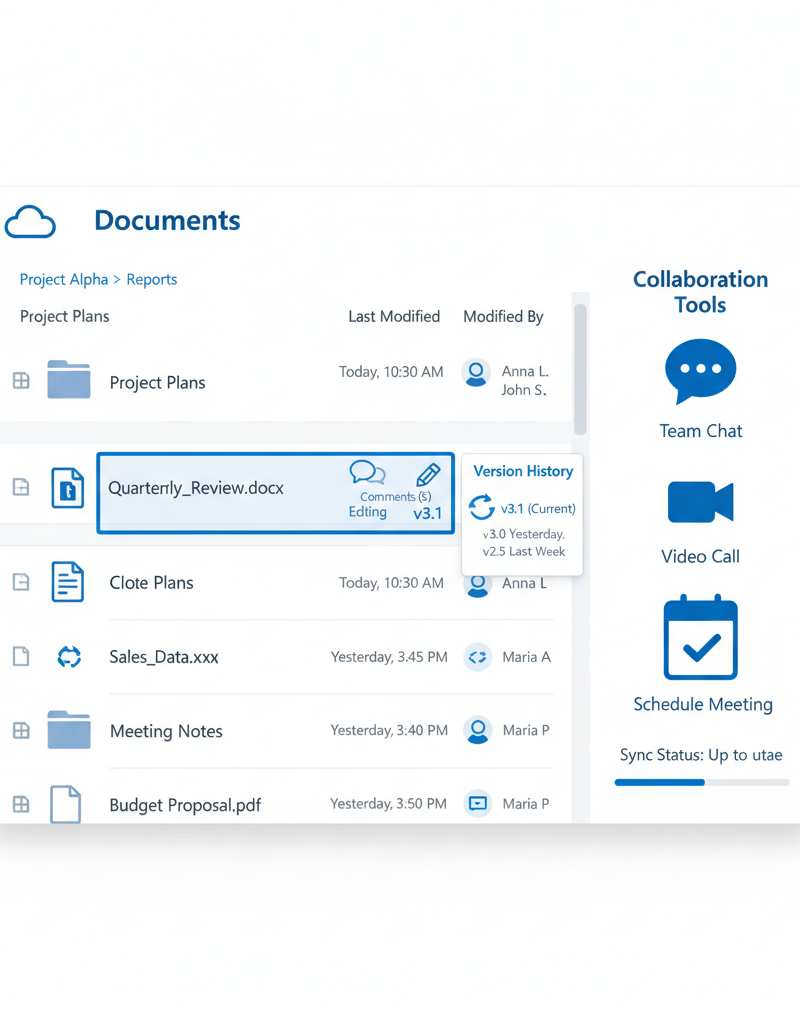
Australian businesses can significantly enhance their Microsoft 365 functionality by leveraging Azure's integrated services, effectively extending their IT infrastructure with advanced capabilities. Key Azure services like Azure Active Directory (Azure AD) are indispensable for unified identity management, enabling robust security measures such as multi-factor authentication (MFA) across all Microsoft 365 applications, a critical defence against 99.9% of account compromise attacks. Furthermore, Azure Backup provides essential data protection, safeguarding Microsoft 365 data against loss and ensuring business continuity, a vital consideration for over 70% of Australian SMEs. Azure Virtual Machines offer scalable and flexible hosting for additional applications, allowing businesses to seamlessly integrate custom software with their Microsoft 365 environment, as demonstrated by many Brisbane-based companies. Lastly, Azure Information Protection classifies and protects sensitive data, aiding compliance with local regulations and bolstering overall cybersecurity, which can prevent an average of 15-20 data breaches annually for well-secured organisations.
- Azure Active Directory (Azure AD): Manage user identities and access to Microsoft 365 and other cloud applications. Enforce multi-factor authentication (MFA) and implement conditional access policies.
- Azure Backup: Protect your Microsoft 365 data with reliable and cost-effective backups. Ensure business continuity in the event of data loss or disaster. Learn more about Azure Backup & Helpdesk: Disaster Recovery for M365.
- Azure Virtual Machines: Host applications and services in the cloud, providing scalability and flexibility. Use virtual machines to extend the capabilities of Microsoft 365.
- Azure Information Protection: Classify and protect sensitive data, preventing data leaks and ensuring compliance with regulatory requirements. This is a key part of our Modern Workplace Security: Intune & Defender approach.
For businesses in Queensland, Mycelium 365 offers specialised Azure MSP Brisbane services, providing expert guidance and support for deploying and managing Azure resources. Our article on Microsoft 365 & Azure: Scaling Your Business in 2024 can provide further insight.
What is involved in ongoing Microsoft 365 management and support?
Ongoing Microsoft 365 management and support are crucial for maintaining a secure, optimised, and business-aligned environment after initial migration. This encompasses continuous proactive monitoring to detect performance issues, potential security threats, and compliance violations, often leveraging both Microsoft's native tools and specialised third-party solutions. A vital component is ensuring the environment is consistently updated with the latest security patches and feature enhancements, frequently by enabling automatic updates as advised by organisations like the Australian Cyber Security Centre (ACSC) to mitigate risks. Statistics show that neglecting these updates can significantly increase vulnerability, with outdated systems being a common entry point for cyberattacks. Furthermore, providing robust user support through help desks, comprehensive training, or detailed documentation is essential for maximising user adoption and efficiently resolving any operational issues within the Microsoft 365 ecosystem.
- Regular Monitoring: Monitor your Microsoft 365 environment for performance issues, security threats, and compliance violations. Use Microsoft 365's built-in monitoring tools or a third-party monitoring solution.
- Security Updates: Keep your Microsoft 365 environment up-to-date with the latest security patches and updates. Enable automatic updates to ensure that your systems are always protected. Follow advice from the Australian Cyber Security Centre (ACSC).
- User Support: Provide ongoing support to your users to help them resolve any issues they encounter. This can include a help desk, training resources, or documentation. We offer Optimise IT with Microsoft 365 & Expert Support to our clients.
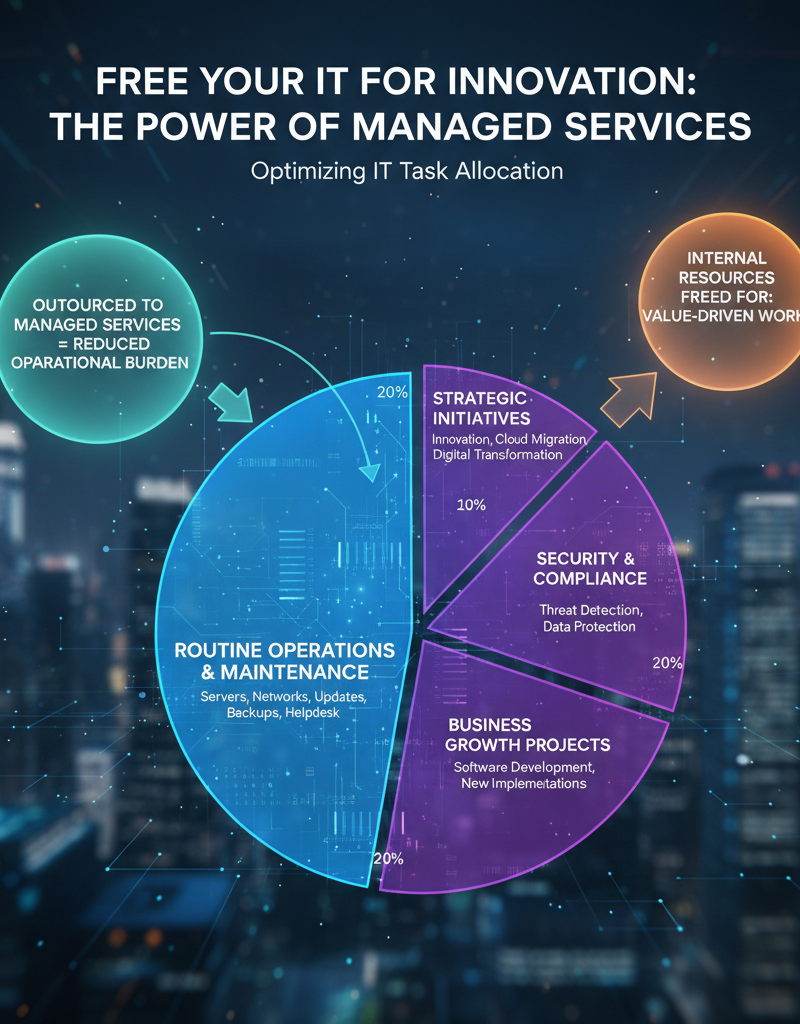
- Managed IT Services: Consider partnering with a managed IT provider like Mycelium 365 to offload the burden of managing your Microsoft 365 environment. We can provide proactive monitoring, security management, user support, and more. See how you can Fortify Your Business with Managed IT Services.
What are the key takeaways for maximising Microsoft 365?
Maximising Microsoft 365 hinges on strategic migration planning, fully leveraging Azure for advanced capabilities, and ensuring continuous management and support. This comprehensive approach unlocks the suite's full potential, transforming operations and driving business success for Australian businesses. For instance, an effective disaster recovery plan, incorporating solutions like Azure Backup, is crucial to protect against data loss and cyber threats, ensuring business continuity even in the event of unforeseen incidents. Many businesses in Australia experience significant downtime from cyberattacks; a robust recovery plan can reduce recovery times by over 50%. Proactive management and regular updates can enhance an organisation's security posture by up to 25% within the first year, safeguarding valuable data and maintaining operational efficiency. By integrating these key elements, companies can optimise their investment in Microsoft 365, turning technology into a powerful business asset.
Make sure your disaster recovery plan is up to date, especially in the event of a cyberattack. Secure Your Business with Azure Backup & Modern Workplace and Robust IT Infrastructure: Cloud & Disaster Recovery can help.