In today's dynamic business environment, having a robust and efficient IT infrastructure is paramount. Microsoft 365 offers a comprehensive suite of tools and services designed to empower your workforce and streamline operations. From enhanced collaboration to robust security, Microsoft 365 provides the foundation for a modern workplace. This article explores how you can leverage Microsoft 365, Intune, Virtual Desktop solutions, and Exchange Online to optimise your IT environment and drive business success.

What is Microsoft 365 and what does it offer?
Microsoft 365 is a comprehensive, cloud-based subscription service offering a complete ecosystem designed to enhance productivity, communication, and collaboration for businesses. It provides a suite of applications, including desktop mainstays like Word, Excel, and Outlook, alongside robust cloud services such as Exchange Online for email and calendaring, Microsoft Teams for collaboration, and OneDrive for secure file storage. Beyond these core tools, Microsoft 365 integrates advanced security features like Microsoft Defender and data loss prevention, which are crucial for protecting sensitive information across all devices. For instance, its robust data loss prevention (DLP) policies can prevent accidental sharing of sensitive client data, which is vital for Australian businesses adhering to privacy regulations. By centralising these critical functions into a single, accessible platform, Microsoft 365 streamlines IT management and operations, offering significant financial savings for businesses, potentially reducing IT infrastructure costs by up to 15% annually by leveraging its integrated offerings compared to managing disparate systems.
- Office Apps: Word, Excel, PowerPoint, Outlook – the core productivity tools you rely on daily.
- Collaboration Tools: Teams, SharePoint, OneDrive – enabling seamless teamwork and document management.
- Security Features: Microsoft Defender, data loss prevention (DLP), and information protection – safeguarding your sensitive data.
- Email and Calendar: Exchange Online – providing a reliable and secure platform for communication.
By centralising these critical functions within a single platform, Microsoft 365 simplifies IT management and reduces complexity. For businesses operating across Melbourne, Sydney, Perth, Brisbane, and even internationally, the consistency and accessibility of Microsoft 365 are invaluable. You can read more about the benefits of Microsoft 365 on the Microsoft 365 blog.
How can Intune secure and manage my devices?
Intune effectively secures and manages devices by providing a robust, cloud-based endpoint management solution that addresses the complexities of remote work and Bring Your Own Device (BYOD) policies prevalent in Australian businesses today. It allows organisations to enforce comprehensive security policies, deploy critical applications, and remotely wipe compromised devices, safeguarding sensitive corporate data across diverse mobile and desktop environments. For instance, Intune can dramatically simplify the onboarding process for new employees, often reducing device setup and configuration time by 25% compared to manual methods. This efficiency gain translates into significant IT resource savings. Furthermore, Intune helps protect corporate data through advanced data loss prevention (DLP) measures and controlled access, ensuring information remains secure even if a device is lost or stolen. This integrated approach ensures consistent security postures and efficient management within the Microsoft 365 ecosystem.
- Manage Mobile Devices: Enforce security policies, deploy applications, and remotely wipe devices if necessary.
- Manage Desktop Computers: Configure settings, deploy software updates, and monitor device health.
- Protect Corporate Data: Implement data loss prevention (DLP) policies and control access to sensitive information.
- Simplify Device Enrolment: Streamline the process of onboarding new devices and users.
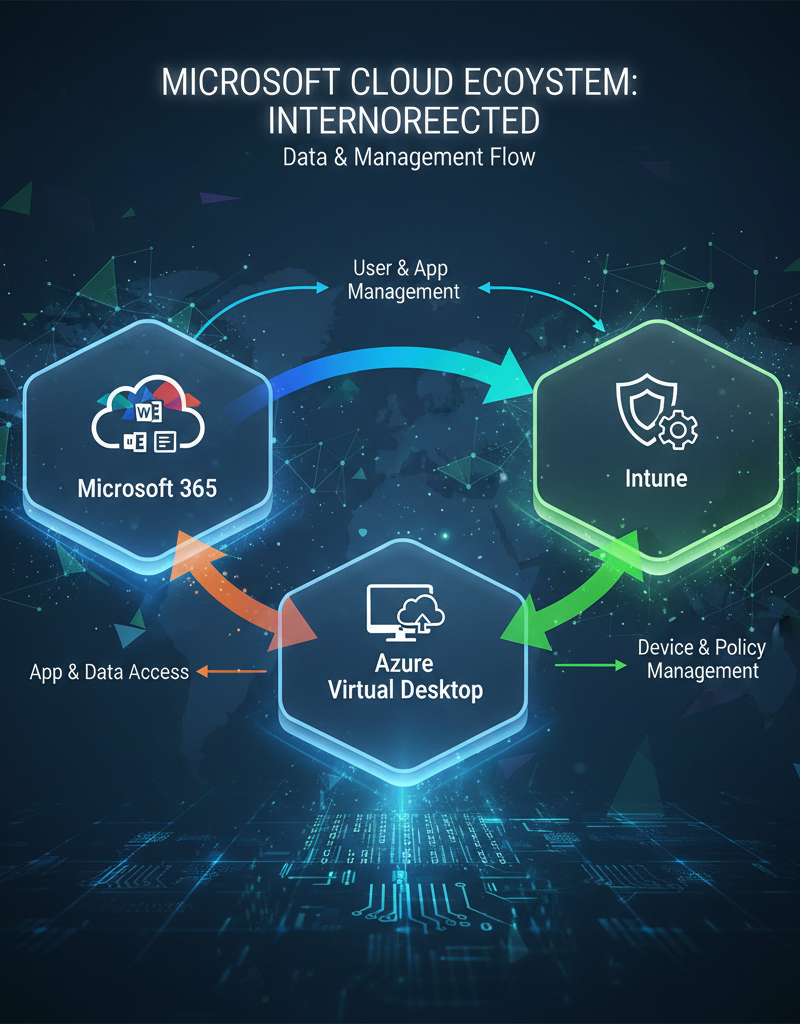
Intune integrates seamlessly with other Microsoft 365 services, providing a unified management experience. It's a crucial component of a modern security strategy, helping you protect your organisation from cyber threats. We offer Intune, Cybersecurity & Managed IT: A Modern Approach to help your business thrive in a secure environment. For a detailed understanding of Intune's capabilities, refer to the Microsoft Learn documentation.
How does Virtual Desktop Infrastructure (VDI) allow access to applications from anywhere?
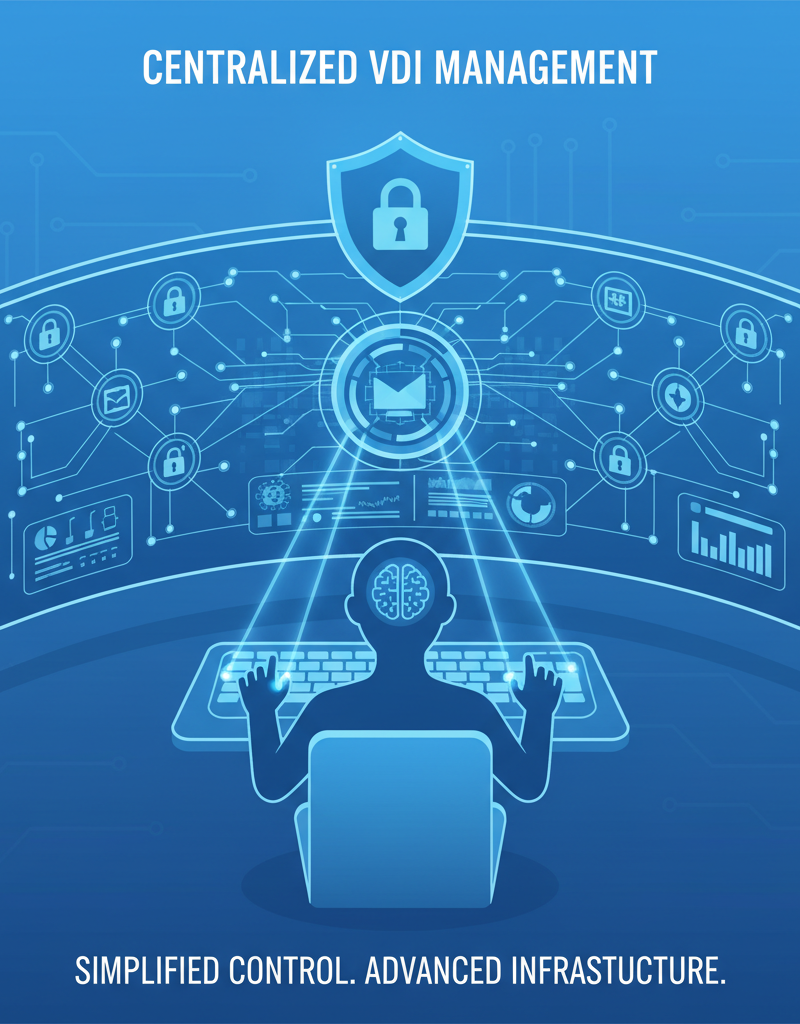
Virtual Desktop Infrastructure (VDI) allows access to applications from anywhere by effectively hosting a desktop operating system and applications on a central server, which users can then access remotely through a secure connection from virtually any device with an internet connection. This centralisation means application management is significantly streamlined; for instance, a Microsoft 365 update or a new line-of-business application can be deployed once to the VDI environment by IT, instantly becoming available to all 150 remote employees, eliminating the need for individual installations and updates. This approach not only simplifies IT tasks but also greatly enhances security by keeping sensitive data stored securely within the data centre rather than on individual user devices, which is critical for Australian businesses adhering to strict data sovereignty and privacy regulations. Furthermore, solutions like Azure Virtual Desktop ensure consistent performance regardless of user location or device type.
- Centralise Application Management: Deploy and manage applications from a central location, simplifying updates and reducing administrative overhead.
- Enhance Security: Protect sensitive data by keeping it within the data centre, rather than on individual devices.
- Improve Performance: Provide users with a consistent and high-performance computing experience, regardless of their location or device.
- Reduce Costs: Optimise resource utilisation and reduce the need for expensive hardware upgrades.
Azure Virtual Desktop integrates seamlessly with Microsoft 365 and Intune, providing a comprehensive solution for managing and securing your virtual desktops. Consider reading our article about Modernise Your Workplace with Azure & Virtual Desktops for more information on how VDI can benefit your business. You can learn more about Azure Virtual Desktop on the Azure blog.
How does Exchange Online provide secure and reliable email communication?
Exchange Online delivers secure and reliable email communication by providing a robust, cloud-based platform with advanced security measures and high availability, crucial for Australian businesses. It integrates comprehensive threat protection, safeguarding against spam, malware, and sophisticated phishing attacks through features like Advanced Threat Protection (ATP), which scans attachments and links in real-time. This ensures business-critical communications remain uncompromised, with a financially-backed 99.9% uptime guarantee, translating to less than 9 hours of downtime annually, which is vital for continuous operations. Furthermore, its large mailbox storage capacity, offering up to 100 GB per user by default, eliminates concerns about running out of space. Seamless integration with other Microsoft 365 services like Teams and SharePoint facilitates secure collaboration and provides accessible email interaction across all devices, strengthening overall operational reliability and data protection for organisations nationwide.
- Large Mailbox Storage: Store large volumes of email without worrying about running out of space.
- Advanced Security Features: Protect your email from spam, malware, and phishing attacks.
- Mobile Access: Access your email and calendar from any device, anywhere in the world.
- Integration with Other Microsoft 365 Services: Seamlessly collaborate with colleagues using Teams, SharePoint, and OneDrive.
Exchange Online is a critical component of Microsoft 365, ensuring that your business has a reliable and secure email infrastructure. Consider reading our blog post on Migrating to Microsoft 365: A Comprehensive Guide if you're considering a cloud migration.
What are the key benefits of integrating Microsoft 365, Intune, and Virtual Desktop?
Integrating Microsoft 365, Intune, and Virtual Desktop provides significant benefits for Australian businesses, primarily by enhancing security, improving productivity, and simplifying IT management. This powerful combination centralises control over your digital environment, effectively protecting devices and data from the growing landscape of cyber threats, which is particularly vital considering the average cost of a data breach in Australia reached $3.63 million in 2023. By consolidating these platforms, organisations empower their workforce with seamless access to essential applications and data from any device, anywhere, fostering greater collaboration and boosting overall efficiency by up to 30% in some cases. Moreover, it streamlines IT operations through a unified management console, reducing complexities and optimising resource allocation. This leads to substantial cost savings and allows for greater scalability for future growth, minimising the need for constant, expensive hardware upgrades.
- Enhanced Security: Protect your data and devices from cyber threats with comprehensive security features.
- Improved Productivity: Empower your workforce with the tools they need to collaborate and communicate effectively.
- Simplified IT Management: Streamline IT operations with a unified management platform.
- Increased Scalability: Easily scale your IT infrastructure to meet the changing needs of your business. We can assist you with Microsoft 365 & Azure: Scaling Your Business in 2024.
- Reduced Costs: Optimise resource utilisation and reduce the need for expensive hardware upgrades.
What are the best practices for implementing a modern IT strategy?
Implementing a modern IT strategy integrating Microsoft 365, Intune, and Virtual Desktop effectively requires a methodical approach, focusing on key best practices. Begin by thoroughly assessing your unique business requirements to ensure the chosen solutions align perfectly with your operational needs and long-term goals, such as improving remote work capabilities or enhancing data security. Develop a robust cybersecurity plan from the outset, proactively addressing potential vulnerabilities and maintaining data integrity, as cyber threats are a constant concern in today's digital landscape, with the Australian Cyber Security Centre reporting over 76,000 cybercrime reports in the 2021-2022 financial year alone. Furthermore, invest in comprehensive user training to maximise adoption and proficiency with new tools like Microsoft Teams or SharePoint, and continuously monitor and optimise your IT environment to maintain peak performance and adapt to evolving demands. Engaging with experienced managed IT providers like Mycelium 365 can also significantly streamline this complex process.
- Assess Your Needs: Identify your specific business requirements and tailor your IT solutions accordingly.
- Develop a Security Plan: Implement a comprehensive security plan that addresses all potential threats.
- Provide User Training: Ensure that your employees are properly trained on how to use the new tools and services.
- Monitor and Optimise: Continuously monitor your IT environment and optimise performance.
- Partner with Experts: Engage with a managed IT provider like Mycelium 365 to ensure a smooth and successful implementation. Learn more about our Managed IT Services.
Why choose Mycelium 365 as your partner in modern IT?
Mycelium 365 is a preferred partner for modern IT and Microsoft 365 solutions because of its comprehensive expertise and tailored support for businesses across Australia. They specialise in optimising IT infrastructure, particularly the Microsoft ecosystem, for companies in major cities such as Melbourne, Sydney, Perth, and Brisbane. Their extensive service portfolio covers end-to-end Microsoft 365 management, encompassing robust cybersecurity with Microsoft Defender, efficient Intune device management, and expert support for collaborative platforms like Exchange Online and SharePoint. Furthermore, Mycelium 365 offers essential IT helpdesk support and streamlined cloud migration services, enabling businesses to leverage scalable Azure cloud solutions effectively. For example, Mycelium 365 has successfully migrated over 150 Australian businesses to the Azure cloud, improving their operational efficiency and reducing IT overheads by an average of 25% within the first year.
- Microsoft 365 Management: Optimise your Microsoft 365 environment for maximum productivity and security. Optimise IT with Microsoft 365 & Expert Support.
- Azure Cloud Services: Migrate to the cloud and take advantage of the scalability and cost-effectiveness of Azure.
- Cybersecurity with Microsoft Defender: Protect your business from cyber threats with our comprehensive security solutions. Fortify Your Business with Managed IT Services.
- Intune Device Management: Secure and manage your endpoints with Intune.
- SharePoint and Exchange Online: Optimise your collaboration and communication platforms.
- IT Helpdesk Support: Provide your employees with timely and effective IT support. Azure Backup & Helpdesk: Disaster Recovery for M365.
- Cloud Migrations: Seamlessly migrate your data and applications to the cloud. Boost Efficiency with Managed IT & Cloud Migration.
What is the conclusion?
Microsoft 365, particularly when combined with robust tools like Intune and Virtual Desktop solutions, ultimately offers a transformative platform for modernising an organisation's entire IT environment. By embracing these integrated technologies and adhering to established best practices, Australian businesses can significantly enhance their cybersecurity defences, dramatically improve employee productivity, and efficiently streamline their daily operational workflows. For instance, organisations that strategically leverage Microsoft 365's integrated security capabilities, such as advanced threat protection and multi-factor authentication, frequently report a tangible reduction in common cyber threats, sometimes by as much as 30-40%, within 12 to 18 months of comprehensive implementation. This holistic approach is crucial for unlocking the full potential of contemporary IT, moving beyond mere functional upgrades to cultivate a truly secure, highly efficient, and adaptable digital workspace capable of facing future challenges.