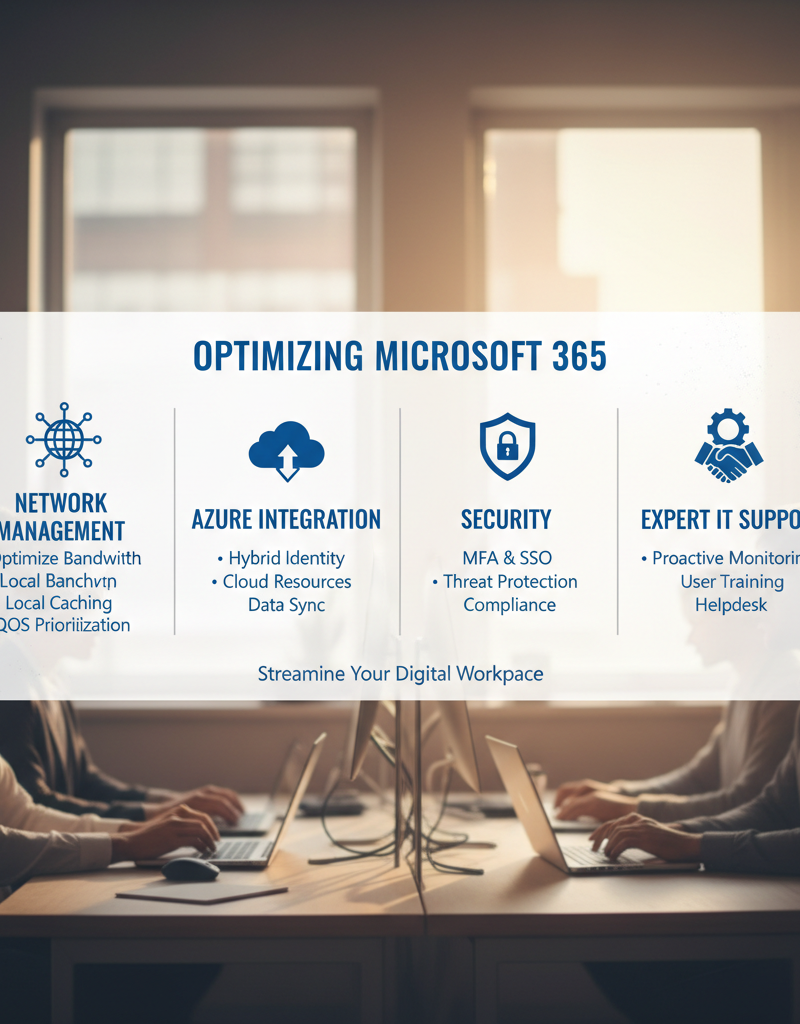
Microsoft 365 has become the cornerstone of modern business operations, offering a suite of powerful tools for communication, collaboration, and productivity. However, simply adopting Microsoft 365 isn't enough. To truly maximise your investment and ensure seamless operations, you need a robust strategy encompassing network management, Azure integration, and comprehensive security measures.
This guide explores how to optimise your Microsoft 365 environment, covering key areas from network performance to cybersecurity, and how leveraging services like those we offer including IT Support Sydney, can make all the difference.
Why is network management important for Microsoft 365?
Network management is fundamentally important for Microsoft 365 because it underpins the entire platform's performance, reliability, and user productivity. As a suite of cloud-based services like Exchange Online, Teams, and SharePoint, Microsoft 365 relies heavily on a stable, efficient, and well-managed network infrastructure. Inadequate network management can lead to significant issues, including frustrating delays, frequent dropped connections during video calls, and ultimately, a substantial reduction in employee output and collaboration, potentially costing an Australian business thousands of dollars annually in lost work hours. Effective network management ensures optimal bandwidth allocation, perhaps prioritising Microsoft 365 traffic through Quality of Service (QoS) settings on network devices, minimises latency by streamlining routing paths, and proactively identifies and resolves performance bottlenecks through continuous monitoring. This strategic approach ensures a seamless and uninterrupted experience, allowing users to leverage Microsoft 365’s full capabilities.
Consider these key aspects of network management:
- Bandwidth Optimisation: Prioritise Microsoft 365 traffic to ensure sufficient bandwidth allocation. This can be achieved through Quality of Service (QoS) settings on your network devices. Learn more about QoS
- Latency Reduction: Minimise latency by strategically placing network devices and optimising routing paths. Consider using a Content Delivery Network (CDN) for faster content delivery.
- Network Monitoring: Implement robust network monitoring tools to identify and resolve performance bottlenecks proactively. Real-time monitoring provides valuable insights into network health and performance trends.
Without proper network management, even the most powerful Microsoft 365 features can be hampered by a sluggish network. Explore how to build a Robust IT Infrastructure: Cloud & Disaster Recovery.
How can Australian businesses leverage Azure for enhanced Microsoft 365 functionality and scalability?
Australian businesses can significantly enhance Microsoft 365 functionality and scalability by strategically leveraging Microsoft Azure, the tech giant's robust cloud platform. Integrating Azure allows for greater redundancy, access to advanced services, and a more streamlined IT environment. For instance, utilising Azure Active Directory (now Microsoft Entra ID) centralises identity and access management, enabling single sign-on (SSO) across Microsoft 365 and other cloud applications, which can drastically improve security and user experience for an organisation with more than 50 employees. Furthermore, Azure Backup provides a reliable and cost-effective solution for protecting critical Microsoft 365 data, including Exchange Online mailboxes and SharePoint Online sites, crucial for disaster recovery planning and business continuity. Many Australian businesses report up to a 30% reduction in data recovery times when using Azure Backup. This integration unlocks new levels of operational efficiency and a stronger security posture.
Here are some key ways to leverage Azure:
- Azure Active Directory (Azure AD): Use Azure AD for centralised identity and access management. This enables single sign-on (SSO) across Microsoft 365 and other cloud applications, enhancing security and user convenience. Explore Entra ID: Your Business Continuity Lifeline.
- Azure Backup: Protect your Microsoft 365 data with Azure Backup. This provides a reliable and cost-effective solution for backing up your Exchange Online mailboxes, SharePoint Online sites, and OneDrive for Business files. Read more about Azure Backup & Helpdesk: Disaster Recovery for M365.
- Azure Virtual Machines: Host line-of-business applications and other critical workloads on Azure Virtual Machines. This provides scalability, flexibility, and high availability.
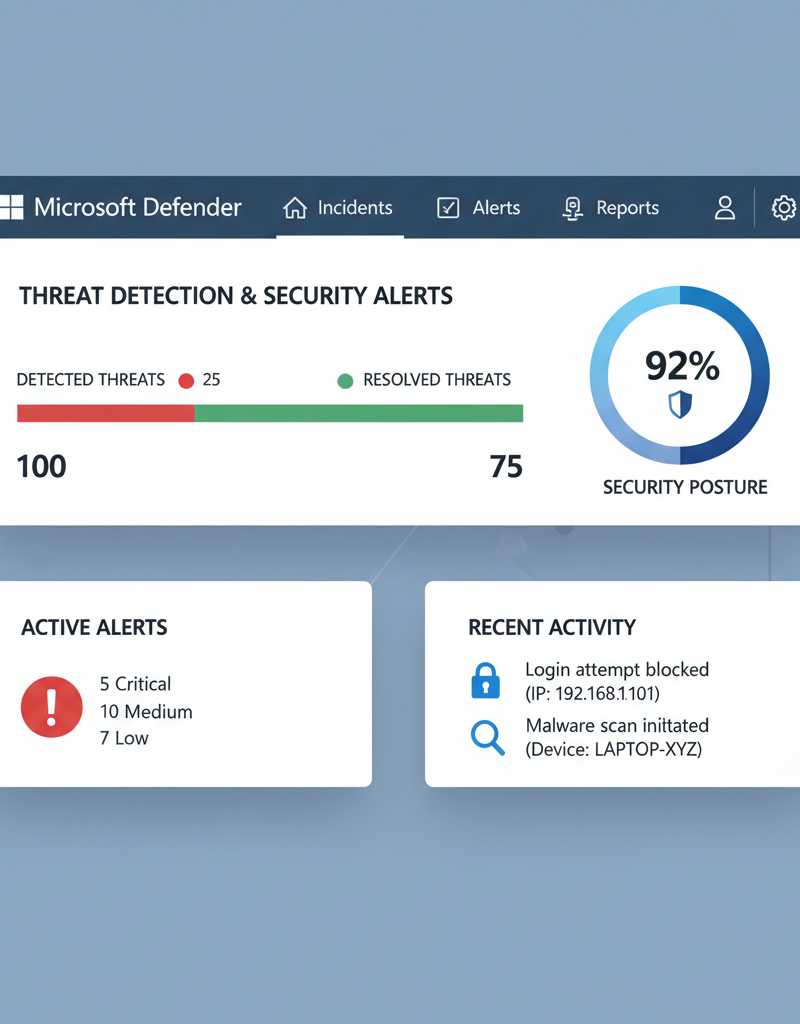
- Azure Security Center: Enhance your overall security posture with Azure Security Center. This provides threat detection, security assessments, and recommendations for improving your security posture.
By integrating Azure with Microsoft 365, you can unlock new levels of functionality, scalability, and security. See how to Secure and Scale with Managed IT Services & Azure.
How can I secure my Microsoft 365 environment with Microsoft Defender?
Securing your Microsoft 365 environment effectively involves leveraging Microsoft Defender's advanced threat protection features. Microsoft Defender for Microsoft 365 provides robust defence against common cyber threats such as phishing, malware, and ransomware, which frequently target cloud-based productivity suites. A comprehensive security strategy includes implementing Multi-Factor Authentication (MFA) for all users, a measure that Microsoft reports can block over 99.9% of automated cyberattacks. Furthermore, integrating Data Loss Prevention (DLP) policies within Defender is crucial for preventing sensitive information from leaving your organisation. For instance, DLP can automatically identify and block the sharing of confidential client lists via email or chat, thereby safeguarding intellectual property and ensuring regulatory compliance for Australian businesses. Proactive threat intelligence from Microsoft also helps organisations stay ahead of emerging vulnerabilities, maintaining a strong security posture against evolving cyber risks.
Key security considerations include:
- Multi-Factor Authentication (MFA): Enforce MFA for all users to prevent unauthorised access to your Microsoft 365 accounts. Learn more about MFA
- Data Loss Prevention (DLP): Implement DLP policies to prevent sensitive data from leaving your organisation. DLP policies can identify and block the sharing of confidential information via email, chat, and other channels. Read about Modern Workplace Security: Intune & Defender.
- Threat Intelligence: Stay informed about the latest cyber threats and vulnerabilities. Microsoft Threat Intelligence provides valuable insights into emerging threats and helps you proactively protect your environment.
- Mobile Device Management (MDM) with Intune: Manage and secure mobile devices accessing Microsoft 365 data with Microsoft Intune. This ensures that corporate data is protected on both company-owned and personal devices. Explore Intune, Cybersecurity & Managed IT: A Modern Approach.
What is the role of Exchange Online in Microsoft 365?
Exchange Online, Microsoft's cloud-based email service, is a fundamental component of Microsoft 365, providing secure and reliable communication infrastructure essential for Australian businesses. Its role goes beyond basic email delivery, encompassing advanced mailbox management, robust security protocols, and comprehensive compliance features crucial for modern operations. For instance, Exchange Online enables efficient handling of user mailboxes, allowing administrators to set storage quotas, implement archiving policies, and manage data retention through features like eDiscovery. Furthermore, it tightly integrates with security services such as Exchange Online Protection (EOP) and Microsoft Defender for Office 365, which collectively intercept millions of phishing and malware attempts daily, offering protection against cyber threats. Optimising Exchange Online is therefore vital for ensuring seamless, protected, and compliant email operations within the Microsoft 365 ecosystem, maintaining productivity and safeguarding sensitive information for organisations of all sizes.
Key aspects of Exchange Online management include:
- Mailbox Management: Efficiently manage user mailboxes, including storage quotas, archiving policies, and retention policies.
- Security Policies: Implement robust security policies to protect against spam, phishing, and malware. Use Exchange Online Protection (EOP) and Microsoft Defender for Office 365 to filter malicious emails. Microsoft 365: Disaster Recovery & IT Support is critical for email data.
- Compliance: Configure Exchange Online to meet regulatory compliance requirements, such as data retention and eDiscovery.
What is the value of expert IT support for Microsoft 365?
Expert IT support for Microsoft 365 is invaluable because it provides the specialised expertise necessary to manage a complex Microsoft 365 environment effectively, optimising performance and fortifying security. Engaging with a managed IT services provider, like those offering IT support in Sydney, ensures proactive monitoring and maintenance, which is crucial for identifying and resolving potential issues before they disrupt business operations. This expert assistance is vital for navigating the intricacies of Microsoft 365, ranging from optimising configurations and user policies to implementing robust cybersecurity measures. For example, organisations often report a significant decrease in downtime, sometimes by as much as 25%, due to expert intervention that prevents system failures. Furthermore, dedicated M365 security specialists, integral to these services, can reduce security incidents by up to 30%, safeguarding sensitive data and ensuring compliance. Ultimately, this expert support delivers strategic guidance, empowering businesses to leverage Microsoft 365 effectively to achieve their operational goals.
Benefits of working with a Managed IT Services provider:
- Proactive Monitoring and Maintenance: Proactively monitor your Microsoft 365 environment to identify and resolve issues before they impact your business.
- Expert Support: Access a team of experienced IT professionals who can provide expert support for all aspects of Microsoft 365. We can help you Optimise IT with Microsoft 365 & Expert Support.
- Security Expertise: Benefit from our deep understanding of Microsoft 365 security and our ability to implement robust security measures to protect your organisation.
- Strategic Guidance: Receive strategic guidance on how to best leverage Microsoft 365 to achieve your business goals.

What is the conclusion regarding Microsoft 365 optimisation and security?
Optimising Microsoft 365 performance and security necessitates a comprehensive, integrated strategy encompassing effective network management, robust Azure services, and proactive cybersecurity measures. This holistic approach is crucial for organisations to fully leverage the platform's extensive capabilities while creating a resilient defence against ever-evolving digital threats. For instance, implementing Microsoft Sentinel for Security Information and Event Management (SIEM) can centralise threat detection and response, potentially reducing incident resolution times by 20% compared to traditional methods. Furthermore, adherence to best practices, such as mandating multi-factor authentication (MFA) across all user accounts, as advocated by the Australian Cyber Security Centre (ACSC), significantly enhances security posture and drastically minimises unauthorised access risks. By consistently applying these tactics and engaging with expert Managed IT Services providers, Australian businesses can ensure a highly secure, productive, and efficient Microsoft 365 environment, thereby maximising their technological investment.
Further Reading:
- Microsoft 365 Security Best Practices
- Azure Network Security Overview
- Australian Cyber Security Centre (ACSC)