Microsoft 365 is more than just email and word processing. It's a powerful platform designed to transform how your business operates. From streamlining collaboration with SharePoint to securing your data with Microsoft Defender, and ensuring seamless operations with reliable Microsoft 365 IT support, mastering this suite is crucial for modern business success. This guide provides a comprehensive overview of how to leverage Microsoft 365 to its full potential, especially if you're a business in need of a Office 365 MSP.
What is the Microsoft 365 ecosystem?
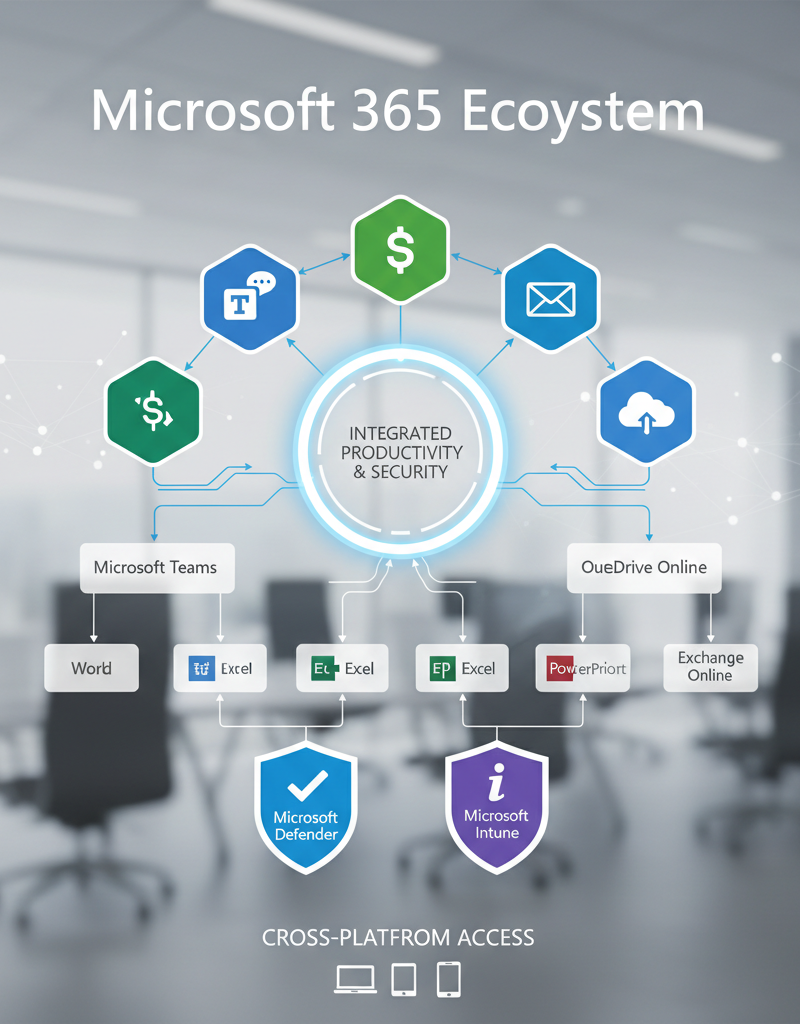
The Microsoft 365 ecosystem is a comprehensive suite of cloud-based productivity, collaboration, and security applications and services meticulously designed to streamline business operations. It seamlessly integrates essential tools like Word, Excel, and PowerPoint for document creation and data analysis with powerful collaboration platforms such as Microsoft Teams for efficient communication and SharePoint for organised document management. Furthermore, it incorporates advanced security features, including Microsoft Defender for robust, centralised threat protection and Intune for comprehensive device management, ensuring paramount data integrity and regulatory compliance. For instance, Australian small and medium-sized businesses often report a significant improvement in remote work efficiency and cybersecurity posture within the first six months of implementing Microsoft 365, especially when partnered with an experienced Microsoft cloud partner in Brisbane. This integrated approach provides a powerful, unified platform that addresses the diverse digital requirements of modern organisations.
- Office Apps: Word, Excel, PowerPoint, Outlook, and more, providing the tools for document creation, data analysis, presentations, and communication.
- Collaboration Tools: SharePoint for document management and team collaboration, Teams for communication and meetings, and OneDrive for secure file storage and sharing.
- Security Features: Microsoft Defender for comprehensive threat protection, Intune for device management, and Azure Active Directory (now Entra ID) for identity and access management. (See: Entra ID: Your Business Continuity Lifeline)
- Cloud Services: Exchange Online for email, SharePoint Online for document management, and other cloud-based services that enhance accessibility and scalability.
For businesses in Brisbane looking to leverage these technologies, finding the right Microsoft cloud partner Brisbane is essential. A reliable partner can provide expert guidance, implementation support, and ongoing management to ensure you get the most out of your Microsoft 365 investment.
How can SharePoint maximise productivity?
SharePoint maximises productivity by centralising document management, fostering enhanced team collaboration, and enabling efficient workflow automation within a secure, integrated platform. Its ability to serve as a single, accessible repository for all important documents significantly reduces time wasted searching for information, with organisations often reporting a 10-15% reduction in time spent on document retrieval. Features such as robust version control ensure data integrity and prevent costly rework by tracking changes and allowing reverts to previous iterations. Furthermore, SharePoint’s capability for workflow automation streamlines routine tasks, like document approvals and notifications, freeing up valuable employee time to focus on more strategic initiatives. This comprehensive approach to information management and team synergy directly translates into a more organised, efficient, and ultimately, a more productive work environment for Australian businesses.
- Centralised Document Storage: A single repository for all your important documents, making it easy to find and access information.
- Version Control: Track changes to documents and revert to previous versions if needed, ensuring data integrity.
- Workflow Automation: Automate routine tasks such as document approvals and notifications, freeing up time for more strategic work.
- Team Collaboration: Enable teams to work together on documents and projects in real-time, improving communication and efficiency.
Consider exploring SharePoint & Azure: Streamline Your Cloud Migration for a smoother transition.
How does Microsoft Defender enhance security?
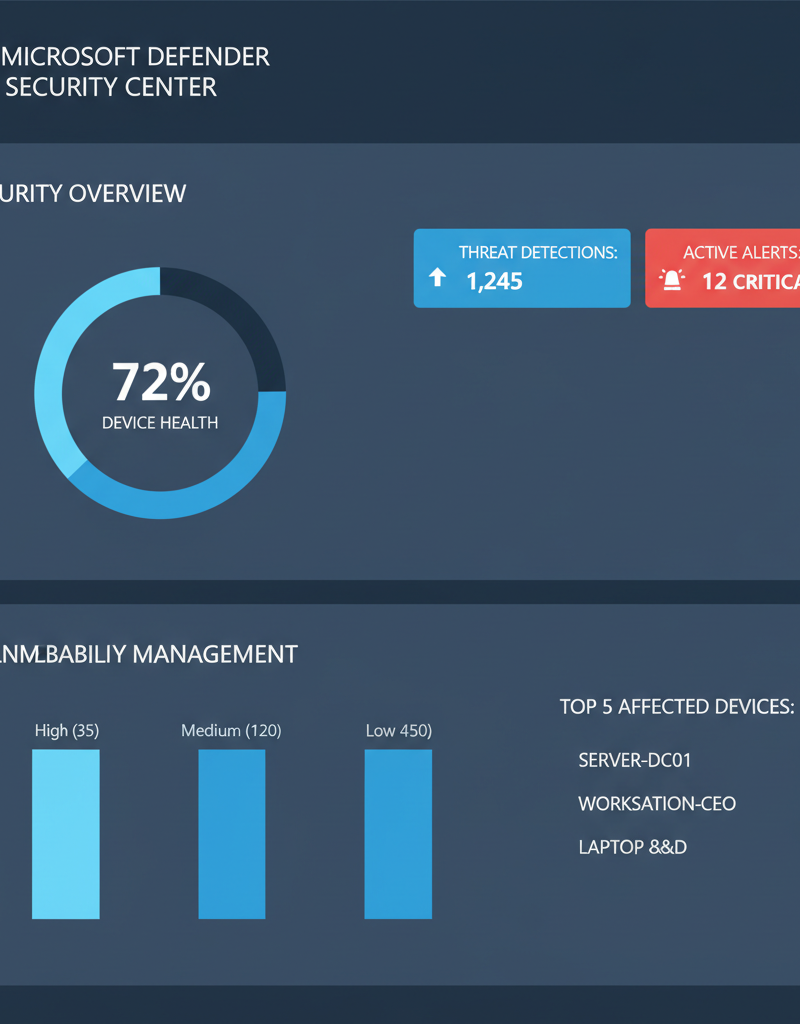
Microsoft Defender significantly enhances security by providing comprehensive, multi-layered threat protection tailored for the Microsoft 365 environment, effectively safeguarding organisational data and preventing cyberattacks. It incorporates advanced threat detection capabilities that continuously monitor for and respond to various threats, including sophisticated malware, ransomware, and phishing attempts, ensuring a proactive defence posture. Defender also offers robust endpoint protection, shielding individual devices from viruses and malicious software, a critical feature for both in-office and remote workforces. For example, its real-time analytics can identify and block over 99% of new malware threats within minutes of their emergence. Additionally, features like Data Loss Prevention (DLP) prevent sensitive information from leaving the organisation, helping businesses in Australia maintain compliance with privacy regulations and protect their intellectual property against a rapidly evolving cyber threat landscape.
- Threat Detection: Advanced threat detection capabilities that identify and respond to malware, phishing attacks, and other security threats.
- Endpoint Protection: Protects your devices from viruses and other malware, ensuring the security of your endpoints.
- Data Loss Prevention (DLP): Prevents sensitive data from leaving your organisation, protecting your intellectual property and complying with regulations.
- Security Information and Event Management (SIEM): Provides real-time insights into security events, enabling you to quickly identify and respond to threats.
For a deeper dive, see Modern Workplace Security: Intune & Defender and Fortify Your Business with Managed IT Services.
How can Australian businesses leverage Microsoft 365 IT support?
Australian businesses can significantly leverage Microsoft 365 IT support to ensure seamless operations and swift issue resolution, even when encountering technical challenges with the platform. A reliable Managed Service Provider (MSP) for Office 365 typically offers a comprehensive suite of services, crucial for business continuity. These services include prompt helpdesk support, aiming for an average response time of under 30 minutes for critical issues, thereby minimising downtime. Furthermore, MSPs provide proactive monitoring of the Microsoft 365 environment to preemptively address potential problems before they impact productivity, and robust security management to safeguard sensitive business data against evolving cyber threats, such as phishing attacks or malware. Additionally, an MSP often provides essential training for employees to maximise their use of Microsoft 365 features like SharePoint or Teams, and offers expert consulting to optimise the entire deployment, ensuring businesses fully capitalise on their investment in the platform.
- Helpdesk Support: Prompt and efficient resolution of technical issues, minimising downtime and ensuring business continuity.
- Proactive Monitoring: Continuous monitoring of your Microsoft 365 environment to identify and address potential problems before they impact your business.
- Security Management: Ongoing security management to protect your data and prevent cyberattacks.
- Training and Consulting: Training for your employees to help them use Microsoft 365 effectively, as well as consulting services to optimise your deployment.
Consider exploring Optimise IT with Microsoft 365 & Expert Support for comprehensive support options.
What is involved in cloud migration and ongoing management for Microsoft 365?
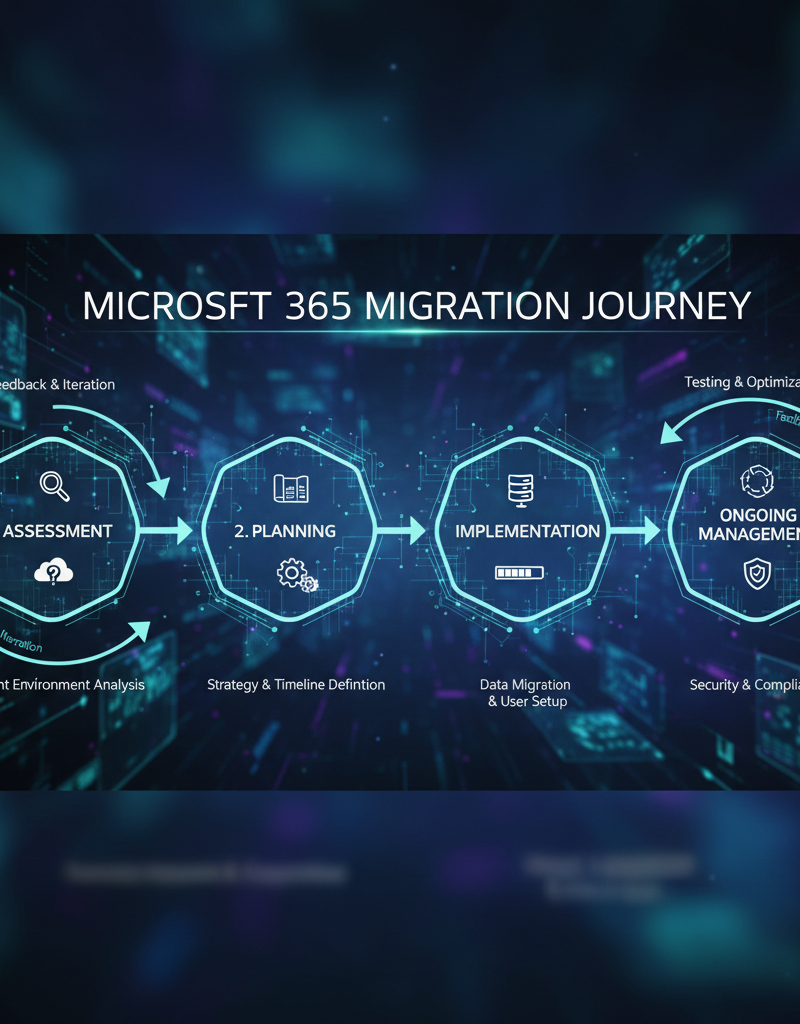
Cloud migration and ongoing management for Microsoft 365 involve a multi-stage process to transition an organisation’s IT infrastructure to Microsoft's cloud services, ensuring sustained optimal performance. The journey typically commences with a comprehensive assessment of existing systems and current business requirements, leading to the development of a detailed migration plan tailored to the organisation’s specific needs. For instance, a small business in Queensland might require a phased migration over a weekend to minimise downtime. Implementing this plan ensures a seamless transition, significantly reducing operational disruption, which is paramount for Australian businesses striving to maintain productivity. Post-migration, continuous ongoing management is critical for optimising performance, proactively monitoring cybersecurity threats – often referencing guidance from the Australian Cyber Security Centre – and ensuring the environment evolves with business demands. Many Australian organisations leverage a skilled Microsoft cloud partner in Brisbane or other major cities to expertly navigate these complex stages.
- Assessment: Thorough assessment of your existing IT infrastructure and business requirements.
- Planning: Development of a detailed migration plan that addresses your specific needs.
- Implementation: Execution of the migration plan, ensuring a smooth transition to Microsoft 365.
- Ongoing Management: Ongoing management of your Microsoft 365 environment to ensure optimal performance and security. (See: Seamless Cloud Migration to Microsoft 365)
For businesses considering a move to the cloud, resources like the Australian Cyber Security Centre (https://www.cyber.gov.au/) offer valuable guidance on secure cloud adoption. Microsoft also provides extensive documentation on cloud migration best practices (https://learn.microsoft.com/en-us/).
What is the future of Microsoft 365?
The future of Microsoft 365 is marked by ongoing evolution, featuring significant advancements in Artificial Intelligence (AI), enhanced security measures, and robust support for hybrid work models. Users can anticipate deeper AI integration across applications, designed to automate tasks, improve decision-making, and boost overall productivity, exemplified by tools such as Microsoft Copilot. A 2023 Microsoft study indicated that Copilot helped participants complete certain tasks 29% faster, illustrating the immediate impact of AI integration. Security will remain a paramount focus, with continuous enhancements to features like Microsoft Defender, designed to combat an ever-evolving landscape of cyber threats. Additionally, the platform will further optimise its tools to empower employees working from diverse locations, ensuring seamless productivity and secure collaboration within hybrid work environments. These key trends highlight Microsoft's commitment to delivering a dynamic, secure, and adaptable productivity suite for Australian businesses.
- Artificial Intelligence (AI): Integration of AI into Microsoft 365 applications to automate tasks, improve decision-making, and enhance productivity. Microsoft's AI initiatives are detailed on their official blog: https://www.microsoft.com/en-us/microsoft-365/blog/
- Enhanced Security: Continued enhancements to security features to protect against evolving cyber threats. Microsoft Defender's capabilities are regularly updated (https://www.microsoft.com/en-us/security/business/microsoft-defender-endpoint).
- Hybrid Work: Support for hybrid work models, enabling employees to work from anywhere while maintaining productivity and security. Microsoft provides guidance for hybrid work environments (https://www.microsoft.com/en-au/work-trend-index).
By embracing these trends and working with a trusted Office 365 MSP, your business can unlock the full potential of Microsoft 365 and achieve its goals.
In conclusion, Microsoft 365 offers a comprehensive suite of tools and services to enhance productivity, collaboration, and security. By understanding the ecosystem, leveraging key features like SharePoint and Microsoft Defender, and partnering with a reliable Microsoft cloud partner Brisbane for Microsoft 365 IT support, your business can thrive in today's digital landscape. Consider Secure & Scale: Managed IT Services for Modern Businesses for a holistic approach.
For more in-depth information on specific Microsoft 365 features, refer to Microsoft Learn (https://learn.microsoft.com/). Stay informed about industry trends through resources like ZDNet (https://www.zdnet.com/) and Gartner (https://www.gartner.com/en).