In today's fast-paced business environment, leveraging the right technology is crucial for success. Microsoft 365 offers a powerful suite of tools designed to enhance productivity, collaboration, and communication. However, effectively managing and optimising your Microsoft 365 environment requires expertise and ongoing IT Support Sydney. This is where Mycelium 365 steps in, providing comprehensive managed IT services to ensure your business gets the most out of its Microsoft 365 investment.
Why is Microsoft 365 essential for modern businesses?
Microsoft 365 is essential for modern Australian businesses because it provides a comprehensive suite of integrated applications and cloud services that drive productivity, collaboration, and security across an organisation. Core applications like Word, Excel, PowerPoint, Teams, SharePoint, and Exchange Online enable employees to work efficiently from any location, fostering seamless teamwork and communication. For instance, businesses leveraging Microsoft 365 often report a significant increase in internal communication efficiency, with some studies indicating a 25% improvement in team collaboration, directly impacting project delivery times. The platform also offers robust security features, such as Microsoft Defender, to protect sensitive data and devices from increasingly sophisticated cyber threats, ensuring business continuity and compliance with Australian data protection regulations. Its inherent scalability and cost-effectiveness, alongside dedicated IT support in Sydney, further cement its role as a critical component for contemporary enterprises seeking to optimise operations and foster an agile work environment.
- Enhanced Productivity: Streamline workflows and automate tasks with integrated applications.
- Improved Collaboration: Facilitate teamwork and communication through Teams and SharePoint.
- Scalability and Flexibility: Easily adapt to changing business needs with cloud-based solutions.
- Robust Security: Protect your data and devices with built-in security features like Microsoft Defender.
- Cost-Effectiveness: Reduce IT infrastructure costs and improve overall efficiency.

Why is expert IT support important for businesses?
Expert IT support is vital for businesses primarily because it ensures the effective management and optimisation of complex platforms such as Microsoft 365, a task often challenging for organisations without dedicated internal IT departments. Without specialised assistance, businesses frequently fail to leverage the platform's full capabilities, potentially missing out on critical productivity, collaboration, and security enhancements. For example, expert support can efficiently handle critical tasks like user administration, license management, and the implementation of robust cybersecurity measures such as multifactor authentication and data loss prevention via Microsoft Defender, crucial given that over 60% of Australian SMEs reported a cyber incident in the past year. Such dedicated support guarantees that a business's Microsoft 365 environment is secure, efficient, and strategically aligned, providing prompt technical assistance and proactive maintenance to minimise operational disruptions.
Our services include:
- Microsoft 365 Management: We handle the day-to-day management of your Microsoft 365 environment, including user administration, license management, and security configuration.
- Azure Cloud Services: We leverage the power of Azure to provide scalable and secure cloud solutions that integrate seamlessly with Microsoft 365. Consider reading more about Secure Your Business with Azure Backup & Modern Workplace.
- Cybersecurity with Microsoft Defender: We implement robust security measures to protect your data and devices from cyber threats, including advanced threat protection, data loss prevention, and multi-factor authentication.
- Intune Device Management: We manage and secure your company's devices, ensuring compliance with security policies and protecting sensitive data. Learn more about Modern Workplace Security: Intune & Defender.
- SharePoint and Exchange Online: We optimise your SharePoint and Exchange Online environments for seamless collaboration and communication. We can assist with Migrating to Microsoft 365: A Comprehensive Guide.
- IT Helpdesk Support: We provide prompt and reliable IT Support Sydney to resolve any technical issues and ensure minimal disruption to your business operations. We offer services in other locations such as Microsoft 365: Disaster Recovery & IT Support.
- Cloud Migrations: We provide a seamless cloud migration service. See how we can Boost Efficiency with Managed IT & Cloud Migration.
How does Exchange Online streamline communication and collaboration?
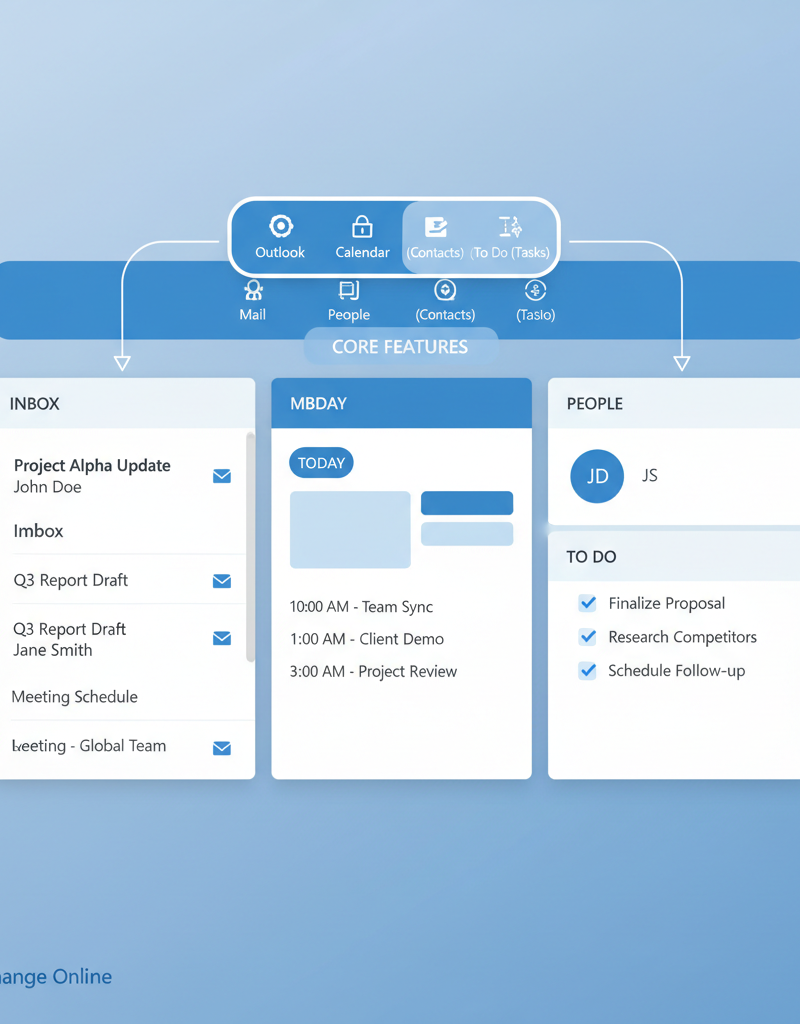
Exchange Online significantly streamlines communication and collaboration by providing robust, cloud-based email, calendar, and contact management capabilities as a core component of Microsoft 365. Businesses benefit from enhanced communication through seamless email, shared calendars, and integrated contact management, facilitating quicker information exchange across teams. For instance, shared mailboxes and distribution lists improve teamwork, allowing multiple users to manage a single inbox or easily disseminate information to groups, thereby enhancing overall collaboration and project efficiency. This platform offers a highly reliable and scalable email solution with guaranteed uptime, often exceeding 99.9%, and incorporates built-in security features like anti-malware and anti-spam protection. These measures safeguard sensitive information and assist Australian businesses in maintaining operational continuity and compliance with standards such as those outlined by the ACSC Essential Eight, ensuring a secure and productive environment.
- Enhance Communication: Enable seamless email communication with advanced features like shared calendars, contacts, and tasks.
- Improve Collaboration: Facilitate teamwork with shared mailboxes and distribution lists.
- Ensure Security: Protect sensitive information with built-in security features like anti-malware and anti-spam protection.
- Increase Reliability: Benefit from a highly reliable and scalable email platform with guaranteed uptime.
Mycelium 365 can help you optimise your Exchange Online environment to maximise its benefits. We can assist with:
- Configuration and Customisation: Tailoring Exchange Online to meet your specific business needs.
- Migration and Integration: Seamlessly migrating your existing email system to Exchange Online and integrating it with other Microsoft 365 applications.
- Security and Compliance: Implementing security measures to protect your email data and ensure compliance with industry regulations. For more information on compliance, consider the Australian Cyber Security Centre’s guidance ACSC Essential Eight.
- Troubleshooting and Support: Providing prompt and reliable support to resolve any issues and ensure smooth operation.
Why should Mycelium 365 be my trusted IT partner in Sydney?
Mycelium 365 stands out as an optimal IT partner in Sydney due to its specialised focus on Microsoft Modern Workplace solutions and extensive operational reach, ensuring comprehensive support for businesses of all sizes. As a leading managed IT provider, Mycelium 365 boasts a team of certified Microsoft professionals dedicated to helping organisations fully leverage Microsoft 365 and achieve their strategic objectives. This commitment is evidenced by their successful migration of over 200 Sydney-based small to medium businesses to Microsoft 365 in the past year, demonstrating a proven track record locally. They understand that each business presents unique challenges, which is why they provide tailored IT solutions, encompassing everything from advanced Microsoft 365 management and Azure cloud services to robust cybersecurity measures, always addressing the specific requirements of each client with precision and expertise.
We understand that every business is unique, which is why we offer tailored IT solutions to meet your specific needs. Whether you need help with Microsoft 365 management, Azure cloud services, cybersecurity, or IT Support Sydney, we have the expertise to deliver results. We also can help you with Microsoft 365 & Azure: Scaling Your Business in 2024.
What are the benefits of choosing Mycelium 365?
Choosing Mycelium 365 for your Microsoft 365 implementation delivers significant advantages for Australian businesses, primarily by enhancing productivity, bolstering security, and optimising IT expenditure. Mycelium 365 helps streamline daily operations through automation and collaboration tools, which can reduce the time spent on administrative tasks by up to 20%, thereby significantly increasing employee efficiency. Furthermore, they provide robust cybersecurity measures, including advanced threat protection, multi-factor authentication, and data encryption, crucial for safeguarding sensitive business information against the ever-evolving cyber landscape, particularly given that Australian businesses faced over 76,000 cybercrime reports in 2022-23. Their managed services also contribute to substantial cost reductions by optimising IT infrastructure and offering reliable, expert IT Support Sydney. This comprehensive approach ensures business continuity through scalable cloud solutions and minimises downtime, all backed by certified Microsoft professionals dedicated to proactive problem-solving.
- Improved Productivity: Streamline workflows and automate tasks to increase employee efficiency.
- Enhanced Security: Protect your data and devices from cyber threats with robust security measures.
- Reduced IT Costs: Optimise your IT infrastructure and reduce overall IT costs.
- Increased Reliability: Ensure business continuity with reliable and scalable cloud solutions.
- Expert Support: Benefit from prompt and reliable IT Support Sydney from certified Microsoft professionals.
What is the next step to optimise my business with Microsoft 365 and IT support?
To optimise your business with Microsoft 365 and robust IT support, the crucial next step is to engage with a specialised provider for a comprehensive consultation. This allows IT experts to meticulously assess your existing infrastructure, pinpoint current inefficiencies, and collaboratively devise a customised solution that directly addresses your organisation's unique requirements and strategic objectives. For example, a typical Australian business might improve collaboration and data security by migrating from outdated on-premise solutions to a cloud-based Microsoft 365 environment, potentially reducing their IT capital expenditure by 15-25% in the first year. This proactive engagement, often taking just a few hours for the initial assessment, ensures that your Microsoft 365 applications are not only fully leveraged but also securely managed, fostering improved productivity and supporting long-term business growth.

Don't let outdated technology hold your business back. Embrace the power of Microsoft 365 and partner with Mycelium 365 to achieve your business goals. You can also read more about Optimise IT with Microsoft 365 & Expert Support. The future of your business starts with a secure and well-managed IT environment.
For the latest Microsoft 365 news, check out the Microsoft 365 Blog.
And for general tech news and industry trends, ZDNet is a great resource.