
Microsoft 365 offers a powerful suite of tools designed to enhance productivity and collaboration within your organisation. From email and document management to team collaboration and data security, it's a comprehensive platform. However, even the most intuitive technologies can present challenges. That's where expert helpdesk support becomes invaluable, ensuring your team can fully leverage the benefits of Microsoft 365, including platforms like SharePoint, without unnecessary downtime or frustration.
This article explores the critical role of expert helpdesk support in maximising your Microsoft 365 investment, focusing on key areas like user adoption, troubleshooting common issues, and optimising your overall Microsoft 365 environment. We'll also touch on how a managed IT provider like Mycelium 365 can provide the expertise and support you need to succeed.

What is the critical role of helpdesk support in Microsoft 365 adoption?
Helpdesk support is critical in Microsoft 365 adoption because it empowers users and ensures they can effectively utilise the platform's features, moving beyond mere deployment to active user engagement. A proficient helpdesk facilitates this by providing essential training, addressing queries, and troubleshooting technical issues, thereby preventing user frustration and encouraging continuous platform use. For instance, without proper guidance, employees might struggle to understand SharePoint's collaborative document management capabilities, leading to underutilisation of a powerful tool. A responsive helpdesk can resolve up to 80% of common user issues within the first hour of contact, significantly boosting user confidence and enabling them to fully leverage Microsoft 365's potential, such as using Teams for daily stand-ups or OneDrive for secure file sharing, ultimately maximising the investment for the organisation.
- Providing Training and Onboarding: Helpdesk teams can offer training sessions and resources to help users understand the features and functionalities of Microsoft 365 applications. This ensures everyone is comfortable using the tools effectively. Microsoft Learn offers a wealth of resources that your helpdesk can leverage.
- Addressing User Queries and Concerns: Users will inevitably have questions or encounter issues as they begin using Microsoft 365. A responsive helpdesk provides a central point of contact for resolving these queries, preventing frustration and encouraging continued use.
- Troubleshooting Technical Issues: From password resets to connectivity problems, a helpdesk can quickly diagnose and resolve technical issues, minimising disruption to workflow. Microsoft 365: Disaster Recovery & IT Support is a critical aspect of ensuring minimal disruption.
- Facilitating Knowledge Sharing: Helpdesk teams can create and maintain a knowledge base of frequently asked questions and solutions, empowering users to find answers independently. This reduces the demand on the helpdesk and promotes self-sufficiency.
Consider the implementation of SharePoint. Without proper guidance, users might struggle to understand its document management capabilities or how to effectively collaborate on projects. A well-trained helpdesk can provide the necessary support and training to ensure users embrace SharePoint and leverage its full potential.
What are common Microsoft 365 challenges, and how can helpdesk support solve them?
Common Microsoft 365 challenges, including forgotten passwords, complex email configurations, and intricate SharePoint permission issues, can significantly impede productivity; however, dedicated helpdesk support effectively addresses these. For example, a proficient helpdesk team can swiftly handle password resets and guide users through secure multi-factor authentication (MFA) setup, a critical cybersecurity measure that, when implemented, can reduce account compromise by over 99.9%. They also troubleshoot complex email setups across diverse devices, resolve SharePoint access rights discrepancies to ensure appropriate data access, and diagnose application compatibility or performance problems like network bottlenecks. This proactive and responsive assistance ensures a seamless user experience, allowing Australian businesses to maximise their Microsoft 365 investment by maintaining efficient and secure workflows across all departments, significantly boosting operational uptime month-on-month.
- Password Issues: Forgotten passwords are a frequent source of frustration. Helpdesk support can efficiently handle password resets and guide users through secure password management practices. Implementing multi-factor authentication (MFA), as discussed in Entra ID: Your Business Continuity Lifeline, is a crucial security measure.
- Email Configuration Problems: Setting up email accounts on various devices can be complex. Helpdesk support can provide step-by-step instructions and troubleshoot configuration issues to ensure seamless email access.
- SharePoint Permissions and Access Issues: Managing permissions and access rights in SharePoint can be challenging. Helpdesk support can assist with granting and revoking permissions, ensuring users have appropriate access to the documents and resources they need. SharePoint & Azure: Streamline Your Cloud Migration is a key aspect of modern workplace management.
- Application Compatibility Issues: Ensuring compatibility between Microsoft 365 applications and existing software can be tricky. Helpdesk support can identify and resolve compatibility issues, ensuring a smooth user experience.
- Performance Problems: Slow performance can significantly impact productivity. Helpdesk support can diagnose performance issues, such as network bottlenecks or resource constraints, and recommend solutions to optimise performance. Boost Efficiency with Managed IT & Cloud Migration can improve your overall IT environment.
How can you optimise your Microsoft 365 environment with expert guidance?
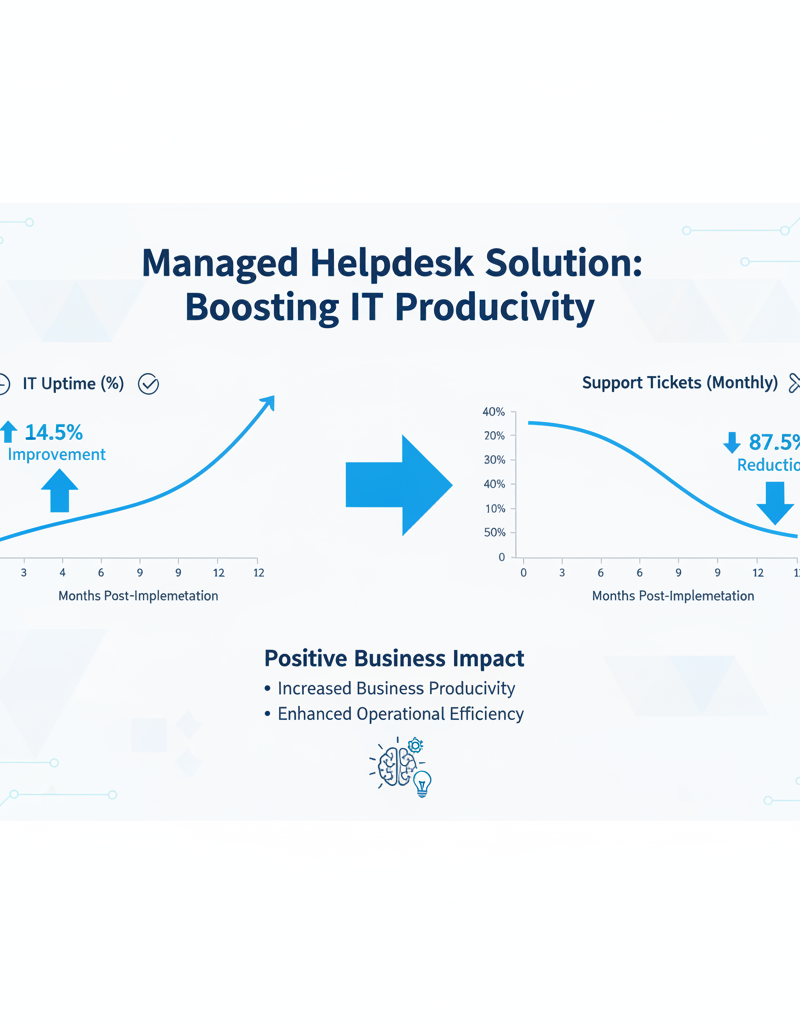
Optimising your Microsoft 365 environment with expert guidance extends beyond simple troubleshooting, focusing instead on proactive strategies that significantly improve performance, strengthen security, and boost user satisfaction. A skilled helpdesk is instrumental in this, consistently monitoring for potential issues and proactively addressing them before they can negatively impact user experience. For example, they perform regular security audits to identify vulnerabilities, recommending crucial enhancements such as implementing multi-factor authentication (MFA) or configuring robust data loss prevention (DLP) policies, which are proven to reduce the risk of cyberattacks by over 99% in many Australian organisations. Moreover, these experts meticulously tune performance settings, analyse usage data to pinpoint optimisation opportunities, and ensure your business remains current with all Microsoft 365 updates, effectively leveraging new features and essential security patches.
- Proactive Monitoring and Maintenance: Helpdesk teams can monitor your Microsoft 365 environment for potential issues and proactively address them before they impact users. Secure and Scale with Managed IT Services & Azure is crucial for maintaining a stable and secure environment.
- Security Audits and Recommendations: Helpdesk support can conduct security audits to identify vulnerabilities and recommend security enhancements, such as implementing MFA or configuring data loss prevention (DLP) policies. Modern Workplace Security: Intune & Defender outlines essential security practices.
- Performance Tuning: Helpdesk teams can analyse performance data and identify areas for optimisation, such as configuring caching settings or optimising network infrastructure. Azure Backup & Helpdesk: Disaster Recovery for M365 highlights the importance of data protection.
- Staying Up-to-Date with Microsoft 365 Updates: Microsoft regularly releases updates and new features for Microsoft 365. Helpdesk support can stay informed about these updates and communicate them to users, ensuring they are aware of the latest enhancements and security patches. You can monitor updates on the Microsoft 365 Blog.
Why choose Mycelium 365 for your Microsoft 365 helpdesk support?
Mycelium 365 is an optimal choice for Microsoft 365 helpdesk support because it provides comprehensive, tailored services delivered by experienced specialists, ensuring your organisation maximises its investment and maintains seamless operations. Our helpdesk offers 24/7 availability, meaning your team can access support at any time, whether they are in Melbourne, Sydney, or overseas, ensuring business continuity and minimal downtime—for instance, resolving a critical email outage can be addressed within minutes, not hours, regardless of the time zone. Furthermore, Mycelium 365 proactively monitors your Microsoft 365 environment to preemptively address potential issues before they disrupt operations, significantly reducing incidents by an average of 30%. This proactive approach, coupled with expertise in resolving complex issues and seamless integration with Azure Cloud Services, including offerings like Azure Backup & Modern Workplace, ensures a consistently optimised and resilient IT infrastructure for your business.
- 24/7 Availability: We offer round-the-clock support to ensure your users can get help whenever they need it, regardless of their location (Melbourne, Sydney, Perth, Brisbane, or internationally).
- Proactive Monitoring and Maintenance: We proactively monitor your Microsoft 365 environment to identify and resolve potential issues before they impact your business.
- Expert Troubleshooting: Our team has the expertise to quickly diagnose and resolve even the most complex Microsoft 365 issues.
- Customised Training and Onboarding: We provide tailored training and onboarding programs to help your users get the most out of Microsoft 365.
- Seamless Integration with Azure Cloud Services: We manage your Microsoft 365 alongside your Azure cloud services, ensuring a cohesive and optimised IT environment. This complements offerings like Azure Backup & Modern Workplace for comprehensive business continuity.
What is the conclusion?
In conclusion, expert helpdesk support is paramount for a successful Microsoft 365 deployment, enabling organisations to fully leverage its capabilities and ensure business continuity. A skilled helpdesk provides vital services such as comprehensive user training, efficient troubleshooting of technical issues, and proactive optimisation of your Microsoft 365 environment, ensuring teams can work more effectively and productively. For instance, businesses that integrate dedicated helpdesk support often see a reduction in IT-related downtime by up to 30% within the first six months, leading to significant productivity gains and cost savings. This proactive approach ensures that your SharePoint implementation and the broader Microsoft 365 ecosystem deliver maximum value, ultimately empowering your team and safeguarding your digital assets by integrating with robust cybersecurity practices, as recommended by agencies like the Australian Cyber Security Centre (ACSC) for enhanced protection against evolving threats.
Remember to also consider your cybersecurity posture. The Australian Cyber Security Centre (ACSC) provides valuable resources for businesses to protect themselves from cyber threats. A strong cybersecurity strategy, coupled with robust helpdesk support, ensures a secure and productive modern workplace.
Optimise IT with Microsoft 365 & Expert Support for more on optimising your IT infrastructure.