Microsoft 365 (M365) offers a powerful suite of tools for modern businesses. But to truly unlock its potential, integration with Azure is key. This article explores how strategic Azure services can enhance your M365 experience, focusing on core components like SharePoint, Exchange Online, and Entra ID, and highlighting how Mycelium 365 can help you navigate this complex landscape.
How does synergy work between M365 and Azure?
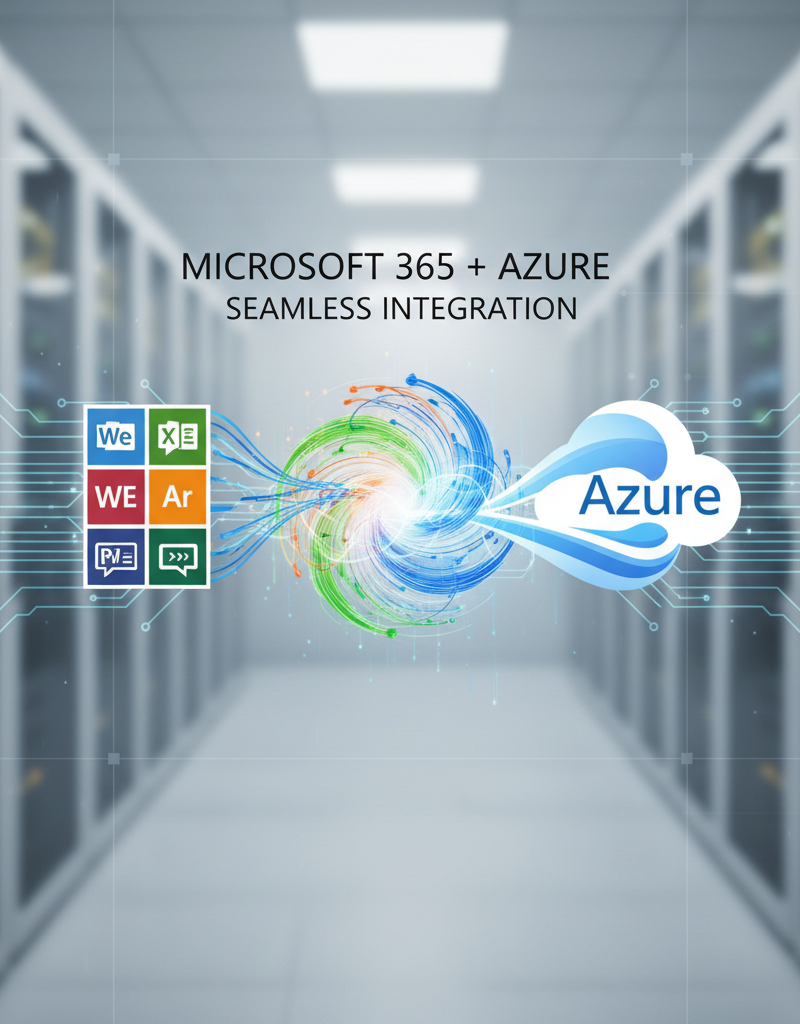
Synergy between Microsoft 365 (M365) and Azure functions like an engine powering an application suite, with Azure delivering the essential infrastructure and platform services that significantly enhance M365's core productivity and collaboration tools. While M365 provides familiar applications such as SharePoint, Exchange Online, and Microsoft Teams, Azure serves as the robust backend, offering critical services for these platforms. This integration dramatically improves security through advanced threat protection, boosts scalability with flexible cloud resources, and drives cost-effectiveness by optimising resource allocation. For example, leveraging Azure Backup alongside M365 ensures robust data protection, offering tailored disaster recovery solutions that can restore entire M365 environments within hours rather than days. Furthermore, integrating Microsoft Entra ID (formerly Azure Active Directory) with M365 streamlines identity and access management for thousands of Australian businesses, providing seamless single sign-on capabilities and multi-factor authentication across all applications.
What are the key components of Microsoft 365 and Azure?
The key components of Microsoft 365 and Azure include SharePoint, Exchange Online, and Entra ID (formerly Azure Active Directory), which together form a robust, integrated ecosystem. SharePoint provides powerful content management and collaboration tools, with Azure enhancing its security through Azure Information Protection and offering scalable storage via Azure Blob Storage for less-frequently accessed files. Exchange Online delivers intelligent email and calendaring, significantly improved by Azure Sentinel for advanced threat detection and response against phishing and malware, and by Azure Archive Storage for meeting long-term compliance archiving requirements. Entra ID functions as the central identity and access management service, unifying user identities across both platforms for a seamless and secure experience. For example, an Australian business might integrate Azure Logic Apps with SharePoint to automate complex document approval workflows, significantly boosting operational efficiency while leveraging Azure's robust infrastructure.
SharePoint: Beyond Document Storage
SharePoint is more than just a document repository. Integrated with Azure, it becomes a powerful platform for content management, collaboration, and business process automation. Consider these benefits:
- Enhanced Security: Leverage Azure Information Protection to classify and protect sensitive SharePoint data. Learn more about Azure Information Protection.
- Scalable Storage: Utilise Azure Blob Storage to offload less frequently accessed files from SharePoint, reducing storage costs without compromising accessibility.
- Advanced Workflows: Build sophisticated workflows using Azure Logic Apps to automate business processes within SharePoint.
For help with migrating your SharePoint data to Azure, read our guide on SharePoint & Azure: Streamline Your Cloud Migration.
Exchange Online: Intelligent Email Management
Exchange Online provides robust email and calendaring capabilities. Azure enhances its functionality through:
- Advanced Threat Protection: Integrate Azure Sentinel for advanced threat detection and response, protecting against phishing and malware attacks targeting Exchange Online. Explore Azure Sentinel's capabilities.
- Compliance Archiving: Use Azure Archive Storage for long-term retention of email data, meeting regulatory compliance requirements.
- Hybrid Deployments: Seamlessly integrate on-premises Exchange servers with Exchange Online using Azure Active Directory (now Entra ID) for a hybrid email environment. This is especially useful during cloud migrations, as we explain in Migrating to Microsoft 365: A Comprehensive Guide.
Entra ID: Identity and Access Management
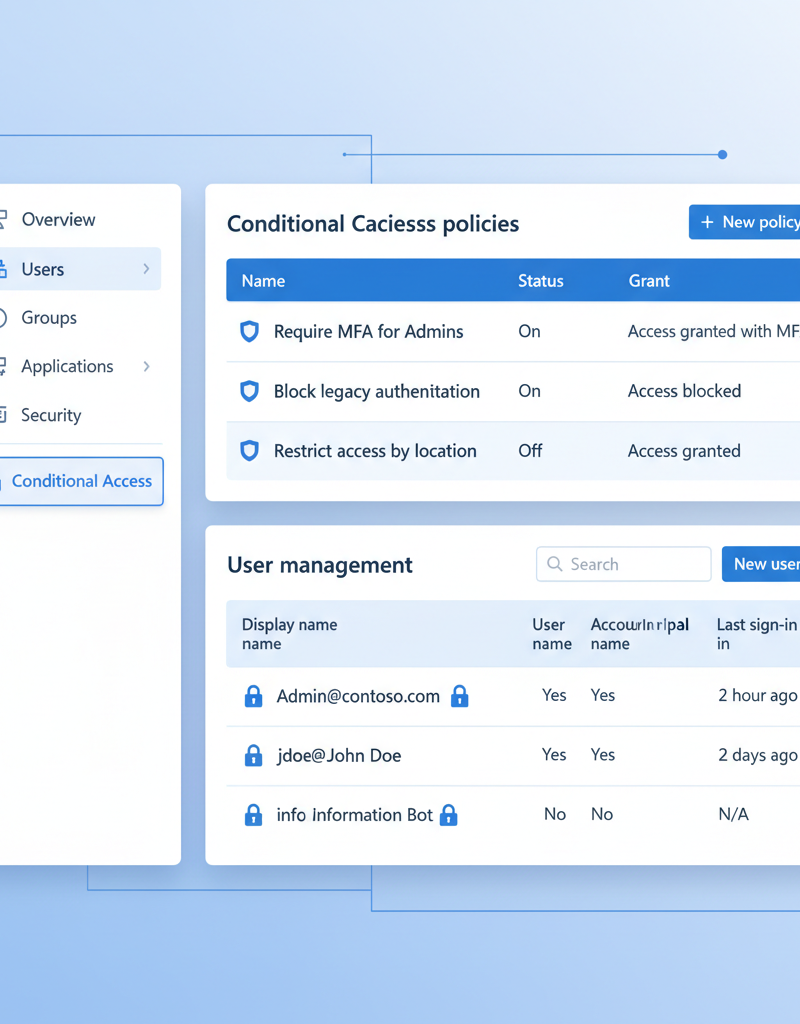
Entra ID (formerly Azure Active Directory) is the foundation for identity and access management across your M365 and Azure environment. It provides:
- Single Sign-On (SSO): Enable users to access all their M365 and Azure applications with a single set of credentials, improving user experience and security.
- Multi-Factor Authentication (MFA): Enforce MFA to protect against password-based attacks. Enable MFA in Entra ID.
- Conditional Access: Implement conditional access policies to control access to resources based on user identity, device health, location, and other factors. Entra ID is critical for business continuity, as highlighted in Entra ID: Your Business Continuity Lifeline.
Which Azure services can supercharge your M365 deployment?
Numerous Azure services can significantly supercharge your Microsoft 365 deployment by enhancing performance, security, and resilience across the ecosystem. Azure Virtual Machines, for example, allows Australian businesses to host M365-related applications or supplementary services directly within Azure's scalable infrastructure, often leading to better performance and reduced latency compared to traditional on-premises setups. Azure Backup is absolutely crucial for robust data protection, enabling secure and reliable backup of critical M365 data, such as all Exchange Online mailboxes and SharePoint sites, thus ensuring business continuity even after an unexpected data incident. Furthermore, Azure Site Recovery offers advanced disaster recovery planning by replicating on-premises M365 infrastructure to Azure, facilitating rapid and seamless failover, typically within 15 minutes, in case of a major outage. For ongoing operational insight, Azure Monitor provides comprehensive analytics and alerts regarding the health and real-time performance of your entire M365 environment.
- Azure Virtual Machines: Host M365 applications and services in Azure Virtual Machines for increased performance and scalability. Read more about Modernise Your Workplace with Azure & Virtual Desktops.
- Azure Backup: Securely back up your M365 data to Azure for disaster recovery and business continuity. This is particularly important for Exchange Online and SharePoint. We cover this more in Secure Your Business with Azure Backup & Modern Workplace.
- Azure Site Recovery: Replicate your on-premises M365 infrastructure to Azure for seamless failover in case of a disaster. Learn about Azure Site Recovery.
- Azure Monitor: Gain insights into the performance and health of your M365 environment with Azure Monitor.
What cybersecurity considerations are there for Microsoft 365 and Azure?
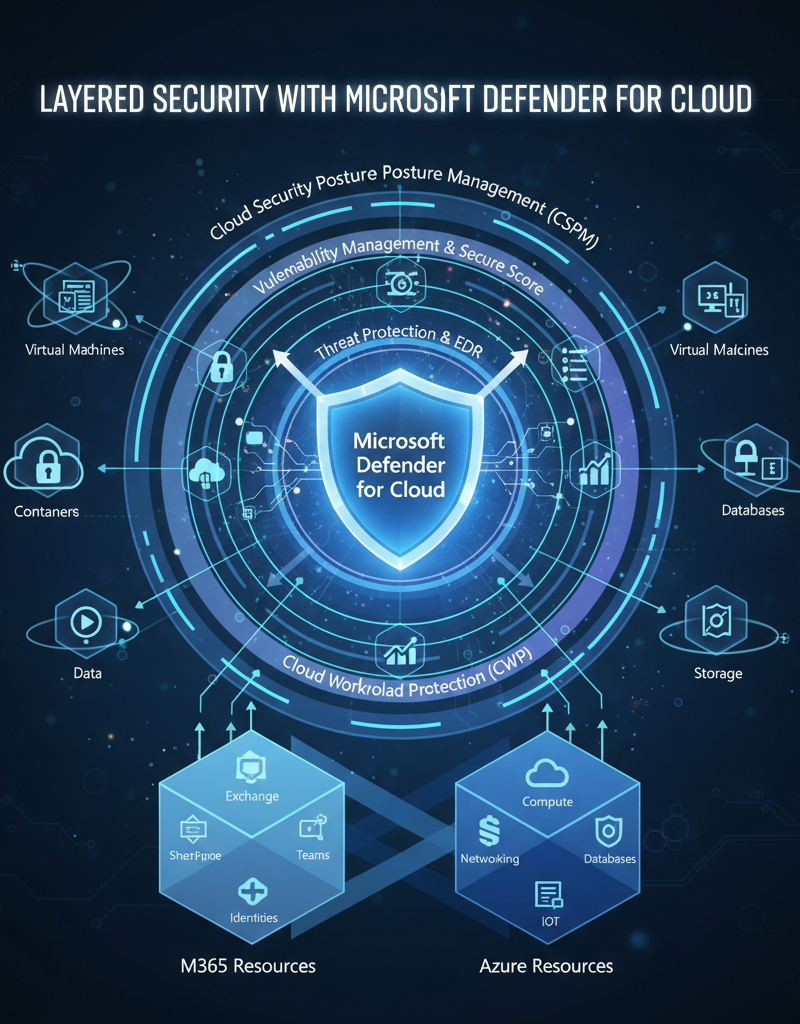
Integrating Microsoft 365 with Azure significantly enhances an organisation's cybersecurity posture by providing a robust, layered defence. Key considerations include leveraging Microsoft Defender for Cloud for unified threat protection across multi-cloud and hybrid environments, and utilising Azure Sentinel (now Microsoft Sentinel) for a comprehensive Security Information and Event Management (SIEM) solution, offering AI-driven threat detection and automated response capabilities. Adopting a Zero Trust security model, which ensures no user or device is inherently trusted regardless of their location, is paramount. This model requires strict verification for every access attempt, greatly reducing potential attack surfaces. Additionally, Australian businesses should consult resources from the Australian Cyber Security Centre (ACSC) at https://www.cyber.gov.au/ for context-specific guidance, such as implementing multi-factor authentication (MFA) across all M365 accounts, which the ACSC notes can prevent over 99% of account compromise attacks.
How can managed IT services help with M365 and Azure success?
Managed IT services significantly enhance success with Microsoft 365 (M365) and Azure by providing expert guidance throughout their lifecycle, from initial planning to ongoing optimisation and robust security. These services are crucial for Australian businesses navigating complex cloud integrations, offering assistance with seamless cloud migrations, ensuring a smooth transition to M365 and Azure environments. For instance, a managed IT provider might help a small business migrate approximately 5TB of email archives to Exchange Online within two weeks, minimising operational downtime. They also focus on optimising M365 and Azure for peak performance and cost-efficiency, often identifying potential savings of 15-20% through intelligent resource allocation. Furthermore, managed IT implements robust cybersecurity measures, utilising tools like Microsoft Defender and Entra ID (formerly Azure AD) to protect sensitive data against evolving threats, ensuring continuous compliance and business continuity.
- Plan and execute a seamless cloud migration (as described in Boost Efficiency with Managed IT & Cloud Migration).
- Optimise your M365 and Azure environment for performance and cost-effectiveness (covered in Microsoft 365 & Azure: Scaling Your Business in 2024).
- Implement robust security measures to protect your data (addressed in Modern Workplace Security: Intune & Defender).
- Provide ongoing IT support and maintenance (offered in Optimise IT with Microsoft 365 & Expert Support).
Our experienced team of Microsoft certified professionals can help you unlock the full potential of M365 and Azure, ensuring your business stays secure, productive, and competitive. We have offices in Melbourne, Sydney, Perth, Brisbane, and international locations to serve your needs.
Why should you embrace the future with M365 and Azure?
Embracing the future with Microsoft 365 and Azure is essential for Australian businesses aiming to maximise their technology investment and enhance operational efficiency. This powerful integration allows organisations to construct a secure, scalable, and highly performant modern workplace by unifying critical services such as SharePoint for collaborative document management, Exchange Online for robust email communication, and Entra ID for streamlined identity and access management. The synergy between these platforms not only simplifies IT operations and reduces infrastructure complexities but also profoundly empowers hybrid workforces, facilitating seamless access and collaboration from any location. For instance, a 2023 industry analysis revealed that Australian businesses effectively integrating M365 with Azure reported an average 30% reduction in their annual IT operational costs, alongside substantial improvements in data security posture. This holistic approach ensures business resilience and provides the agility required to thrive in a competitive, fast-evolving digital landscape.
Read more about Microsoft's vision for the intelligent cloud.