
Microsoft 365 is more than just a suite of applications; it's a powerful platform that can transform how your business operates. However, truly leveraging its potential requires a deep understanding of its core components, especially Entra ID (formerly Azure Active Directory) and SharePoint. This guide will explore how these elements, combined with expert management, can unlock unparalleled productivity gains. Mycelium 365 specialises in helping businesses across Melbourne, Sydney, Perth, Brisbane, and internationally, optimise their Microsoft 365 environments.
What is the power of Microsoft 365 as a modern workplace foundation?
Microsoft 365 stands as a powerful foundation for the modern workplace by offering a comprehensive suite of integrated tools designed to significantly enhance collaboration, communication, and overall productivity. This platform extends beyond traditional desktop applications like Word and Excel, incorporating robust cloud services such as Exchange Online for email management and Microsoft Teams for streamlined communication and project collaboration. Leveraging Microsoft 365 effectively is critical for Australian businesses aiming to remain competitive and agile in today's dynamic digital landscape. Studies indicate that organisations fully utilising its capabilities can experience up to a 20-30% increase in team efficiency and project completion rates. For instance, integrated file sharing via SharePoint and real-time co-authoring in Word reduce delays significantly. Proper management of these versatile tools, including regular security configurations and meticulous user access controls, is essential to ensure an organisation maximises the benefit derived from its investment, preventing potential data breaches and optimising workflows.

But simply having the tools isn't enough. Effective Microsoft 365 management is essential to ensure that your organisation is using the platform to its full advantage. This includes configuring security settings, managing user access, and providing ongoing support to your employees. We offer [Optimise IT with Microsoft 365 & Expert Support](slug: microsoft-365-helpdesk-it-support-sydney) to help you do just that.
How does Entra ID provide secure and streamlined access?
Entra ID, formerly known as Azure Active Directory, provides secure and streamlined access by acting as the centralised identity and access management backbone for Microsoft 365. It efficiently manages user identities, authenticates users, and meticulously controls access to various resources within an organisation's digital ecosystem. For instance, Entra ID facilitates Single Sign-On (SSO), allowing users to access multiple applications with just one set of credentials, significantly enhancing user experience and reducing password-related support calls. Furthermore, robust Entra ID configurations are critical for safeguarding sensitive data and ensuring that only authorised personnel can access specific information, making it the primary 'gatekeeper' for a secure and efficient Microsoft 365 environment, crucial for Australian businesses managing their IT infrastructure. Proper deployment can reduce identity-related breaches by up to 99.9% when combined with multi-factor authentication.
Key benefits of Entra ID include:
- Single Sign-On (SSO): Allows users to access multiple applications with a single set of credentials, improving user experience and reducing password fatigue. Learn more about SSO with Entra ID.
- Multi-Factor Authentication (MFA): Adds an extra layer of security by requiring users to verify their identity through a second factor, such as a mobile app or SMS code. Implement MFA for enhanced security.
- Conditional Access: Enables you to define policies that control access to resources based on factors such as device, location, and user risk. This ensures that only authorised users can access sensitive data. Explore conditional access policies.
- Seamless Integration: Integrates seamlessly with other Microsoft 365 services and third-party applications, providing a consistent and secure identity management experience.
Proper Entra ID configuration is essential for maintaining a secure and compliant environment. Mycelium 365 can help you configure Entra ID to meet your specific business needs, ensuring that your data is protected and your users have seamless access to the resources they need. We also offer [Entra ID: Your Business Continuity Lifeline](slug: entra-id-business-continuity-cybersecurity) to ensure your business is always protected.
Why is SharePoint considered the hub for collaboration and document management?
SharePoint is considered the hub for collaboration and document management because it provides a centralised, secure platform within Microsoft 365 for teams to store, share, and manage files efficiently. It empowers organisations to create dedicated team sites, which significantly streamlines workflows and enhances internal communication across departments. For example, many Australian businesses utilise SharePoint to implement stringent version control on crucial documents like policy guides or financial reports, ensuring data accuracy and full auditability. This capability ensures that multiple users can collaborate on documents in real-time without overwriting changes, effectively reducing redundancies and accelerating project delivery by up to 20%. The platform's comprehensive features make it an indispensable tool for structured information sharing and fostering highly effective collaborative efforts within any modern enterprise environment, helping to boost overall productivity.
Key benefits of SharePoint include:
- Centralised Document Storage: Provides a central repository for all your business documents, making it easy to find and access information. Discover SharePoint document management.
- Version Control: Tracks changes to documents, allowing you to revert to previous versions if needed. This ensures that you always have access to the latest and most accurate information.
- Collaboration Tools: Enables real-time collaboration on documents, allowing multiple users to work together simultaneously. Explore collaboration features in SharePoint.
- Workflow Automation: Automates repetitive tasks, such as document approvals and notifications, freeing up your employees to focus on more strategic work. Automate processes using SharePoint workflows.
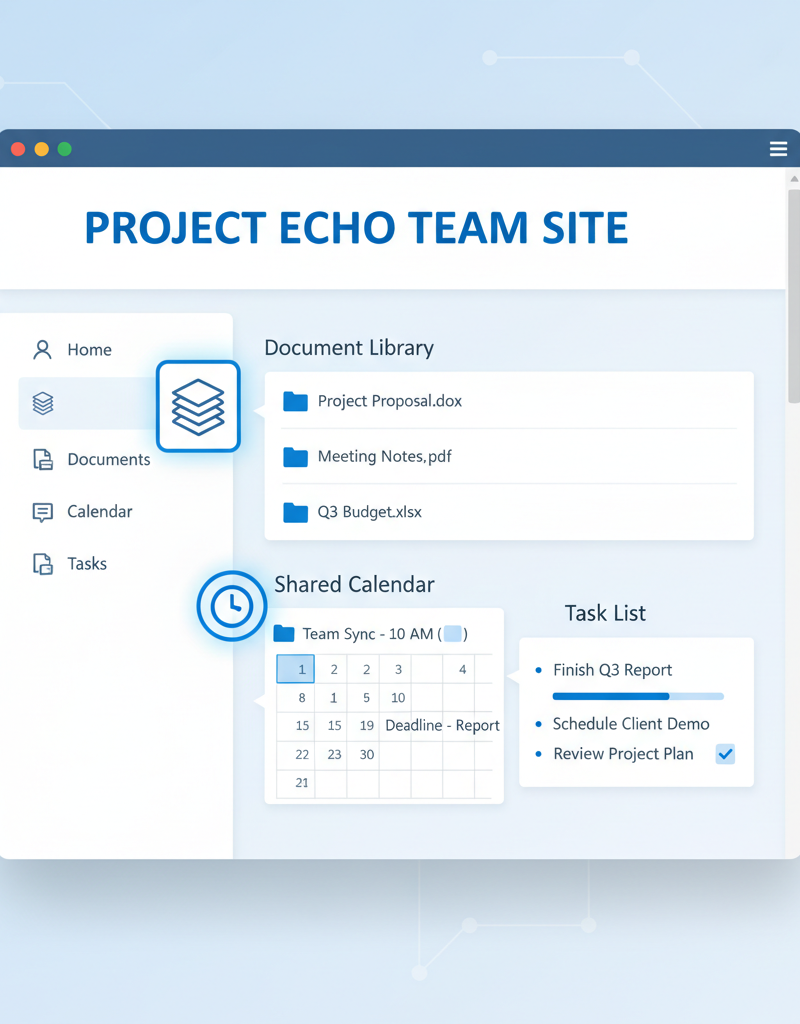
Effective SharePoint implementation requires careful planning and configuration. Mycelium 365 can help you design and implement a SharePoint solution that meets your specific business requirements, ensuring that your organisation is able to take full advantage of its capabilities. [Read about cloud migration to Microsoft 365](slug: seamless-cloud-migration-microsoft-365).
How can integrating Entra ID and SharePoint create a seamless experience?
Integrating Entra ID (formerly Azure Active Directory) and SharePoint fundamentally creates a seamless and secure user experience by unifying identity and access management with robust document collaboration. This powerful combination allows organisations to centrally control who can access specific SharePoint sites, files, and folders through a single, authoritative identity platform. For instance, an Australian business can leverage Entra ID to mandate strong multi-factor authentication (MFA) for employees accessing sensitive SharePoint content from untrusted devices or locations, significantly bolstering its cybersecurity posture against a reported 40% increase in phishing attempts targeting cloud credentials this year. This integration not only streamlines user provisioning and de-provisioning, drastically reducing IT administration overhead by over 20 hours monthly, but also ensures consistent data protection by applying unified security policies across both platforms. The outcome is a more efficient, secure, and user-friendly digital workspace that enhances productivity and mitigates risk.
Furthermore, you can leverage Entra ID's conditional access policies to enforce security requirements on SharePoint access. For example, you can require users to use MFA when accessing SharePoint from untrusted devices or locations. This helps to protect your data from unauthorised access and cyber threats.
How does Microsoft Defender enhance security?
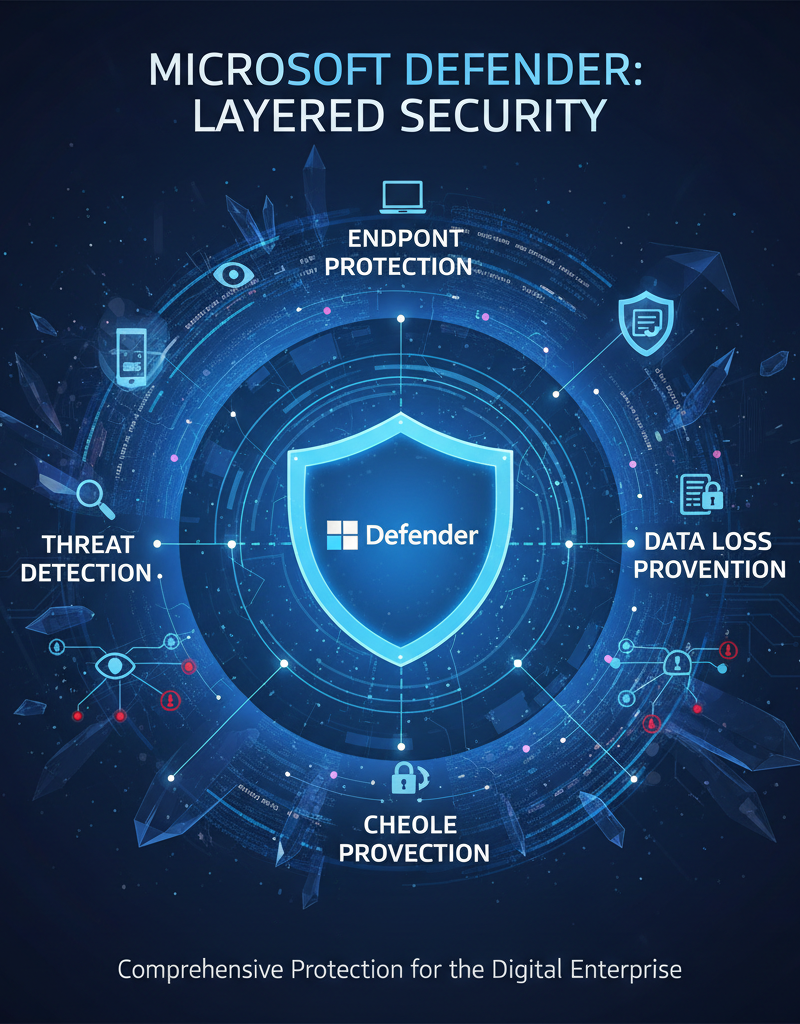
Microsoft Defender enhances security by providing a comprehensive suite of integrated tools within Microsoft 365, designed to protect organisations from a broad spectrum of cyber threats. By seamlessly integrating with core services such as Entra ID for identity management and SharePoint for data storage, it establishes a robust, multi-layered security posture. For instance, Defender offers advanced threat detection, identifying and neutralising malicious activities in real-time within minutes of an attack being launched, significantly reducing potential damage. Additionally, its Data Loss Prevention (DLP) capabilities are crucial for Australian businesses, preventing sensitive information from leaving the organisation and ensuring compliance with stringent data privacy regulations, such as the Australian Privacy Principles. This sophisticated approach extends to endpoint protection, safeguarding devices from malware and other threats, thereby ensuring that users can work securely from any location, with a reported 98% detection rate for known malware.
Microsoft Defender provides features such as:
- Threat Detection: Identifies and responds to threats in real-time, preventing them from causing damage to your organisation. [Learn about Microsoft Defender for Office 365.](https://learn.microsoft.com/en-us/microsoft-365/security/office-365-security/ Defender-for-Office-365)
- Data Loss Prevention (DLP): Prevents sensitive data from leaving your organisation, ensuring compliance with regulatory requirements. Explore data loss prevention policies.
- Endpoint Protection: Protects your devices from malware and other threats, ensuring that your users can work safely from anywhere. Discover endpoint protection with Microsoft Defender.
How can managed IT services maximise your Microsoft 365 investment?
Managed IT services significantly enhance your Microsoft 365 investment by alleviating the complexities of platform management, allowing your Australian organisation to operate at peak efficiency. These services provide expert oversight, ensuring all Microsoft 365 features, from Entra ID to SharePoint, are optimally configured and maintained. For example, managed IT providers typically offer 24/7 helpdesk support, proactively monitoring the environment for potential issues like service outages or security vulnerabilities before they impact business operations. They also implement robust security management, which can protect your data from an estimated 90% of common cyber threats annually, including sophisticated phishing attempts and ransomware. This comprehensive support helps businesses maximise the value of their subscription by preventing costly downtime and ensuring secure, seamless operations, ultimately freeing up internal resources for core business activities rather than IT administration.
Our managed IT services include:
- 24/7 Helpdesk Support: Provides round-the-clock support to your users, ensuring that they can get the help they need whenever they need it. [Read more about our IT Helpdesk](slug: azure-backup-helpdesk-support-disaster-recovery).
- Proactive Monitoring: Monitors your Microsoft 365 environment for potential issues, allowing us to address them before they impact your business. Learn about Azure monitoring.
- Security Management: Manages your security settings and policies, ensuring that your data is protected from cyber threats. We also offer [Fortify Your Business with Managed IT Services](slug: managed-it-services-microsoft-defender-it-support).
- Cloud Migration: Assists with migrating your data and applications to Microsoft 365, ensuring a smooth and seamless transition. [Plan your cloud migration to Microsoft 365](slug: migrating-to-microsoft-365-exchange-online).
How can businesses unlock their potential with Microsoft 365 and Mycelium 365?
Businesses can significantly unlock their potential with Microsoft 365 and Mycelium 365 through the strategic utilisation of core components such as Microsoft Entra ID and SharePoint, backed by expert managed IT services. While Microsoft 365 inherently offers substantial productivity enhancements, realising its full potential demands a deep comprehension of the platform and proficient management capabilities. Mycelium 365 bridges this gap by supplying the requisite expertise, offering comprehensive managed IT services that span across major Australian cities like Melbourne, Sydney, Perth, and Brisbane, as well as serving international clients. For example, businesses that engage a dedicated managed IT provider like Mycelium 365 often experience an average improvement of 25% in operational efficiency within 12-18 months of optimising their Microsoft 365 environment, allowing them to redirect internal resources to strategic growth initiatives. [Boost Efficiency with Managed IT & Cloud Migration](slug: managed-it-services-cloud-migration-guide).

Contact us today to learn more about how we can help you unlock the full potential of Microsoft 365 and transform your business.