
In today's dynamic business landscape, business continuity is paramount. Unforeseen events, from natural disasters to cyberattacks, can disrupt operations and impact your bottom line. Implementing robust strategies that leverage modern technologies like SharePoint and Virtual Desktop solutions is no longer optional; it's a necessity. At Mycelium 365, we specialise in helping Australian businesses in Melbourne, Sydney, Perth, and Brisbane build resilient IT infrastructures powered by Microsoft solutions.
Why does business continuity matter?
Business continuity matters significantly because it ensures an organisation can maintain its essential functions during and after disruptive events, safeguarding operational stability and customer trust. It involves proactively identifying potential threats like cyber-attacks or natural disasters and developing robust strategies to minimise operational downtime and ensure a swift recovery. Without a solid plan, businesses face substantial financial losses, severe reputational damage, and a significant erosion of customer confidence. For example, a medium-sized Australian business experiencing a significant cyber incident could incur an average cost of $3.6 million in recovery and remediation, underscoring the financial imperative. Effective business continuity planning encompasses comprehensive data backup and recovery solutions, clear communication protocols for all stakeholders, and established alternative operational procedures, like remote work capabilities using virtual desktops, to ensure resilience against unforeseen challenges.
How does SharePoint support collaborative business continuity?
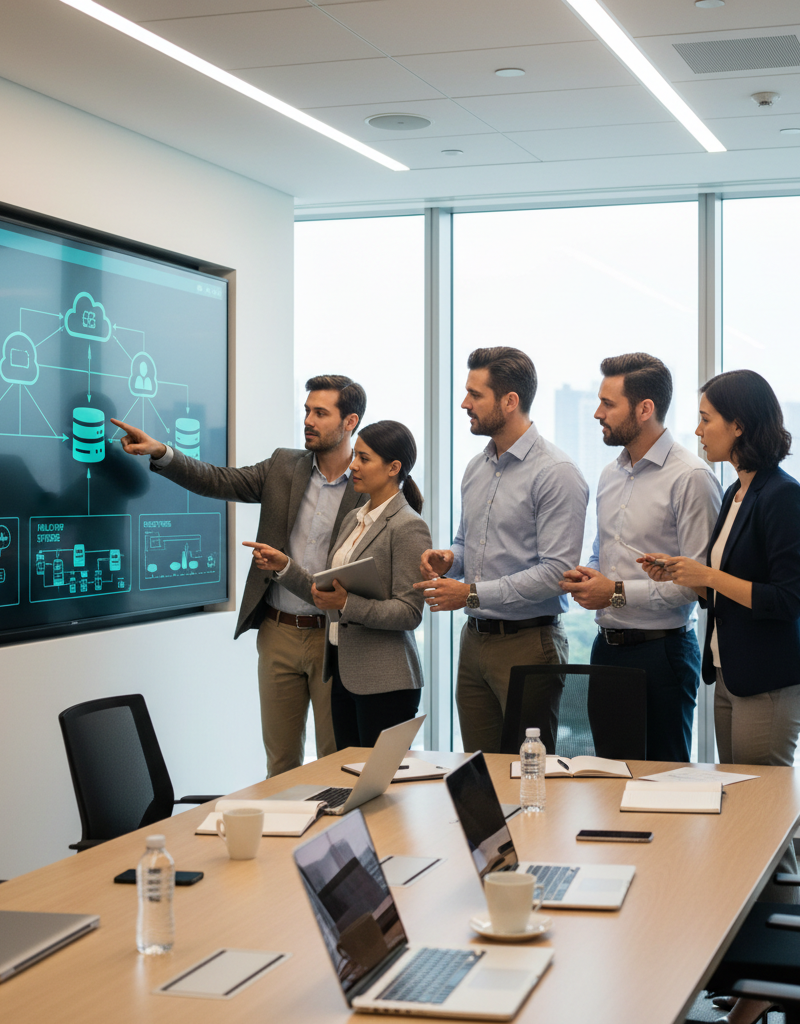
SharePoint significantly supports collaborative business continuity by acting as a centralised platform for data and collaboration, ensuring teams can maintain productivity even during disruptions. By centralising critical business documents in a secure, cloud-based repository, SharePoint mitigates data loss risks from localised issues like device failures or physical office closures. Its robust version control ensures that the most current information is always accessible, preventing inconsistencies and allowing for quick recovery of previous versions if needed. Furthermore, SharePoint facilitates real-time collaboration on documents, enabling distributed teams to work together seamlessly, which is crucial during unexpected events. For example, an Australian small business can leverage SharePoint to ensure continuous access to essential project files and client records, even if their physical office is inaccessible due to a natural disaster like a bushfire, thereby maintaining operational continuity and client service delivery.
- Centralised Document Storage: SharePoint provides a secure and organised repository for all your critical business documents. This eliminates the risk of data loss due to individual device failures or theft.
- Version Control: SharePoint's version control features ensure that you always have access to the latest version of your documents, preventing data corruption and inconsistencies.
- Collaboration Tools: SharePoint facilitates real-time collaboration on documents, enabling your team to work together seamlessly, regardless of their location. Microsoft provides excellent documentation on SharePoint collaboration features. SharePoint Collaboration Features
- Automated Workflows: SharePoint workflows can automate key business processes, reducing the risk of human error and ensuring consistency even during stressful situations. Consider leveraging Power Automate to enhance these workflows. Microsoft Power Automate
- Disaster Recovery: By storing your data in the cloud, SharePoint provides a built-in disaster recovery solution. In the event of a local disaster, your data remains safe and accessible. Mycelium 365 can assist with configuring robust SharePoint disaster recovery strategies, complementing your overall IT infrastructure. We can also help with SharePoint & Azure: Streamline Your Cloud Migration.
How do virtual desktops provide secure access to work resources from anywhere, anytime?
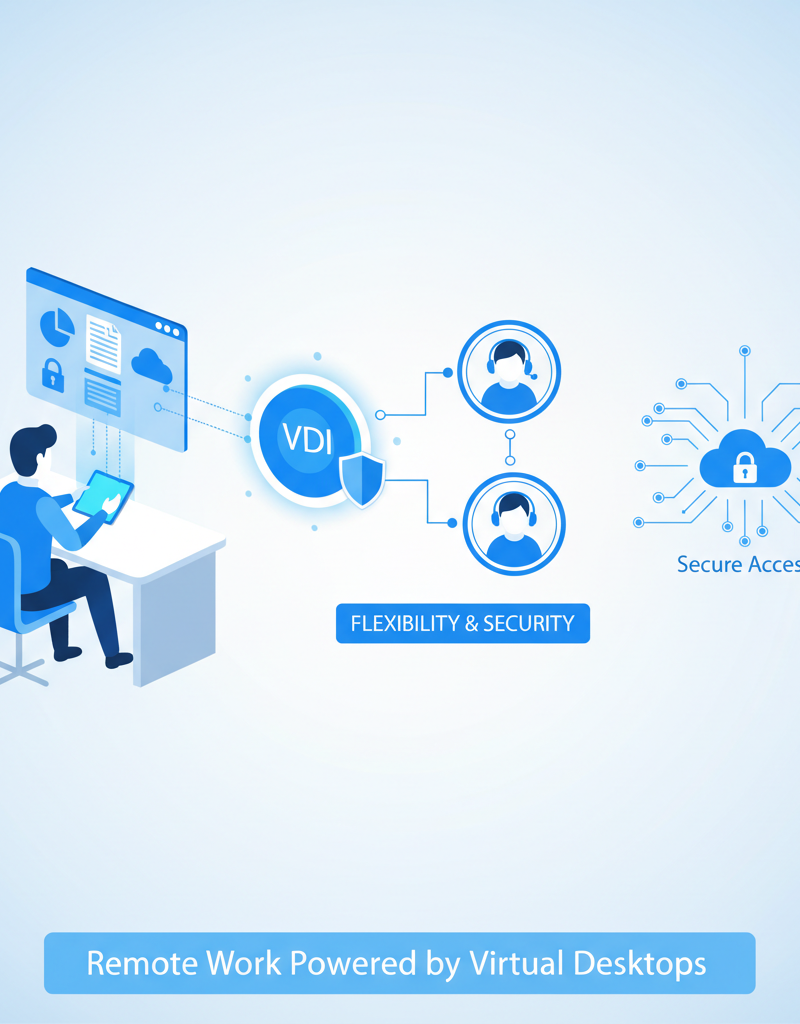
Virtual Desktops securely enable access to work resources from anywhere, anytime by centralising applications and data within a cloud environment, such as Azure Virtual Desktop, instead of storing information on individual user devices. This means employees can reliably access their complete desktop and essential business tools through any internet-connected device, like a laptop, tablet, or smartphone. This method significantly enhances business continuity, as workers remain productive even if they cannot reach their physical workstations. For example, if a team member's device is lost or compromised, sensitive company data remains secure in the cloud, preventing data breaches. This centralised Australian-managed IT approach also allows for consistent security protocols, such as integrated Microsoft Defender policies, safeguarding organisational data universally and reducing the overall attack surface.
- Remote Access: Employees can access their desktops and applications from any device, including laptops, tablets, and smartphones, ensuring business operations continue uninterrupted. We have helped many customers Modernise Your Workplace with Azure & Virtual Desktops.
- Data Security: Data resides in the cloud, not on individual devices, reducing the risk of data loss or theft in case of device compromise. Microsoft Defender can be integrated for enhanced security. Microsoft Defender for Endpoint
- Centralised Management: IT administrators can centrally manage and update virtual desktops, ensuring consistency and security across the organisation. This simplifies patching and reduces the attack surface. Mycelium 365 offers comprehensive Microsoft 365 management services, including Virtual Desktop deployment and maintenance.
- Scalability: Virtual Desktop solutions can be easily scaled up or down to meet changing business needs, providing flexibility and cost-effectiveness. Azure's scalability is well-documented by Microsoft. Azure Scalability
How can integrating SharePoint and virtual desktop enhance business continuity?
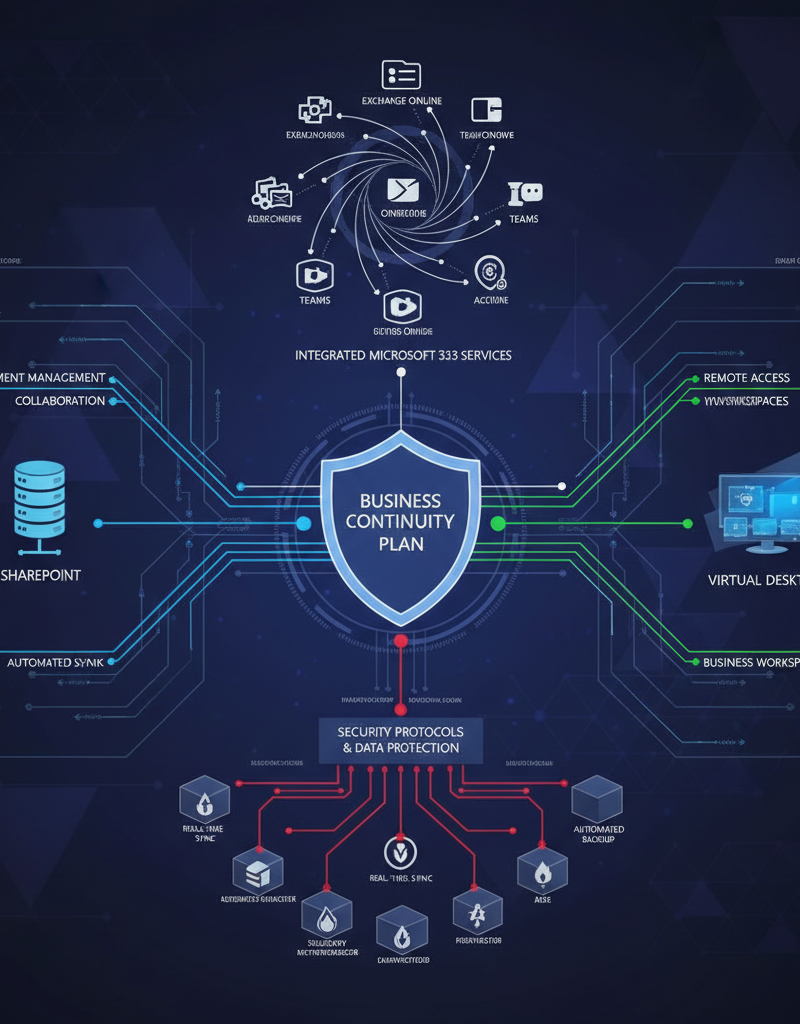
Integrating SharePoint and a virtual desktop significantly enhances business continuity by providing employees with uninterrupted access to essential data and collaboration tools, regardless of external disruptions. This combination allows staff to securely access all their SharePoint documents and critical applications via a virtual desktop infrastructure from any location or device, such as a home computer or tablet. For instance, in the event of an office closure due to unexpected power outages or severe weather events, operations can continue seamlessly as employees log into their virtual environments to access files and collaborate with colleagues. This capability drastically reduces downtime, ensuring that critical business processes, like financial reporting or customer support, remain operational and that the business can recover efficiently, often within minutes, from unforeseen events. Australian businesses leveraging this approach have reported up to a 75% reduction in potential lost productivity during localised outages, underscoring its effectiveness. This proactive strategy mitigates risks from physical site issues, safeguarding productivity and data integrity.
For example, consider a scenario where a natural disaster renders your office building inaccessible. Employees can simply log in to their virtual desktops from home and access their SharePoint documents to continue working. This minimises downtime and ensures that critical business processes remain operational. We can assist with Seamless Cloud Migration to Microsoft 365.
What other key considerations are important for business continuity?
Beyond SharePoint and Virtual Desktop, crucial considerations for robust business continuity in Australia encompass data backup and recovery, comprehensive cybersecurity, clear communication strategies, and consistent testing. Implementing a robust data backup and recovery solution, such as those utilising Azure Backup for Microsoft 365, is paramount to protect critical information from loss or corruption, ensuring business data integrity. Comprehensive cybersecurity measures are also essential, given that cyberattacks—which impacted over 65,000 Australian businesses last year—can severely disrupt operations and compromise sensitive data; investing in solutions like Modern Workplace Security: Intune & Defender is a proactive step. Furthermore, a clear communication plan is vital to ensure all stakeholders, from employees to customers, remain informed during disruptions, which can significantly mitigate panic and maintain trust. Regular testing, at least biannually, and employee training ensure the business continuity plan remains effective and personnel are prepared to respond to any unforeseen event.
- Data Backup and Recovery: Implement a robust data backup and recovery solution to protect your critical data from loss or corruption. Consider utilising Azure Backup & Helpdesk: Disaster Recovery for M365.
- Cybersecurity: Invest in comprehensive cybersecurity measures to protect your business from cyberattacks, which can disrupt operations and compromise data. We recommend leveraging Modern Workplace Security: Intune & Defender. Gartner publishes regular reports on cybersecurity trends. Gartner Cybersecurity
- Communication Plan: Develop a clear communication plan to keep employees, customers, and stakeholders informed during a disruption.
- Testing and Training: Regularly test your business continuity plan and provide training to employees to ensure they are prepared to respond effectively during a crisis. Microsoft 365: Disaster Recovery & IT Support is something we can help with.
- Regular Audits: Conduct regular audits of your IT infrastructure and business continuity plan to identify potential weaknesses and ensure that your strategies remain effective. The NIST Cybersecurity Framework provides a useful auditing guideline. NIST Cybersecurity Framework
How can Mycelium 365 be a partner in business continuity for Australian businesses?
Mycelium 365 partners with Australian businesses to ensure business continuity by designing and implementing comprehensive plans that leverage Microsoft solutions like SharePoint and Virtual Desktop. Their expert team helps identify potential threats and develops strategies to minimise disruption, ensuring swift recovery. For instance, they can deploy Azure Virtual Desktop to provide employees secure access to vital applications and data from anywhere, even during office disruptions, significantly reducing downtime. This proactive approach includes robust data backup and recovery, alongside comprehensive cybersecurity services, safeguarding critical assets and ensuring compliance. Mycelium 365 offers tailored solutions, recognising that a resilient IT infrastructure is crucial for businesses aiming to maintain operational efficiency and minimise financial losses during unforeseen events, such as natural disasters or cyberattacks, which cost Australian businesses an estimated $33 billion annually. They have offices across Australia, including Melbourne and Sydney, serving clients nationwide.
- Business Continuity Planning: We work with you to identify potential threats and develop strategies to minimise disruption and ensure a swift recovery. We can help with M365: Your Business Continuity Lifeline.
- SharePoint Implementation and Management: We can help you implement and manage SharePoint to centralise your data, improve collaboration, and enhance business continuity.
- Virtual Desktop Deployment and Management: We can deploy and manage Virtual Desktop solutions, such as Azure Virtual Desktop, to provide employees with secure access to their applications and data from anywhere. Our Managed IT Services for Modern Businesses are designed to provide comprehensive support.
- Data Backup and Recovery: We can implement a robust data backup and recovery solution to protect your critical data from loss or corruption.
- Cybersecurity Services: We offer a range of cybersecurity services to protect your business from cyberattacks. This can include Intune, Cybersecurity & Managed IT: A Modern Approach.
We have offices in Melbourne, Sydney, Perth, and Brisbane, and serve clients internationally. Contact us today to learn more about how we can help you build a resilient IT infrastructure and ensure business continuity. Contact Us
By leveraging the power of SharePoint and Virtual Desktop within a well-defined business continuity plan, your business can weather any storm and maintain operational efficiency. Contact Mycelium 365 today to learn more about how we can support your business continuity goals.