Updated guide: this article has been consolidated. Read the current version — Microsoft 365 migration support in Australia.
Are you considering a move to Microsoft 365? Whether you're currently using G Suite, an older version of Microsoft Office, or another platform entirely, transitioning to Microsoft 365 can significantly boost your organisation's productivity, security, and collaboration capabilities. This comprehensive guide will walk you through the essential steps, from planning your G Suite to Office 365 migration to leveraging the power of Azure cloud migration services and securing your environment with Microsoft Defender. Mycelium 365 is here to help you navigate this journey smoothly.
Why should I migrate to Microsoft 365?
Migrating to Microsoft 365 offers significant advantages for businesses, primarily by enhancing collaboration, boosting productivity, and strengthening cybersecurity measures. This comprehensive platform provides industry-standard applications such as Word, Excel, and Outlook, alongside powerful collaborative tools like Microsoft Teams, which serves as a central hub for seamless communication, file sharing, and virtual meetings. Furthermore, Microsoft 365 incorporates robust security features, including advanced threat protection, data loss prevention, and identity management, all fortified by Microsoft Defender. For example, many Australian organisations experience an average reduction of 20-30% in IT operational costs by consolidating their software and infrastructure onto this single, integrated platform. The platform's inherent scalability and flexibility also allow businesses to easily add or remove users and services, supporting growth and adaptable hybrid cloud environments through Azure cloud migration services.
- Enhanced Collaboration: Microsoft Teams provides a central hub for communication, file sharing, and meetings, fostering seamless collaboration among team members.
- Improved Productivity: Applications like Word, Excel, PowerPoint, and Outlook are industry standards, offering powerful features and integrations.
- Robust Security: Microsoft 365 incorporates advanced security features, including threat protection, data loss prevention, and identity management, enhanced by Microsoft Defender.
- Scalability and Flexibility: Microsoft 365 grows with your business, allowing you to easily add or remove users and services as needed. You can leverage Azure cloud migration services to create a hybrid cloud environment, balancing on-premises and cloud resources.
- Cost-Effectiveness: By consolidating your IT infrastructure and services into a single platform, Microsoft 365 can help reduce your overall IT costs.

What are the key considerations when planning my Microsoft 365 migration?
When planning for a Microsoft 365 migration, key considerations include a thorough assessment of your current IT infrastructure, a robust data migration strategy, comprehensive user training, and stringent security planning. Begin by evaluating existing email systems, file storage, and applications to identify dependencies and potential hurdles. Next, define a data migration strategy, which could involve utilising specialised tools like Microsoft's Migration Assistant to seamlessly transfer information, or a hybrid approach to minimise disruption. User training is also paramount; educating staff on new Microsoft 365 applications can significantly reduce post-migration support tickets, potentially lowering help desk demand by over 20% in the initial months. Finally, integrate strong security measures, such as multi-factor authentication and data loss prevention, adhering to best practices outlined by the Australian Cyber Security Centre (ACSC) to protect your organisation's data.
- Assessment: Conduct a thorough assessment of your current IT infrastructure, including your existing email system, file storage, and applications. Identify any potential challenges or dependencies.
- Data Migration Strategy: Determine the best approach for migrating your data to Microsoft 365. This may involve using a migration tool, performing a manual migration, or a hybrid approach. Consider tools like Microsoft's Migration Assistant (https://learn.microsoft.com/en-us/exchange/mailbox-migration/mailbox-migration).
- User Training: Provide adequate training to your users on how to use the new Microsoft 365 applications and services. This will help ensure a smooth transition and minimise disruption.
- Security Planning: Implement robust security measures to protect your data and systems in Microsoft 365. This includes enabling multi-factor authentication, configuring data loss prevention policies, and deploying threat protection solutions like Microsoft Defender. See the Australian Cyber Security Centre (ACSC) guidelines for best practices (https://www.cyber.gov.au/).
- Timeline and Budget: Develop a realistic timeline and budget for your migration project. Factor in the cost of migration tools, training, and any external support you may need. Consider consulting with a Managed IT Provider like Mycelium 365 for accurate estimates. We offer comprehensive cloud migration services to businesses in Melbourne, Sydney, Perth, Brisbane, and internationally.
How do I migrate from G Suite to Office 365?
Migrating from G Suite to Office 365, now officially known as Microsoft 365, demands careful planning and execution across several key stages to ensure a seamless transition. The process begins with preparing your Microsoft 365 environment by setting up your new tenant, verifying your organisational domain, and creating user accounts ready for the migrated data. Following this, critical data migration steps commence, involving the transfer of emails to Exchange Online, often facilitated by Microsoft's native tools or specialised third-party migration services, as detailed in documentation like https://learn.microsoft.com/en-us/exchange/mailbox-migration/migrating-imap-mailboxes/migrate-imap-mailboxes. Additionally, contacts and calendars are moved to Outlook, and files from Google Drive are migrated to OneDrive or SharePoint. Many Australian small to medium-sized businesses, for example, report that a well-managed migration can be completed within a proactive timeframe of two to four weeks. The final crucial step involves updating DNS records to correctly point to Microsoft 365 services, securing operational continuity.
- Prepare your Microsoft 365 environment: Set up your Microsoft 365 tenant, verify your domain, and create user accounts.
- Migrate your email: Use a migration tool or service to migrate your email data from G Suite to Exchange Online. Microsoft provides tools and documentation to assist with this process (https://learn.microsoft.com/en-us/exchange/mailbox-migration/migrating-imap-mailboxes/migrate-imap-mailboxes).
- Migrate your contacts and calendars: Migrate your contacts and calendars from G Suite to Outlook.
- Migrate your files: Migrate your files from Google Drive to OneDrive or SharePoint. SharePoint & Azure: Streamline Your Cloud Migration can help you understand the best practices for this.
- Update DNS records: Update your DNS records to point to Microsoft 365.
- Train your users: Provide training to your users on how to use the new Microsoft 365 applications and services.
Mycelium 365 has extensive experience in G Suite to Office 365 migration, ensuring a seamless transition for your organisation. We can help you with every step of the process, from planning to execution.
How can Australian businesses leverage Azure cloud services?
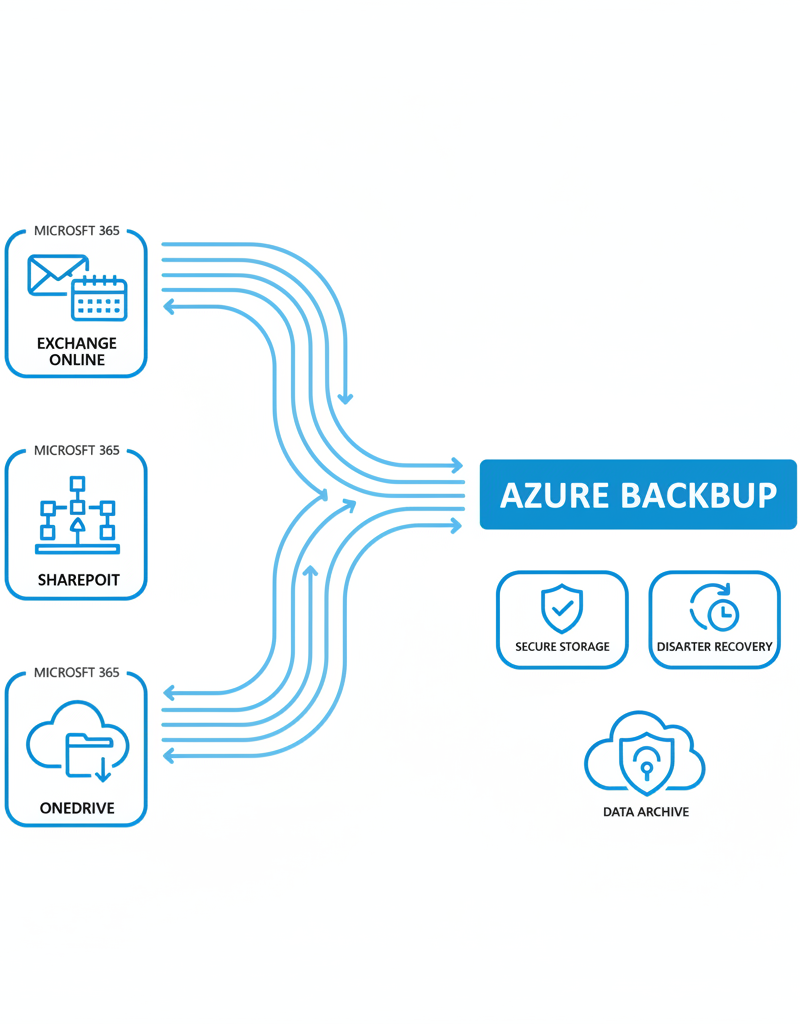
Australian businesses can significantly leverage Azure cloud services by extending their existing Microsoft 365 environments, thereby enhancing operational efficiency and bolstering security protocols. For example, businesses can host critical applications and workloads on Azure Virtual Machines, providing scalability and robust performance tailored to their specific needs. Another key benefit comes from Azure Backup, which offers comprehensive disaster recovery by securely backing up Microsoft 365 data to the cloud, vital for maintaining business continuity in Australia’s dynamic market. Integrating on-premises Active Directory with Azure Active Directory (now known as Entra ID) streamlines identity management and facilitates single sign-on across the organisation, often leading to a 20-30% reduction in IT helpdesk inquiries related to password resets and access issues within the first year, thus improving overall cybersecurity posture.
- Virtual Machines: Host your applications and workloads in Azure virtual machines.
- Azure Backup: Back up your Microsoft 365 data to Azure for disaster recovery and business continuity. Azure Backup & Helpdesk: Disaster Recovery for M365 offers comprehensive disaster recovery solutions.
- Azure Active Directory (Azure AD): Integrate your on-premises Active Directory with Azure AD for single sign-on and centralised identity management. This is now known as Entra ID. Read more in Entra ID: Your Business Continuity Lifeline.
- Azure Virtual Desktop: Deploy virtual desktops in Azure to provide users with access to their applications and data from anywhere. Modernise Your Workplace with Azure & Virtual Desktops outlines the benefits of this approach.
How can I secure my Microsoft 365 environment with Microsoft Defender?
Securing your Microsoft 365 environment effectively involves utilising the comprehensive suite of security features provided by Microsoft Defender, which integrates robust threat protection, data loss prevention (DLP), information governance, and endpoint security. For instance, Microsoft Defender for Office 365 specifically shields organisations from prevalent email-borne threats like phishing and malware, a critical defence given that an estimated 92% of cyberattacks in Australia began with a phishing email in 2023. Additionally, implementing strict DLP policies within Defender prevents sensitive information from being inadvertently or maliciously shared outside your organisation, safeguarding crucial business data. Endpoint security, provided by Microsoft Defender for Endpoint, protects devices from various threats. For Australian businesses, meticulously configuring these features, alongside conducting regular security audits and employee training, is vital for maintaining compliance and a strong defensive posture against evolving cyber threats, ensuring the integrity and confidentiality of your cloud operations against an average of 65,000 cybercrime reports annually.
- Threat Protection: Microsoft Defender for Office 365 protects against phishing, malware, and other email-borne threats.
- Data Loss Prevention (DLP): DLP policies prevent sensitive data from being shared outside your organisation.
- Information Governance: Information governance policies help you manage and retain your data in compliance with regulatory requirements.
- Endpoint Security: Microsoft Defender for Endpoint protects your devices from malware and other threats. Learn more about endpoint security in Modern Workplace Security: Intune & Defender.
Ensure you configure these security features appropriately to minimise risk. Regular security audits and employee training are also essential.
What does ongoing management and support for Microsoft 365 involve?
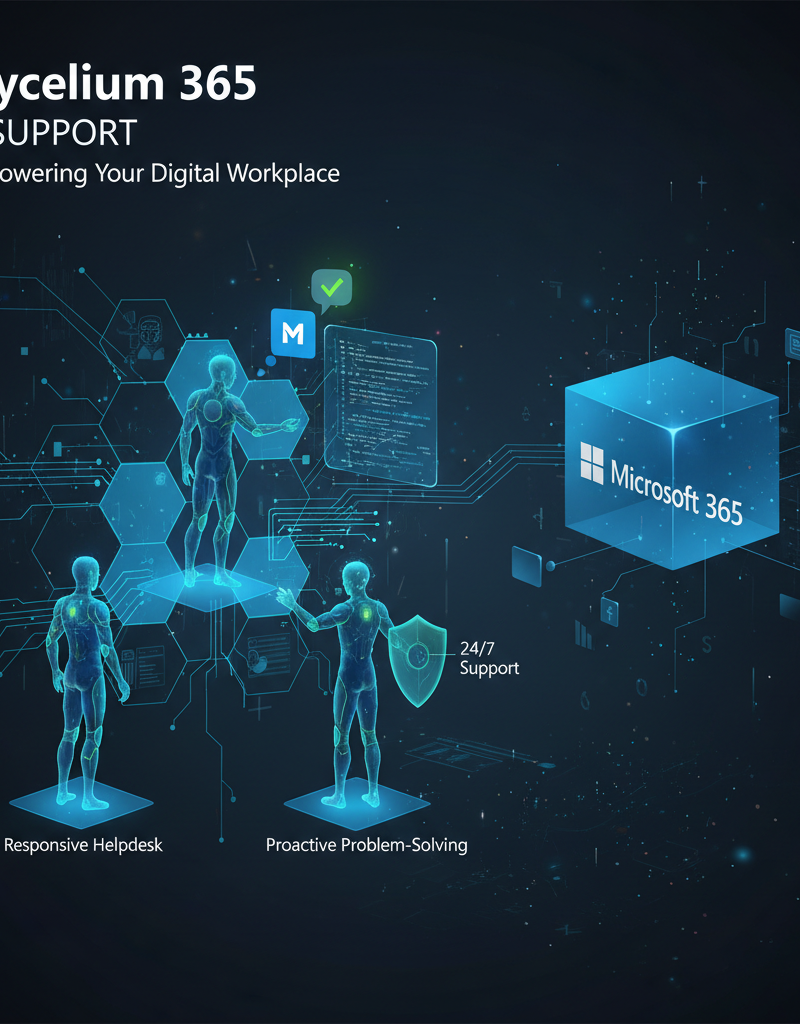
Ongoing management and support for Microsoft 365 are essential for ensuring the environment remains secure, optimised, and continuously aligned with business objectives long after the initial migration. This encompasses comprehensive managed IT services, typically including 24/7 helpdesk support for immediate issue resolution, proactive monitoring to identify and address potential performance bottlenecks, and robust security management to defend against evolving cyber threats. For example, a dedicated IT service provider might implement advanced threat protection features like Microsoft Defender, perform regular security audits, and manage licence optimisation to ensure cost-effectiveness. Such continuous oversight, like that offered by Mycelium 365 with its local Australian offices, helps organisations maximise their Microsoft 365 investment by maintaining peak operational efficiency, adapting to new features, and proactively addressing any challenges that arise, ensuring a stable and productive digital workspace for all users.
What is the conclusion?
Migrating to Microsoft 365, while potentially complex, ultimately transforms businesses by enhancing productivity and bolstering cybersecurity. A successful transition fundamentally relies on meticulous planning and engaging expert support, such as that provided by a trusted Managed IT Provider like Mycelium 365. These specialists, offering services that include Azure cloud migration, can significantly streamline the process, often reducing project timelines by 25-30% and minimising disruption. This strategic shift enables organisations to fully capitalise on Microsoft 365's integrated suite, incorporating robust features like Exchange Online and Microsoft Defender for Endpoint. The conclusion of such a migration sees businesses operating within a more efficient, secure, and scalable digital environment, poised to leverage advanced collaboration tools and safeguard their data effectively against evolving cyber threats, ultimately optimising their entire operational framework.