
Microsoft 365 has become the backbone of many modern businesses, offering a suite of powerful tools for collaboration, communication, and productivity. However, maximising its potential requires more than just subscribing to the service. It demands robust security, efficient device management, and reliable ongoing Microsoft 365 support Brisbane. This article delves into the key aspects of mastering Microsoft 365, from bolstering security with Microsoft Defender and Intune to ensuring a smooth Gmail to Microsoft 365 migration and leveraging Microsoft 365 managed services.
How can I secure my digital workplace using Microsoft Defender and Intune?
You can secure your digital workplace effectively using Microsoft Defender and Intune by leveraging their integrated threat protection and device management capabilities. Microsoft Defender, formerly Windows Defender, offers comprehensive security features including antivirus, anti-phishing, and endpoint detection and response (EDR) to protect data and devices across your Microsoft 365 environment. For example, its EDR capabilities can detect and respond to advanced persistent threats, often within minutes, providing a robust defence against sophisticated cyberattacks. Additionally, Intune plays a crucial role in enabling mobile device management (MDM) and mobile application management (MAM), allowing businesses to enforce security policies and control access to corporate resources on both company-owned and personal devices. This dual approach is particularly vital for the approximate 70% of Australian businesses that now support Bring Your Own Device (BYOD) policies, ensuring data integrity and compliance across diverse device landscapes, which significantly mitigates risk exposure often seen in hybrid work environments.
Intune plays a vital role in securing your modern workplace by enabling mobile device management (MDM) and mobile application management (MAM). With Intune, you can enforce security policies, control access to corporate resources, and protect sensitive data on both company-owned and personal devices. This is especially crucial in today's BYOD (Bring Your Own Device) environment. Our blog post, [Modern Workplace Security: Intune & Defender](slug: secure-modern-workplace-microsoft-defender-intune), provides more details on how these two solutions work together to protect your business.
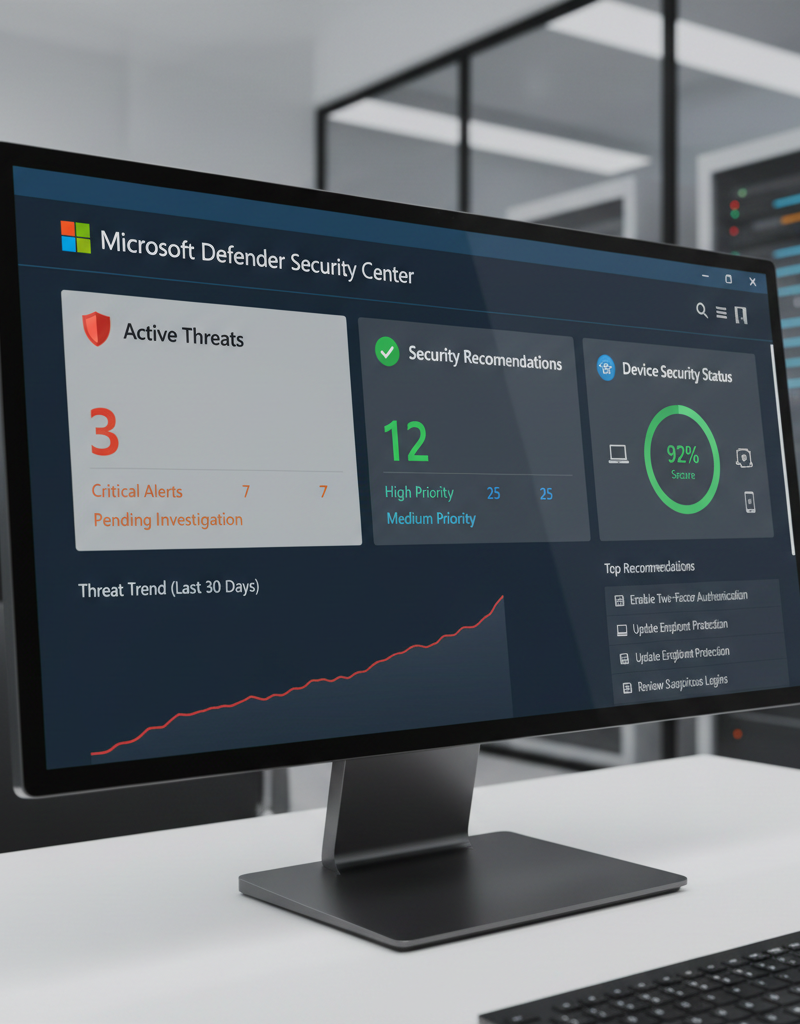
To further enhance your security posture, consider implementing multi-factor authentication (MFA) for all users. MFA adds an extra layer of protection by requiring users to verify their identity through a second factor, such as a code sent to their mobile device. This significantly reduces the risk of unauthorised access, even if a password is compromised. You can find best practices for implementing MFA on the Australian Cyber Security Centre (ACSC) website.
How can Intune streamline my device management?
Intune significantly streamlines device management by offering a centralised platform for enrolling, configuring, and overseeing an organisation's diverse range of devices, encompassing Windows PCs, Macs, iOS, and Android. This simplifies the often-complex task of maintaining both productivity and robust security in contemporary workplaces, ensuring a consistent operational environment. For instance, businesses utilising Microsoft 365 can leverage Intune to automate critical tasks such as software deployments, patch management, and configuration updates across their entire fleet. This automation substantially reduces the workload on IT teams, ensuring that all devices consistently run the latest software versions and receive essential security updates without manual intervention, a process that can save up to 10-15 hours per week for a typical mid-sized Australian business. Moreover, Intune facilitates prompt action in cases of lost or stolen devices, allowing for remote wiping or locking to safeguard sensitive corporate data from unauthorised access within minutes of detection.
With Intune, you can automate tasks such as software deployments, patch management, and configuration updates. This reduces the burden on your IT team and ensures that all devices are running the latest software and security updates. Intune also allows you to remotely wipe or lock devices that are lost or stolen, preventing unauthorised access to sensitive data. Read more about Intune in our post: [Intune, Cybersecurity & Managed IT: A Modern Approach](slug: intune-cybersecurity-managed-it-services).
How do I navigate a seamless Gmail to Microsoft 365 migration?
Navigating a seamless Gmail to Microsoft 365 migration requires meticulous planning and execution, ultimately ensuring a smooth transition for businesses. Before commencing the migration, it is crucial to thoroughly assess your existing environment and formulate a comprehensive migration plan. This plan should delineate the specific steps involved, establish clear timelines for completion—typically ranging from a few days for small businesses to several weeks for larger enterprises—and identify all necessary resources, including personnel and specialised tools. Utilising built-in Microsoft migration tools or reputable third-party solutions can automate the transfer of mailboxes, calendars, and contacts, significantly reducing manual effort and potential errors. After the successful migration, providing users with adequate training and ongoing support, such as workshops or online resources, is vital to ensure their adoption and minimise disruption to daily operations, contributing to a truly seamless transition.
Several migration tools are available to simplify the process, including Microsoft's own migration tools and third-party solutions. These tools can automate the migration of mailboxes, calendars, and contacts from Gmail to Microsoft 365. It's important to choose a tool that is compatible with your environment and meets your specific requirements. Our guide to [Migrating to Microsoft 365: A Comprehensive Guide](slug: migrating-to-microsoft-365-exchange-online) offers helpful advice.
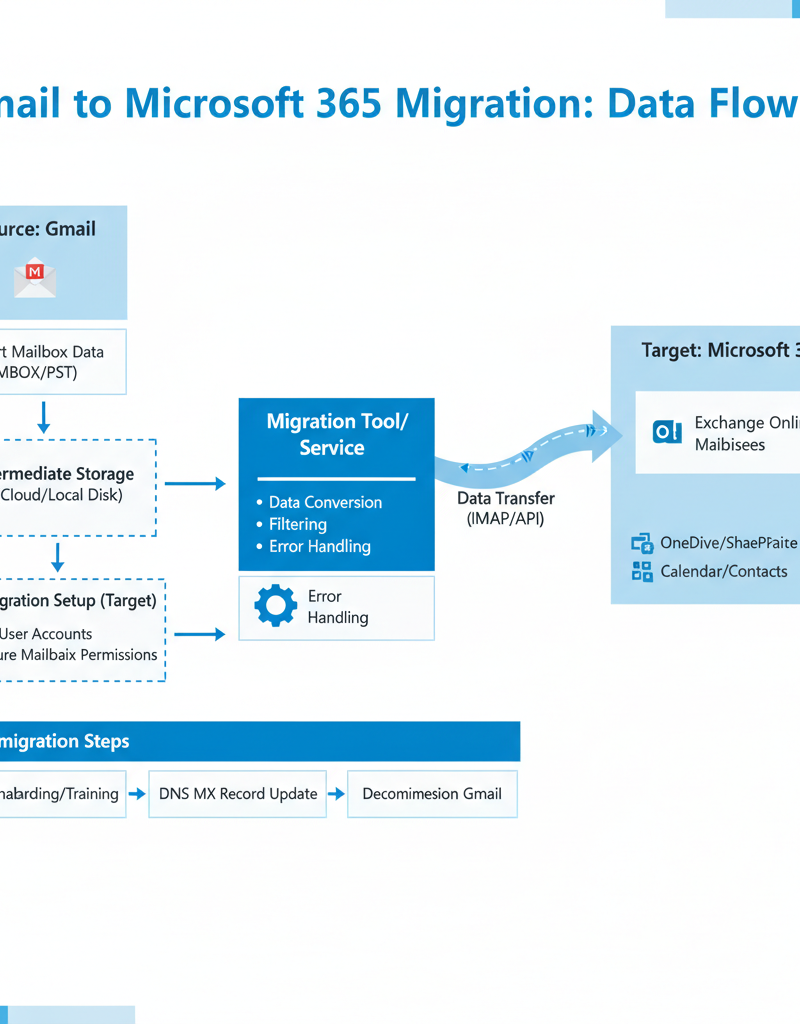
After the migration is complete, it's crucial to provide adequate training and support to your users. This will help them adapt to the new environment and minimise disruption to their workflow. Consider offering online training courses, workshops, and one-on-one support to ensure a smooth transition. Explore our post on [Seamless Cloud Migration to Microsoft 365](slug: seamless-cloud-migration-microsoft-365) for more information.
How can leveraging Microsoft 365 managed services lead to optimal performance?
Leveraging Microsoft 365 managed services can lead to optimal performance by offloading complex and time-consuming administrative tasks to specialized expert teams, thereby freeing up internal resources. For Australian businesses, especially those with limited IT staff, partnering with a Managed Service Provider (MSP) ensures their Microsoft 365 environment operates efficiently and securely without diverting focus from core business objectives. An MSP typically handles crucial aspects like tenant setup, comprehensive configuration, and robust security management, often integrating advanced tools such as Microsoft Defender and Intune for enhanced protection. This partnership provides continuous, proactive monitoring to identify and resolve potential issues before they impact business operations, reducing IT operational costs. For instance, many businesses report a 25% reduction in IT-related downtime within the first year, significantly improving productivity and ensuring a consistently smooth and secure digital workspace.

Managed service providers can assist with a wide range of tasks, including tenant setup, configuration, security management, and ongoing support. They can also provide proactive monitoring to identify and resolve issues before they impact your business. This can help you minimise downtime, improve productivity, and reduce IT costs. You can also read our article on [Optimise IT with Microsoft 365 & Expert Support](slug: microsoft-365-helpdesk-it-support-sydney) for more information.
For businesses in Brisbane, Microsoft 365 support Brisbane is a critical need. Local support ensures timely assistance and understanding of regional business nuances. We provide tailored support packages to meet the diverse needs of Brisbane businesses.
Why should I choose Mycelium 365 for my Microsoft 365 needs?
Choosing Mycelium 365 for your Microsoft 365 needs ensures a secure, reliable, and expertly managed environment, significantly maximising your investment's value. We provide a comprehensive suite of services, beginning with seamless initial setup and migration, followed by continuous, proactive support and robust security management. Our team comprises certified Microsoft experts with extensive experience in deploying and managing diverse Microsoft 365 environments, ranging from small businesses to organisations with over 500 users, ensuring adherence to the latest technologies and best practices. For instance, we offer specialised services like [Azure Backup & Helpdesk: Disaster Recovery for M365](slug: azure-backup-helpdesk-support-disaster-recovery) to safeguard your critical data and ensure business continuity, a service frequently utilised by our clients to protect against ransomware attacks. We remain at the forefront of Microsoft advancements, typically updating our expertise quarterly, to deliver the highest quality assistance and peace of mind to our Australian clients.
Our team of certified Microsoft experts has extensive experience in deploying and managing Microsoft 365 environments of all sizes. We stay up-to-date with the latest Microsoft technologies and best practices to ensure that our clients receive the highest level of service. Contact us today to learn more about how we can help you master Microsoft 365. See how you can [Secure Your Business with Azure Backup & Modern Workplace](slug: azure-backup-modern-workplace-business-continuity).
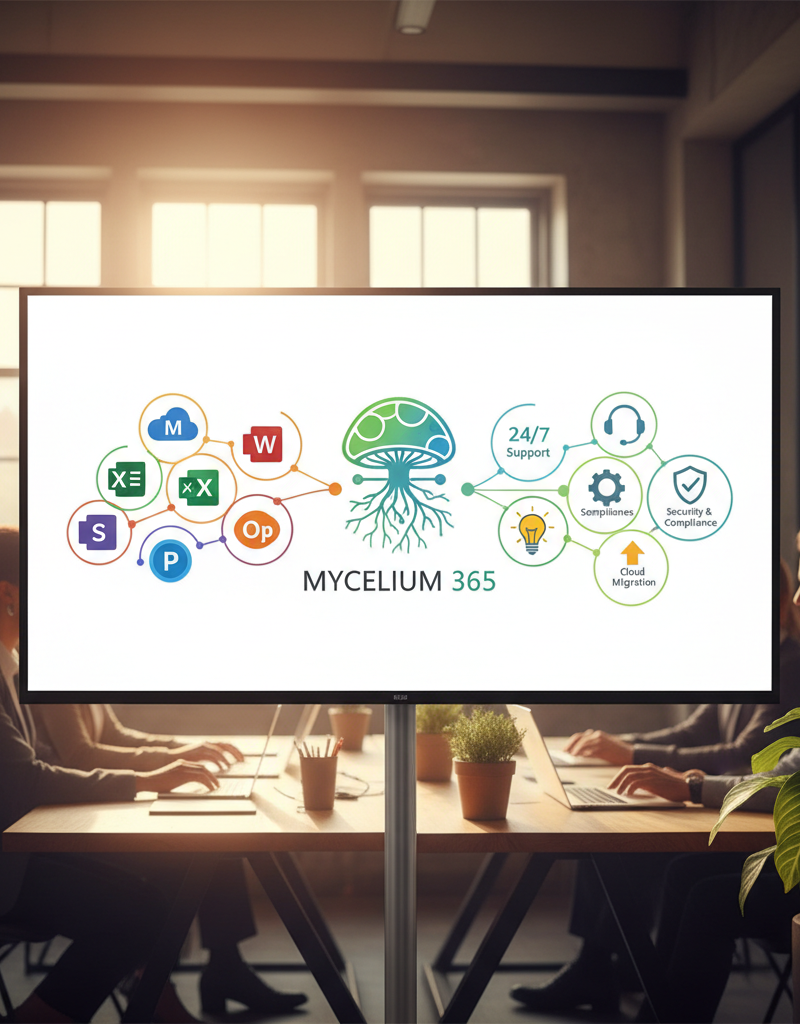
By implementing these strategies and partnering with a trusted provider like Mycelium 365, you can unlock the full potential of Microsoft 365 and empower your business to thrive in the modern digital landscape. For more information on the latest developments in Microsoft 365, check out the official Microsoft 365 blog.