In today's rapidly evolving digital landscape, businesses face increasing complexities in managing their IT infrastructure. From ensuring robust Cybersecurity to optimising workflows and facilitating seamless collaboration, the demands on IT departments are higher than ever. This is where Managed IT Services come into play, offering a strategic approach to offload these responsibilities and focus on core business objectives, especially when leveraging the power of Microsoft 365.
How can expert management unleash the power of Microsoft 365?
Expert management unleashes the full power of Microsoft 365 by transforming it from a mere collection of tools into a secure, efficient, and highly productive ecosystem tailored to an organisation's specific needs. While the suite offers immense capabilities for collaboration and productivity, without strategic oversight, businesses risk underutilising its advanced features and exposing themselves to significant security vulnerabilities. A Managed Service Provider (MSP) offers crucial support, ensuring that Microsoft 365 aligns with strategic business objectives through bespoke implementation, ongoing maintenance, and continuous optimisation. For instance, an MSP can reduce operational overhead by up to 25% by proactively managing updates, configuring advanced security settings like multi-factor authentication for Entra ID, and providing targeted user training. This comprehensive approach empowers employees to leverage the platform's full capabilities and safeguards sensitive data against the growing threat of cyber attacks, ensuring maximum return on investment and robust cyber resilience.
We specialise in providing comprehensive Microsoft 365 management, including:
- Strategic planning and implementation: Tailoring Microsoft 365 solutions to meet your specific business needs.
- Ongoing maintenance and support: Ensuring your systems are always up-to-date and running smoothly.
- Security monitoring and threat detection: Protecting your data and infrastructure from cyber threats.
- User training and support: Empowering your employees to effectively use the platform.
How can you fortify your cybersecurity defences in a Microsoft 365 environment?
To fortify cybersecurity defences in a Microsoft 365 environment, businesses must move beyond default settings and implement expert configuration and ongoing management of the platform's robust security features. While Microsoft 365 offers advanced tools, their optimal performance hinges on proactive implementation and oversight, often best handled through Managed IT Services. For example, deploying Microsoft Defender for Endpoint provides advanced threat protection that can detect and mitigate sophisticated cyber attacks, such as ransomware, within mere minutes, significantly reducing potential downtime and data loss. Furthermore, mandatory Multi-Factor Authentication (MFA) across all user accounts drastically reduces the risk of unauthorised access, safeguarding sensitive company data. Continuous security awareness training for employees and data loss prevention (DLP) policies are also crucial, preventing an estimated 85% of successful phishing attempts and ensuring sensitive information remains within the organisation, contributing to a truly resilient security posture.
- Microsoft Defender for Endpoint: Advanced threat protection to detect and respond to sophisticated attacks. Learn more about Microsoft Defender.
- Multi-Factor Authentication (MFA): Enhancing account security and preventing unauthorised access. Read more about MFA.
- Data Loss Prevention (DLP): Preventing sensitive data from leaving your organisation. Learn more about DLP.
- Security awareness training: Educating your employees about common cyber threats and best practices. We can help you implement Intune, Cybersecurity & Managed IT: A Modern Approach to enhance your security posture.
We also offer comprehensive Network Management services to ensure your entire IT infrastructure is secure and resilient. This includes monitoring your network for vulnerabilities, implementing firewalls and intrusion detection systems, and providing ongoing security updates.
How does SharePoint streamline collaboration for enhanced productivity?
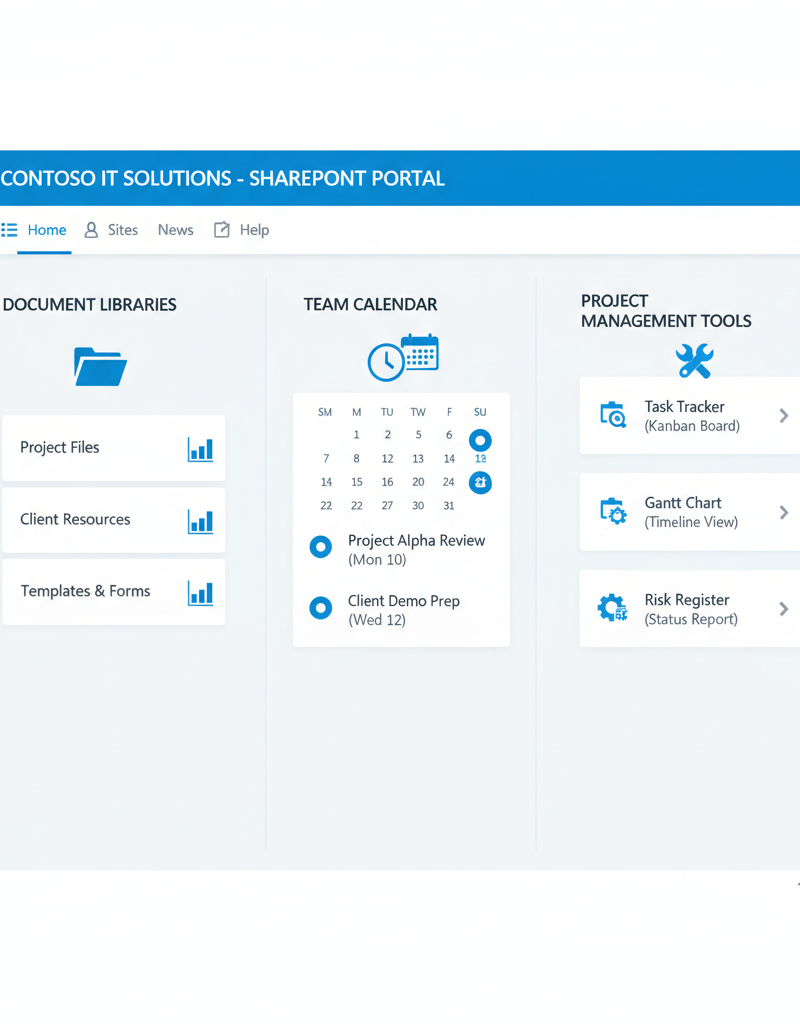
SharePoint streamlines collaboration for enhanced productivity by offering a centralised platform within Microsoft 365 where teams can share documents, manage projects, and communicate effectively. This comprehensive approach helps unify workflows and eliminate the inefficiencies of fragmented data. Without proper planning and ongoing management, however, SharePoint can paradoxically lead to confusion rather than clarity. For instance, businesses leveraging Managed IT Services to design and implement a tailored SharePoint architecture often report a 30% reduction in time spent on document retrieval and version control errors within the first year. Such services can also develop custom workflows to automate tasks and provide continuous support and training, ensuring employees fully utilise its robust features. This proactive management ensures optimal performance and security, transforming SharePoint into a powerful asset that fosters seamless teamwork.
- Design and implement a SharePoint architecture that meets your specific business needs.
- Develop custom workflows and applications to automate tasks and improve efficiency. Explore SharePoint & Azure: Streamline Your Cloud Migration.
- Provide ongoing support and training to ensure your employees are using SharePoint effectively.
- Maintain optimal performance and security of your SharePoint environment.
Why is Entra ID important for identity and access management?
Entra ID (formerly Azure Active Directory) is critically important for identity and access management because it serves as a robust, cloud-based platform for securely controlling user identities and their access to various resources. It is fundamental for enabling secure access to Microsoft 365 services and a multitude of other cloud applications, acting as a central control point that helps businesses in Australia manage their digital security. For example, implementing Multi-Factor Authentication (MFA) through Entra ID can reduce the risk of account compromise by over 99.9%, significantly bolstering an organisation's cybersecurity posture against common threats like phishing. Properly configuring and managing Entra ID ensures that only authorised personnel can access sensitive data and applications, which is essential for maintaining a secure and compliant IT environment in the modern Australian business landscape, safeguarding sensitive information and intellectual property effectively.
- Configure and manage Entra ID to ensure secure access to your resources. See how Entra ID is a Business Continuity Lifeline.
- Implement Multi-Factor Authentication (MFA) to enhance account security.
- Manage user identities and access rights across your organisation.
- Integrate Entra ID with other applications to streamline user access.
Proper management of Entra ID is vital for maintaining a secure and compliant environment. Learn more about Entra ID.
What is a holistic approach to managed IT beyond Microsoft 365?
A holistic approach to managed IT extends significantly beyond Microsoft 365, encompassing an organisation's entire digital infrastructure and operational needs to ensure comprehensive support and security. This involves integrating a suite of services such as scalable and secure Azure cloud solutions for data and applications, robust Intune device management across all endpoints including laptops and mobile devices, and responsive IT helpdesk support for employees, a critical component often cited as improving user productivity by up to 20% on average in Australian small and medium businesses. Such an approach also includes seamless cloud migrations for data and applications, guaranteeing business continuity and operational efficiency. By customising IT service packages, providers can meet the diverse requirements and budgets of Australian businesses, from bustling Sydney offices to regional operations, enabling them to leverage advanced technology effectively and securely as a complete end-to-end solution.
- Azure cloud services: Providing scalable and secure cloud solutions for your business. Explore Microsoft 365 & Azure: Scaling Your Business in 2024.
- Intune device management: Managing and securing your devices, including laptops, desktops, and mobile devices. Read about Modern Workplace Security: Intune & Defender.
- IT helpdesk support: Providing timely and effective support to your employees. Get Optimise IT with Microsoft 365 & Expert Support.
- Cloud migrations: Seamlessly migrating your data and applications to the cloud. Consider Seamless Cloud Migration to Microsoft 365.
We understand that every business has unique IT needs. That's why we offer tailored Managed IT Services packages to meet your specific requirements and budget. We service businesses across Australia, including Melbourne, Sydney, Perth, and Brisbane, and also have international offices to support global operations.

How do you choose the right managed IT services provider?
Choosing the right managed IT services provider is essential for optimising business operations, enhancing cybersecurity, and maintaining overall IT health. A suitable partner must demonstrate extensive experience and expertise, particularly with widespread platforms such as Microsoft 365, SharePoint, and Entra ID, ensuring they can seamlessly integrate and manage your existing systems without disruption. It is equally vital to select a provider with a robust cybersecurity focus, capable of implementing proactive measures and rapid response protocols to protect against evolving threats; for example, a highly rated provider might offer 24/7 monitoring and guarantee an average incident response time of under 15 minutes for critical issues. Furthermore, look for transparent pricing models, ensuring no hidden fees, and a strong commitment to exceptional customer service, characterised by responsiveness and clear communication, to forge a dependable and trustworthy partnership.
- Experience and expertise: Look for a provider with a proven track record of success in managing Microsoft 365 and other IT solutions.
- Security focus: Ensure the provider has a strong focus on cybersecurity and can protect your business from cyber threats. Refer to Fortify Your Business with Managed IT Services.
- Customer service: Choose a provider that is responsive, reliable, and committed to providing excellent customer service.
- Pricing and transparency: Understand the provider's pricing model and ensure there are no hidden fees.
Why should Australian businesses invest in managed IT services for their future?
Australian businesses should invest in managed IT services for their future because it empowers them to thrive in the digital landscape by offloading complex IT responsibilities to experts. This allows businesses to concentrate on their primary objectives, significantly boosting productivity, and strengthening their overall security posture against evolving threats. For example, a recent study by an Australian tech firm indicated that businesses utilising managed IT services experienced a 25% reduction in security breaches over a two-year period, substantially improving data integrity and operational continuity. By partnering with a reputable Managed Service Provider, Australian businesses can also ensure their IT infrastructure is reliably maintained, strategically updated, and proactively secured to meet future demands, supporting robust operations and resilience in the face of unforeseen challenges, in line with best practices recommended by the Australian Cyber Security Centre.
By leveraging the power of Microsoft 365 and partnering with a trusted Managed Service Provider, you can ensure your business is well-positioned for future growth and success. Remember to implement a Microsoft 365: Disaster Recovery Plan to safeguard your data against unforeseen events.
For further information on cybersecurity best practices, consult the Australian Cyber Security Centre (ACSC) website. Read more about the Mastering the Modern Workplace with Microsoft 365.