In today's rapidly evolving digital landscape, businesses face unprecedented challenges in maintaining security, ensuring business continuity, and optimising IT infrastructure. The convergence of remote work, cloud adoption, and increasing cyber threats demands a proactive and comprehensive approach. This is where Managed IT Services, coupled with innovative solutions like Zero Trust Security, Virtual Desktop infrastructure, and robust Business Continuity strategies, becomes paramount.
How is the threat landscape evolving and why is Zero Trust needed?
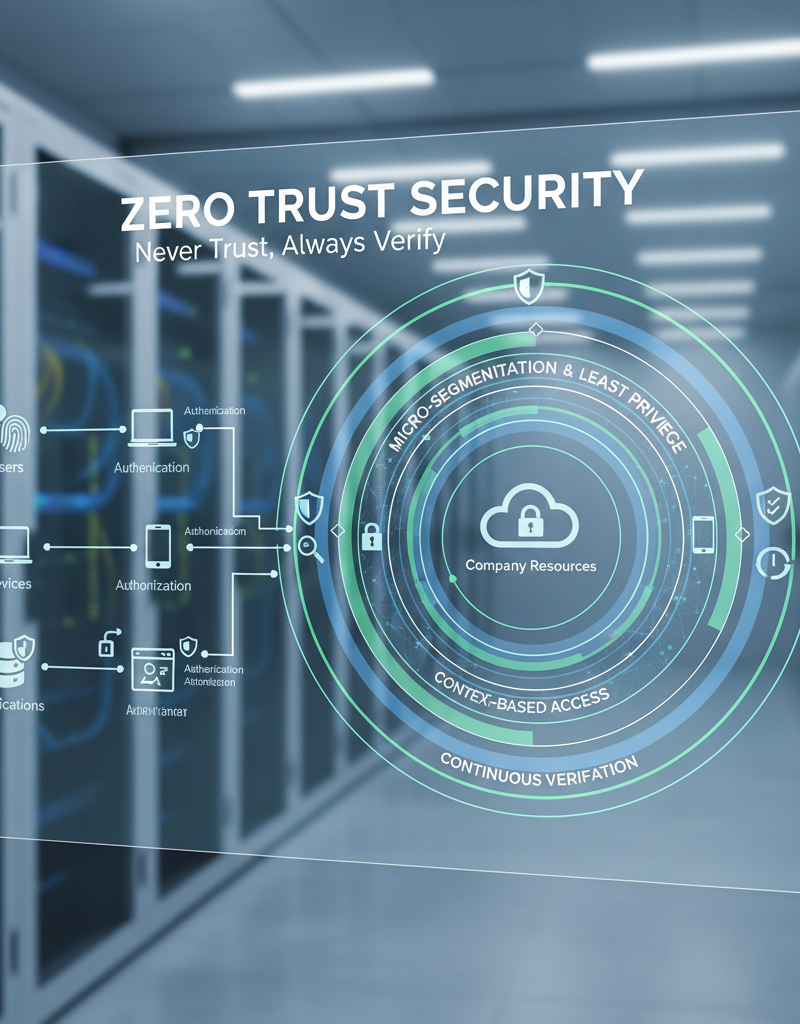
The threat landscape is rapidly evolving with cyberattacks becoming increasingly sophisticated, making Zero Trust security models an essential defence. Traditional security, which assumed trustworthiness within the network perimeter, is demonstrably inadequate as attackers frequently bypass these initial defences. Zero Trust operates on the principle of "never trust, always verify," demanding that every user, device, and application, regardless of its location, be rigorously authenticated and authorised before gaining access to any resource. This proactive approach significantly fortifies security by preventing unauthorised access and drastically limiting the potential damage from successful breaches. For example, financially motivated cybercrime against Australian businesses surged by 35% in 2023 alone, underscoring the critical need for such comprehensive and persistent verification. This multi-layered strategy often leverages solutions like Microsoft Intune to enforce device compliance and manage access controls effectively, ensuring constant vigilance rather than assumed safety.
Implementing Zero Trust requires a multi-layered approach, encompassing identity and access management, device security, network segmentation, and data protection. Solutions like Microsoft's Intune play a crucial role in enforcing device compliance and managing access controls. We cover more about the importance of Intune in our blog post Intune, Cybersecurity & Managed IT: A Modern Approach.
How can virtual desktop infrastructure empower remote work?
Virtual Desktop Infrastructure (VDI) significantly empowers remote work by providing a secure and centralised solution for delivering applications and desktops to users, irrespective of their location or device. This technology hosts applications and sensitive data within a secure data centre, effectively mitigating the risk of data breaches and ensuring a consistent user experience akin to working in a traditional office environment. For instance, solutions like Azure Virtual Desktop allow Australian businesses to provision and manage virtual desktops and applications in the cloud, enabling employees to securely access their complete work environment from any location with an internet connection. This not only enhances flexibility but also supports critical business continuity efforts, ensuring staff can remain productive even during local outages or disasters. Studies show that businesses leveraging VDI can reduce their IT support calls related to remote access issues by up to 25%, streamlining operations and improving efficiency across their distributed workforce.
Azure Virtual Desktop (formerly Windows Virtual Desktop) is a leading VDI solution that offers scalability, flexibility, and enhanced security features. It allows businesses to provision and manage virtual desktops and applications in the cloud, enabling employees to access their work environment from anywhere with an internet connection. Check out our blog post, Modernise Your Workplace with Azure & Virtual Desktops, to learn more about the benefits of VDI. VDI can also support important Business Continuity efforts, enabling access to systems even in the event of local outages. Learn more about Azure Virtual Desktop.
Why is business continuity planning important for unexpected events?
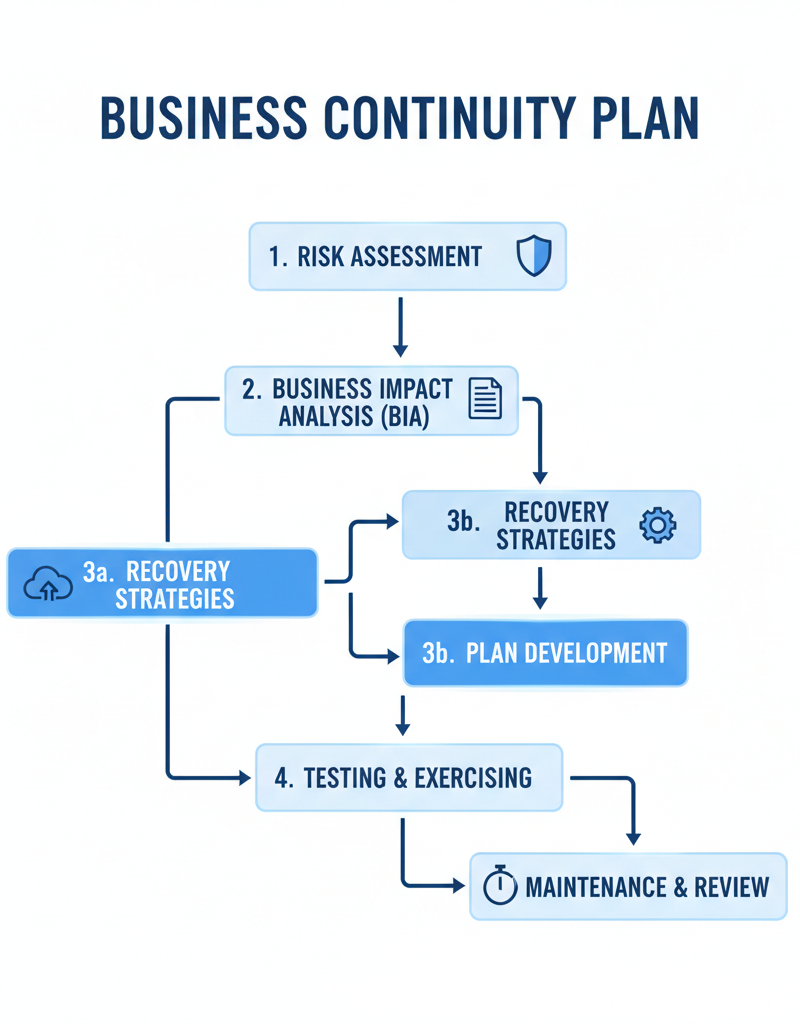
Business continuity planning is crucial for unexpected events because it enables an organisation to maintain essential functions during and after disruptions, thereby minimising their impact. A robust plan, which might include strategies for natural disasters, cyberattacks, or hardware failures, ensures that critical systems and data can be recovered swiftly, reducing downtime and preventing significant data loss. For instance, businesses utilising Microsoft 365 can leverage features like data redundancy and Azure Backup to create secure backups of vital information and applications, facilitating rapid restoration in an emergency. This proactive approach helps businesses sustain operations, protect their reputation, and avoid substantial financial setbacks. Without a plan, the average cost of an IT outage for Australian small to medium-sized enterprises can be as high as $10,000 per hour, highlighting the significant financial risk involved. A well-defined plan, as discussed in detail in our blog post M365: Your Business Continuity Lifeline, outlines the necessary steps to recover critical systems and data.
Microsoft 365 offers several features that can support Business Continuity, including data redundancy, backup and recovery options, and disaster recovery capabilities. For example, Azure Backup can be used to create backups of critical data and applications, allowing for quick restoration in the event of a failure. We also discuss Azure Backup in the context of Business Continuity in the article Azure Backup & Helpdesk: Disaster Recovery for M365.
How does Intune help with managing and securing devices?
Microsoft Intune significantly aids in managing and securing devices by operating as a cloud-based mobile device management (MDM) and mobile application management (MAM) solution. This powerful tool empowers Australian businesses to centrally enforce robust security policies, efficiently deploy essential applications, and remotely wipe data from lost or stolen devices, safeguarding sensitive information. Its seamless integration with Microsoft 365 and Microsoft Entra ID (formerly Azure Active Directory) provides a unified platform for comprehensive management of identities, devices, and applications. This centralised control ensures that, for instance, a remote sales representative's laptop is always compliant with the company's security standards, regardless of its physical location, protecting against an estimated 85% of common device-related cyber threats. This centralised approach ensures that all devices access company data securely and meet regulatory requirements, which is crucial for modern hybrid work environments. Learn more about device management with Intune.
Intune integrates seamlessly with Azure Active Directory (now Microsoft Entra ID) and Microsoft 365, providing a unified platform for managing identities, devices, and applications. By leveraging Intune, businesses can ensure that their devices are compliant with security policies and that their data is protected, regardless of where the devices are located. We also mention Entra ID in our blog post Entra ID: Your Business Continuity Lifeline. Also, see Modern Workplace Security: Intune & Defender for how Intune works with Defender.
What is the role of managed IT services for Australian businesses?
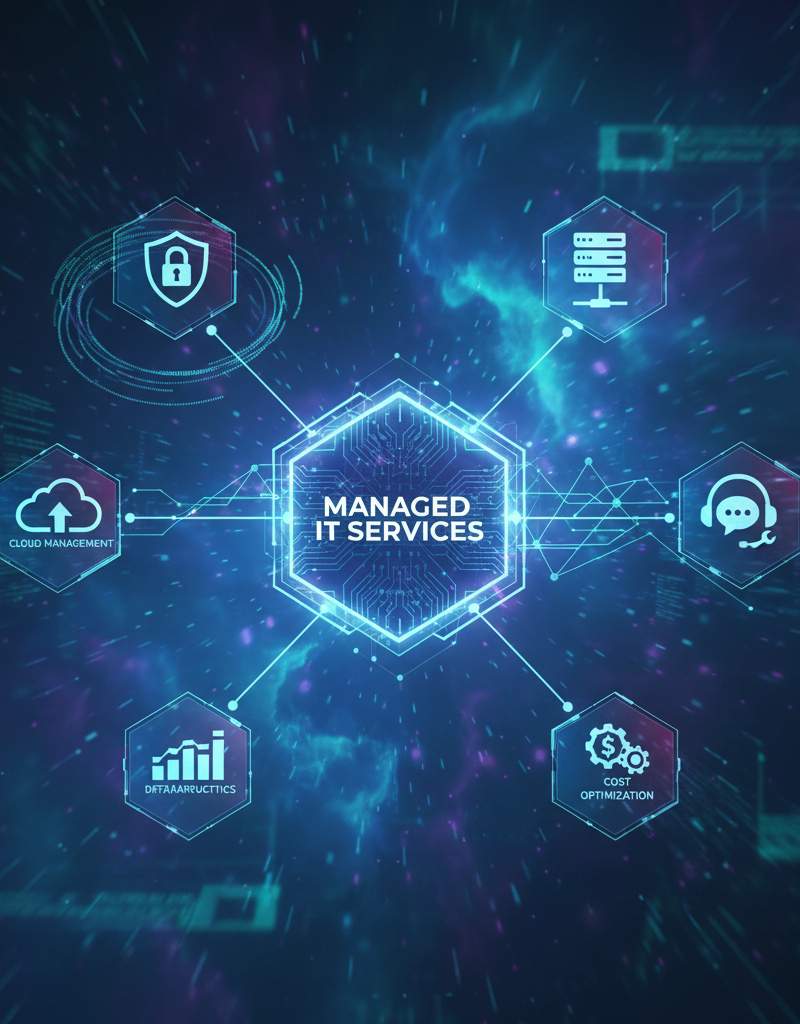
Managed IT services play a crucial role for Australian businesses by providing the specialised expertise and resources needed to implement and manage complex IT solutions effectively. These services allow businesses to offload the burden of IT infrastructure, security, and business continuity planning to experts, enabling them to focus on their core operations. For instance, a provider like Mycelium 365 can offer comprehensive support across major Australian cities such as Melbourne, Sydney, Perth, and Brisbane, encompassing everything from Microsoft 365 management and cybersecurity with Microsoft Defender to Intune device management and IT helpdesk support. This partnership often leads to enhanced security, minimised downtime, and a significant improvement in overall operational productivity, with some businesses experiencing up to a 20% reduction in IT-related operational costs.
By partnering with a Managed IT Services provider, businesses can focus on their core competencies while leaving the management of their IT infrastructure to the experts. This can lead to improved security, reduced downtime, and increased productivity. Discover how Managed IT Services can benefit your business.
Our team at Mycelium 365 specialises in Microsoft Modern Workplace solutions, including Microsoft 365 management, Azure cloud services, cybersecurity with Microsoft Defender, Intune device management, SharePoint and Exchange Online, IT helpdesk support, and cloud migrations. We can help you assess your current IT infrastructure, identify vulnerabilities, and develop a comprehensive strategy for improving your security and ensuring Business Continuity. We discuss the importance of cloud migration in our blog post Boost Efficiency with Managed IT & Cloud Migration.
Why should Australian businesses invest in a secure and resilient future?
Australian businesses should invest in a secure and resilient future to proactively mitigate escalating cyber threats and ensure continuous operation amidst unforeseen events, safeguarding their data and productivity. Adopting a comprehensive approach that includes Zero Trust Security principles, leveraging Virtual Desktop infrastructure, and implementing robust Business Continuity plans significantly reduces exposure to risks. For instance, the Australian Cyber Security Centre (ACSC) reported over 76,000 cybercrime reports in 2022-23, resulting in an average economic cost to small businesses of over $40,000 per incident, highlighting the critical need for advanced protection. Solutions like Microsoft Intune further enhance security by managing and securing devices and applications, ensuring data integrity across an organisation. Partnering with a skilled Managed IT Services provider, such as Mycelium 365, further enhances this resilience by offering specialised expertise to navigate the complexities of the modern digital landscape and protect critical business assets effectively.
Australian Cyber Security Centre (ACSC)