
In today's dynamic business landscape, a robust IT infrastructure is no longer a luxury – it's a necessity. Optimising your IT environment involves several key elements: seamless cloud migration, proactive network management, comprehensive disaster recovery planning, and robust security measures, all working in harmony. At Mycelium 365, we specialise in providing Australian businesses with tailored Microsoft solutions to achieve precisely that.
What is the power of cloud migration?
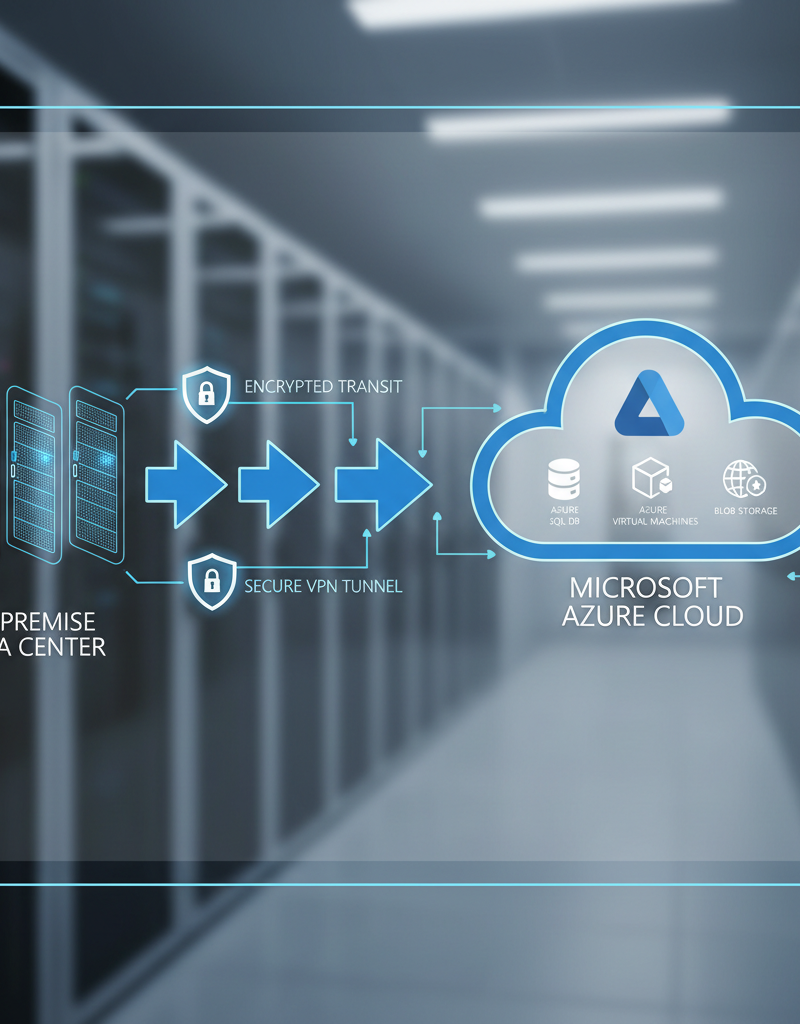
The power of cloud migration lies in its ability to deliver unparalleled scalability, flexibility, and cost-effectiveness for businesses by transitioning data and applications to cloud platforms like Microsoft Azure. A strategic cloud migration allows organisations to rapidly adjust to fluctuating market demands and effectively support distributed workforces, enhancing operational agility. For instance, businesses can achieve up to a 30% reduction in IT infrastructure costs within the first year of a successful migration. However, inadequate planning can introduce risks such as data loss, new security vulnerabilities, and significant operational interruptions. Engaging with experienced professionals for a [seamless migration to Microsoft 365](slug: seamless-cloud-migration-microsoft-365) ensures a smooth transition, reducing downtime and maximising the inherent advantages of cloud technology.
Before embarking on a cloud migration, it's crucial to assess your current infrastructure, identify your business needs, and choose the right cloud services. Microsoft 365 and Azure offer a wide range of options, from basic email and file storage to advanced analytics and artificial intelligence. Understanding these options and how they align with your business goals is paramount. Learn more about planning your cloud migration at Microsoft Learn. We also offer [Boost Efficiency with Managed IT & Cloud Migration](slug: managed-it-services-cloud-migration-guide) to help you get started.
Why is network management important for IT?
Effective network management is crucial for IT because it establishes the foundational reliability, performance, and security necessary for all business operations. A meticulously managed network ensures seamless connectivity and prevents disruptive downtime, which, for an average Australian small business, can cost approximately $8,000 per hour. This comprehensive approach involves continuous 24/7 network monitoring to detect and resolve issues proactively, managing all connected devices to ensure they are secure and up-to-date with essential software and security patches, and implementing advanced security protocols like firewalls and intrusion detection systems. Furthermore, proper network management includes proactively assessing network traffic patterns and fine-tuning configurations to prevent bottlenecks that could cripple productivity. This not only safeguards against potential cyber threats, such as those that might be mitigated by solutions like Microsoft Defender, but also optimises the entire IT infrastructure to consistently support and enhance organisational objectives.
Mycelium 365 offers comprehensive network management services, including:
- Network Monitoring: 24/7 monitoring to detect and resolve issues before they impact your business.
- Device Management: Ensuring all devices on your network are secure and up-to-date with the latest software and security patches, which can be achieved with [Intune, Cybersecurity & Managed IT: A Modern Approach](slug: intune-cybersecurity-managed-it-services).
- Security Management: Implementing firewalls, intrusion detection systems, and other security measures to protect your network from cyber threats.
- Performance Optimisation: Fine-tuning your network to ensure optimal performance and prevent bottlenecks.
Proper network management is not just about keeping things running; it’s about proactively improving your IT infrastructure to support your business goals. Consider the importance of network management when implementing [Robust IT Infrastructure: Cloud & Disaster Recovery](slug: disaster-recovery-cloud-migration-network-management).
How does disaster recovery protect my business from unexpected events?
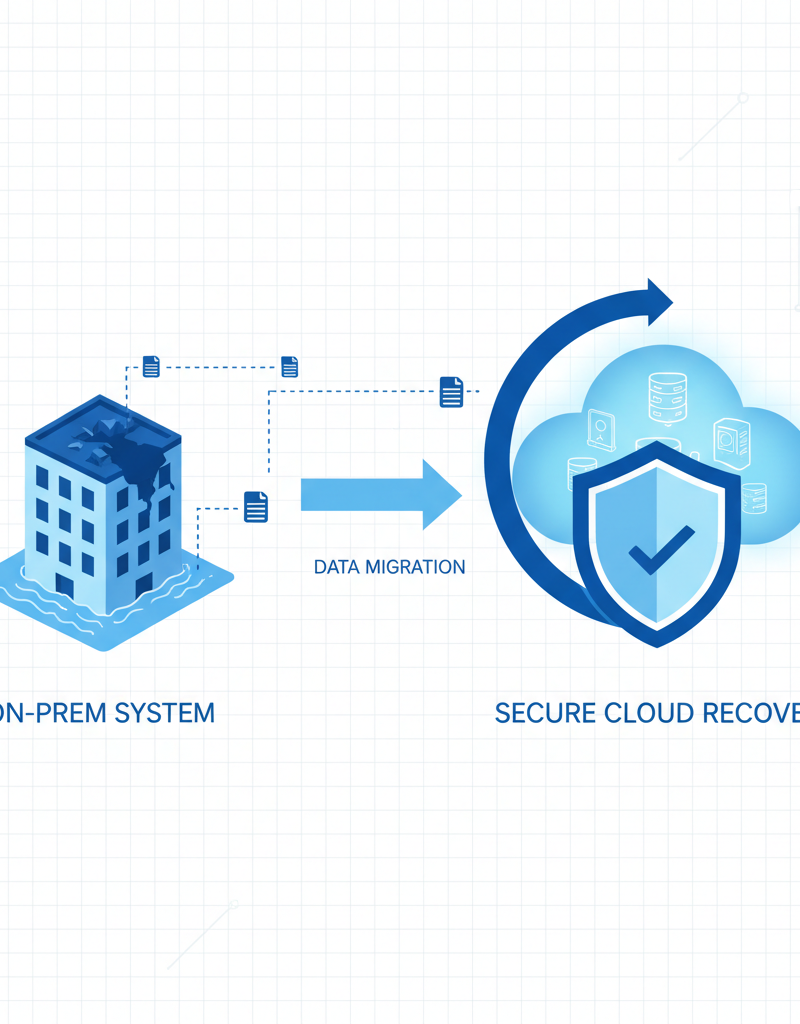
A robust disaster recovery plan is crucial for safeguarding your business against unexpected events like natural disasters, cyberattacks, or hardware failures. It provides a defined strategy to quickly and efficiently restore critical business functions, minimising disruptions and data loss, which collectively can help avoid significant financial repercussions. For instance, leveraging solutions like Microsoft Azure allows for secure offsite data backup, replication to multiple regions, and automated failover to a secondary site in the event of an outage, potentially reducing downtime from days to mere minutes. Regular testing of this plan, at least quarterly, further ensures its effectiveness and identifies areas for improvement before a real incident occurs. The Australian Institute of Company Directors (AICD) highlights that businesses without effective disaster recovery may face prolonged outages, damage to reputation, and compliance breaches. Ultimately, an effective disaster recovery strategy protects not only your data but also your business's reputation and long-term viability.
Our disaster recovery solutions leverage the power of Microsoft Azure to provide reliable and cost-effective protection for your data and applications. This includes:
- Data Backup and Replication: Regularly backing up your data to a secure offsite location and replicating critical data to multiple regions to ensure availability.
- Failover and Recovery: Automated failover to a secondary site in the event of a disaster, minimising downtime and data loss. Learn more about Azure Backup in [Secure Your Business with Azure Backup & Modern Workplace](slug: azure-backup-modern-workplace-business-continuity).
- Testing and Drills: Regularly testing your disaster recovery plan to ensure it works as expected and identifying areas for improvement. We also cover [Microsoft 365: Disaster Recovery Essentials](slug: microsoft-365-disaster-recovery-plan).
Having a solid disaster recovery plan is not just about protecting your data; it’s about protecting your business’s reputation and ensuring its long-term survival. The Australian Cyber Security Centre (ACSC) provides valuable resources on disaster recovery planning: https://www.cyber.gov.au/. We can help with [Azure Backup & Helpdesk: Disaster Recovery for M365](slug: azure-backup-helpdesk-support-disaster-recovery).
How is Microsoft Defender a first line of defence?
Microsoft Defender acts as a crucial first line of defence by providing comprehensive protection against a wide array of cyber threats, including malware, phishing attacks, and ransomware, seamlessly integrated within the Microsoft 365 ecosystem. This integrated approach offers centralised management and leverages Microsoft's extensive global threat intelligence network to continuously identify and neutralise emerging cybersecurity risks. For example, its robust Endpoint Detection and Response (EDR) capabilities vigilantly monitor endpoints for suspicious activities, automatically responding to mitigate potential breaches and protect sensitive data. Through features like threat intelligence and vulnerability management, Defender actively works to reduce an organisation's attack surface. It’s estimated to block approximately 99.9% of common email-borne threats before they reach an employee's inbox, significantly safeguarding critical business operations and maintaining continuity.
Key features of Microsoft Defender include:
- Endpoint Detection and Response (EDR): Continuously monitoring your endpoints for suspicious activity and automatically responding to threats. More on this in [Modern Workplace Security: Intune & Defender](slug: secure-modern-workplace-microsoft-defender-intune).
- Threat Intelligence: Leveraging Microsoft’s global threat intelligence network to identify and block emerging threats.
- Vulnerability Management: Identifying and remediating vulnerabilities in your software and applications. See how we can [Fortify Your Business with Managed IT Services](slug: managed-it-services-microsoft-defender-it-support).
- Attack Surface Reduction: Reducing the attack surface of your organisation by disabling unnecessary features and applications.
Microsoft Defender is not just a security product; it’s a comprehensive security platform that helps you protect your business from the ever-evolving threat landscape. Microsoft provides extensive documentation on Microsoft Defender: https://learn.microsoft.com/en-us/microsoft-365/security/defender-endpoint/microsoft-defender-endpoint.

Why choose Mycelium 365 as your IT partner?
Mycelium 365 is an ideal IT partner because it delivers a comprehensive suite of managed services specifically designed to optimise IT environments, enhance security, and significantly reduce operational costs for businesses across Australia and internationally. We offer tailored solutions whether you’re based in Sydney, Melbourne, Perth, Brisbane, or beyond, focusing on expert Microsoft 365 management, robust cybersecurity with Microsoft Defender, and efficient Azure cloud services. This includes seamless cloud migrations and dedicated Intune device management, ensuring your IT infrastructure is not only well-maintained but also proactively secured against evolving threats. For example, our clients typically experience an average reduction in IT overheads of 15% within the first year of partnership, alongside improved system reliability leading to a 20% decrease in downtime incidents.
Our services include:
- Microsoft 365 Management: Expert management and support for your Microsoft 365 environment.
- Azure Cloud Services: Design, deployment, and management of Azure cloud solutions.
- Cybersecurity with Microsoft Defender: Implementing and managing Microsoft Defender to protect your business from cyber threats.
- Intune Device Management: Managing and securing your devices with Microsoft Intune.
- SharePoint and Exchange Online: Optimising your SharePoint and Exchange Online environments.
- IT Helpdesk Support: Providing responsive and reliable IT helpdesk support to your employees. We offer [Optimise IT with Microsoft 365 & Expert Support](slug: microsoft-365-helpdesk-it-support-sydney).
- Cloud Migrations: Seamlessly migrating your data and applications to the cloud. We also offer [SharePoint & Azure: Streamline Your Cloud Migration](slug: sharepoint-azure-cloud-migration).
What is the conclusion?
Ultimately, optimising your IT infrastructure is an ongoing journey that demands diligent planning, skilled implementation, and consistent oversight to ensure business continuity and support business growth in the dynamic Australian market. By strategically focusing on key areas such as cloud migration, efficient network management, comprehensive disaster recovery strategies, and robust cybersecurity solutions like Microsoft Defender, businesses can establish a resilient and high-performing IT environment. This proactive approach not only safeguards critical data and operations from evolving threats but also significantly enhances operational efficiency. For instance, organisations that adopt a holistic IT optimisation strategy, including regular security audits and robust backup solutions, frequently report a 15-20% reduction in IT-related downtime annually. Such dedication to continuous improvement ensures that IT acts as a strategic enabler, helping achieve overarching business objectives and maintaining a competitive edge.

For more information on Microsoft solutions and IT best practices, visit the Microsoft 365 Blog and ZDNet.