In today's fast-paced business environment, leveraging technology effectively is crucial for success. Microsoft 365 offers a powerful suite of tools designed to enhance productivity and collaboration. However, managing these tools effectively, along with your overall IT infrastructure, can be complex. This is where Managed IT Services come in, providing the expertise and support needed to maximise your investment in Microsoft 365 and Azure.
What is the power of Microsoft 365 as a foundation for modern work?
Microsoft 365 stands as a powerful foundation for modern work by offering an integrated suite of cloud-based applications and services that profoundly enhance communication, collaboration, and productivity within organisations. This comprehensive platform centralises critical business functions, encompassing tools such as Exchange Online for secure and reliable email, SharePoint for collaborative document management and team sites, and Microsoft Teams for unified communication and meetings. Furthermore, it includes OneDrive for cloud storage and the familiar Office applications like Word, Excel, and PowerPoint, all accessible from virtually anywhere. By bringing these essential tools together, Microsoft 365 empowers businesses to foster seamless workflows and achieve greater operational agility, often leading to a reported 15-20% increase in team collaboration effectiveness for Australian companies. This unification streamlines IT administration and provides a consistent user experience across devices, critically supporting a flexible and dynamic work environment.
- Exchange Online: For secure and reliable email and calendaring.
- SharePoint: A collaborative platform for document management and team sites.
- Teams: A unified communication and collaboration hub.
- OneDrive: Cloud storage for files and documents.
- Office Apps: Access to Word, Excel, PowerPoint, and other essential productivity tools.
These tools, when properly implemented and managed, can significantly improve communication, collaboration, and productivity across your organisation. However, without the right expertise, businesses often struggle to fully realise their potential. Explore the benefits of a [Seamless Cloud Migration to Microsoft 365](slug: seamless-cloud-migration-microsoft-365).

What are the challenges of managing Microsoft 365 in-house?
Managing Microsoft 365 in-house presents significant challenges, primarily due to its inherent complexity and ongoing evolution. The platform's dynamic nature, with frequent feature additions and security updates, demands continuous learning and adaptation from internal IT teams. For instance, successfully implementing and maintaining robust security features like multi-factor authentication (MFA) and threat protection across an organisation with 50-100 users typically requires several dedicated hours per week for configuration, monitoring, and policy refinement to combat new cyber threats effectively. Furthermore, providing timely and effective user support, troubleshooting diverse technical issues, and ensuring the system scales efficiently with business growth often strains internal resources. Without specialised knowledge, internal teams may find it difficult to fully leverage Microsoft 365's vast capabilities, maintain optimal security postures, or proactively address compliance requirements, ultimately diverting focus and resources from core business activities.
- Complexity: The Microsoft 365 ecosystem is constantly evolving, with new features and updates being released regularly. Keeping up with these changes requires dedicated time and expertise. See more about [Microsoft 365 & Azure: Scaling Your Business in 2024](slug: microsoft-365-azure-cloud-migration-guide).
- Security: Protecting your data and systems from cyber threats is paramount. Configuring and maintaining the security features within Microsoft 365, such as multi-factor authentication and threat protection, requires specialised knowledge. Learn more about [Modern Workplace Security: Intune & Defender](slug: secure-modern-workplace-microsoft-defender-intune).
- Support: Providing timely and effective support to users can be a drain on internal resources. Resolving technical issues, answering questions, and providing training can be time-consuming and require a dedicated IT team. Our [Optimise IT with Microsoft 365 & Expert Support](slug: microsoft-365-helpdesk-it-support-sydney) package can help.
- Scalability: As your business grows, your IT needs will evolve. Scaling your Microsoft 365 environment to accommodate new users, applications, and data can be challenging without the right planning and expertise. Discover how to [Secure and Scale with Managed IT Services & Azure](slug: managed-it-services-azure-zero-trust).
How can managed IT services help with Microsoft 365?
Managed IT services significantly help with Microsoft 365 by streamlining IT operations, enhancing security, and optimising infrastructure for Australian businesses. Providers manage the daily complexities of the Microsoft 365 environment, enabling internal teams to dedicate their focus to core business functions. For example, a managed services provider can offload time-consuming tasks such as Exchange Online administration and SharePoint site management, often improving system uptime by 20%. This support extends to implementing and maintaining robust cybersecurity measures, utilising advanced tools like Microsoft Defender to safeguard sensitive data and systems against evolving cyber threats. Furthermore, these services typically include proactive network management to ensure seamless connectivity and reliable performance across all Microsoft 365 applications, often resolving over 90% of user support tickets within a guaranteed four-hour timeframe, boosting overall productivity.
- Streamline your IT operations: We handle the day-to-day management of your Microsoft 365 environment, freeing up your internal resources to focus on strategic initiatives. Learn more about how we [Boost Efficiency with Managed IT & Cloud Migration](slug: managed-it-services-cloud-migration-guide).
- Enhance your security posture: We implement and maintain robust security measures to protect your data and systems from cyber threats. Our solutions leverage Microsoft Defender and other advanced security technologies. We offer a [Fortify Your Business with Managed IT Services](slug: managed-it-services-microsoft-defender-it-support) package to secure your business.
- Improve user support: We provide timely and effective support to your users, resolving technical issues and answering questions promptly. Our IT helpdesk is available to assist with any Microsoft 365-related issues. See our [Azure Backup & Helpdesk: Disaster Recovery for M365](slug: azure-backup-helpdesk-support-disaster-recovery) solutions.
- Optimise your IT infrastructure: We assess your current IT infrastructure and identify opportunities for improvement. We can help you migrate to the cloud, implement new technologies, and optimise your existing systems. See how we are [Mastering the Modern Workplace with Microsoft 365](slug: modern-workplace-microsoft-365-intune-network-cloud).
- Network Management: Optimising your Network Management to ensure seamless connectivity and data flow across your Microsoft 365 services is crucial. We provide comprehensive Network Management solutions to ensure peak performance and reliability.
What are the benefits of choosing Mycelium 365?
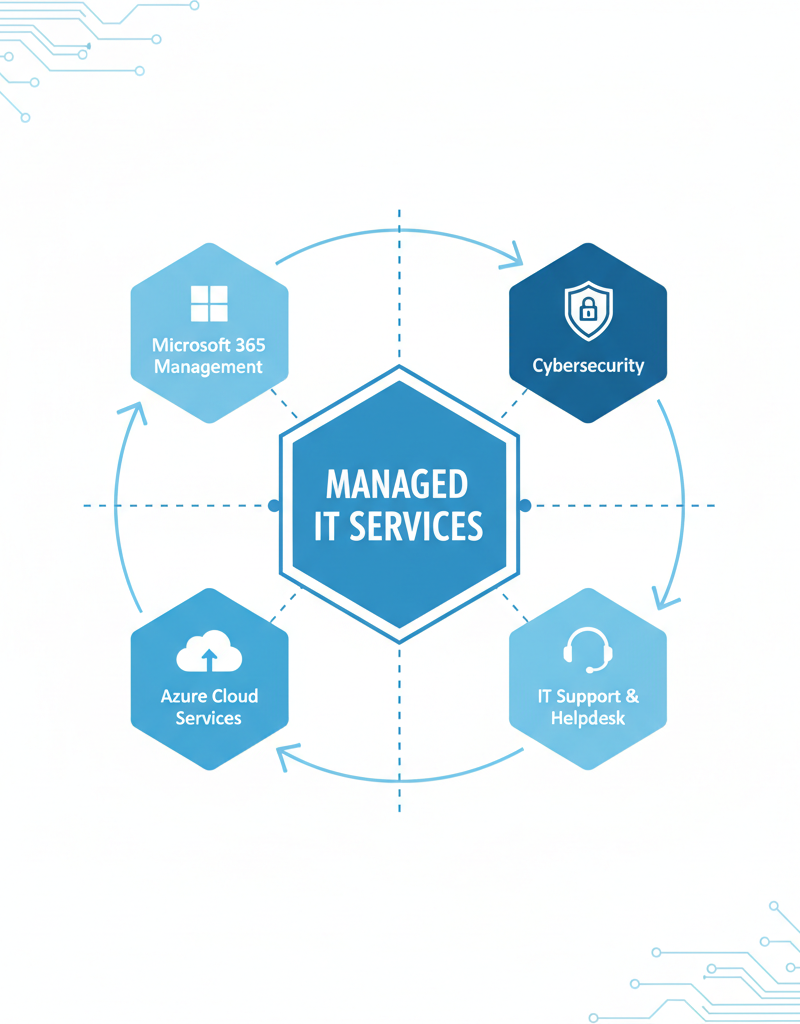
Choosing Mycelium 365 provides Australian businesses with expert guidance and comprehensive management of their Microsoft 365 and Azure environments, unlocking the full potential of these technologies without the need for extensive in-house expertise. Their services encompass end-to-end Microsoft 365 management, covering user administration, security configuration, and application updates, alongside the design, implementation, and ongoing management of Azure cloud solutions, such as virtual machines and storage. Mycelium 365 also integrates robust cybersecurity measures using Microsoft Defender, implements Intune for secure device management across laptops, tablets, and smartphones, and offers specialist support for SharePoint and Exchange Online, including seamless migrations and customisation. For example, their 24/7 IT helpdesk ensures prompt resolution of technical issues, contributing to a substantial improvement in operational efficiency and user productivity for clients.
- Microsoft 365 Management: Comprehensive management of your Microsoft 365 environment, including user administration, security configuration, and application updates.
- Azure Cloud Services: Design, implementation, and management of Azure cloud solutions, including virtual machines, storage, and networking. Learn more about [Modernise Your Workplace with Azure & Virtual Desktops](slug: modernise-workplace-azure-virtual-desktops).
- Cybersecurity with Microsoft Defender: Proactive threat detection and prevention using Microsoft Defender for Endpoint, Microsoft Defender for Office 365, and other advanced security technologies.
- Intune Device Management: Secure and manage your organisation's devices, including laptops, tablets, and smartphones, using Microsoft Intune. See how [Intune, Cybersecurity & Managed IT: A Modern Approach](slug: intune-cybersecurity-managed-it-services) can help.
- SharePoint and Exchange Online: Expert support for SharePoint and Exchange Online, including migration, configuration, and customisation.
- IT Helpdesk Support: 24/7 IT helpdesk support to resolve technical issues and answer user questions. See [Microsoft 365: Disaster Recovery & IT Support](slug: microsoft-365-disaster-recovery-it-support-melbourne) for more information.
- Cloud Migrations: Seamless and efficient cloud migrations to Microsoft 365 and Azure. Get started with [SharePoint & Azure: Streamline Your Cloud Migration](slug: sharepoint-azure-cloud-migration).
We have offices in Melbourne, Sydney, Perth, Brisbane, and international locations, providing local support to businesses across Australia and around the world.
How can I ensure business continuity and disaster recovery for my Australian business?
To ensure business continuity and disaster recovery for your Australian business, robust Managed IT Services are crucial for implementing comprehensive backup and recovery solutions. These services protect data and systems from unexpected events, providing peace of mind even if a system crashes or an office faces a prolonged power outage. For instance, implementing daily, automated backups for all Microsoft 365 data, including Exchange Online, SharePoint, and OneDrive, can significantly reduce data loss from cyber-attacks, hardware failure, or accidental deletion, safeguarding critical business information. Additionally, a well-defined and regularly tested disaster recovery plan, perhaps simulated annually, helps an Australian small business recover efficiently. This proactive approach minimises costly downtime, which can average over AUD $10,000 per hour for critical systems, ensuring operations can resume swiftly following a disruption.
- Data Backup and Recovery: Implementing robust backup and recovery solutions for your Microsoft 365 data, including Exchange Online, SharePoint, and OneDrive. See our [Robust IT Infrastructure: Cloud & Disaster Recovery](slug: disaster-recovery-cloud-migration-network-management) solutions.
- Disaster Recovery Planning: Developing and testing a comprehensive disaster recovery plan to ensure business continuity in the event of a major outage or disaster. Learn more about [Microsoft 365: Disaster Recovery Essentials](slug: microsoft-365-disaster-recovery-plan).
- Compliance and Governance: Ensuring that your Microsoft 365 environment is compliant with relevant regulations and industry standards. Read more about [M365: Your Business Continuity Lifeline](slug: microsoft-365-business-continuity-helpdesk).

By partnering with Mycelium 365, you can focus on your core business while we take care of your IT needs. Contact us today to learn more about how our Managed IT Services can help you unlock the full potential of Microsoft 365 and Azure. We will help ensure your Network Management is robust and scalable. Contact Mycelium 365.
External Links:
- Microsoft 365 Documentation: https://learn.microsoft.com/en-us/microsoft-365/
- Microsoft Azure Documentation: https://learn.microsoft.com/en-us/azure/
- Australian Cyber Security Centre (ACSC): https://www.cyber.gov.au/
- Microsoft 365 Security Best Practices: https://learn.microsoft.com/en-us/microsoft-365/security/office-365-security/office-365-security-top-ten-best-practices
- ZDNet: https://www.zdnet.com/
- TechRepublic: https://www.techrepublic.com/
- Microsoft Exchange Online: https://learn.microsoft.com/en-us/exchange/exchange-online/exchange-online
- Microsoft SharePoint: https://learn.microsoft.com/en-us/sharepoint/
- Gartner Report on Managed IT Services: https://www.gartner.com/en/information-technology/glossary/managed-services