In today's rapidly evolving business landscape, organisations need robust, secure, and collaborative solutions to thrive. Microsoft 365 offers a comprehensive suite of tools designed to empower your workforce and streamline operations. As a Managed IT Provider, Mycelium 365 helps businesses in Melbourne, Sydney, Perth, Brisbane, and beyond, leverage the full potential of Microsoft 365, including Exchange Online, SharePoint, and Microsoft Defender. This guide explores how these core components, along with our expert IT support, can transform your business.
What is the role of Exchange Online in seamless communication?
Exchange Online plays a pivotal role in enabling seamless communication by functioning as a reliable, secure, and cloud-based platform for an organisation's email, calendaring, and contacts, accessible from any device and location. It offers robust security features, including advanced anti-malware and anti-phishing capabilities, which can be further enhanced with services like Microsoft Defender to prevent over 99.9% of email-borne threats. This platform also significantly improves collaboration through shared calendars and contacts, streamlining team coordination. Managed service providers, like Mycelium 365, specialise in configuring Exchange Online for optimal performance and security, ensuring businesses benefit from its inherent scalability and reliability for uninterrupted communication. Additionally, Exchange Online helps organisations meet stringent regulatory compliance requirements through features such as data loss prevention (DLP) and eDiscovery, crucial for Australian businesses handling sensitive information.
- Enhanced Security: Exchange Online offers advanced threat protection features, including anti-malware and anti-phishing capabilities. We can further enhance this with [Microsoft Defender](slug: secure-modern-workplace-microsoft-defender-intune) to provide a comprehensive security posture. Learn more about Exchange Online Protection.
- Improved Collaboration: Shared calendars and contacts make it easy for teams to coordinate and collaborate effectively.
- Scalability and Reliability: Exchange Online is a cloud-based service, offering scalability and reliability that on-premises solutions can't match. Microsoft guarantees uptime, ensuring your communication remains uninterrupted.
- Compliance: Exchange Online offers features to help you meet regulatory compliance requirements, such as data loss prevention (DLP) and eDiscovery. Microsoft's Trust Center provides detailed information on compliance offerings.

How can SharePoint streamline collaboration?
SharePoint streamlines collaboration by offering a robust platform for centralised document management and dynamic team interaction. It enables teams to securely store, share, and manage files, ensuring everyone accesses the most current versions, thereby fostering efficient knowledge sharing and reducing version control issues. For example, creating dedicated team sites within SharePoint for specific projects or departments can improve communication flows and significantly reduce the time employees spend searching for relevant information – some organisations report up to a 25% increase in information retrieval efficiency. Furthermore, Australian businesses can leverage SharePoint to build customisable intranets, enhancing internal communication channels, facilitating the sharing of company news, and providing employees with readily accessible resources, ultimately empowering staff to work together more effectively and productively.
- Centralised Document Management: SharePoint provides a central repository for all your important documents, eliminating version control issues and ensuring everyone has access to the latest information.
- Team Sites for Collaboration: Create team sites for specific projects or departments, enabling focused collaboration and communication. Learn about the benefits of cloud migration in our post, [Boost Efficiency with Managed IT & Cloud Migration](slug: managed-it-services-cloud-migration-guide).
- Customisable Intranet: Build a customisable intranet to improve internal communication, share company news, and provide employees with easy access to resources.
- Workflow Automation: Automate repetitive tasks with SharePoint workflows, freeing up your team to focus on more strategic initiatives. We can assist with that just like in our [Seamless Cloud Migration to Microsoft 365](slug: seamless-cloud-migration-microsoft-365).
How does Microsoft Defender fortify security posture?
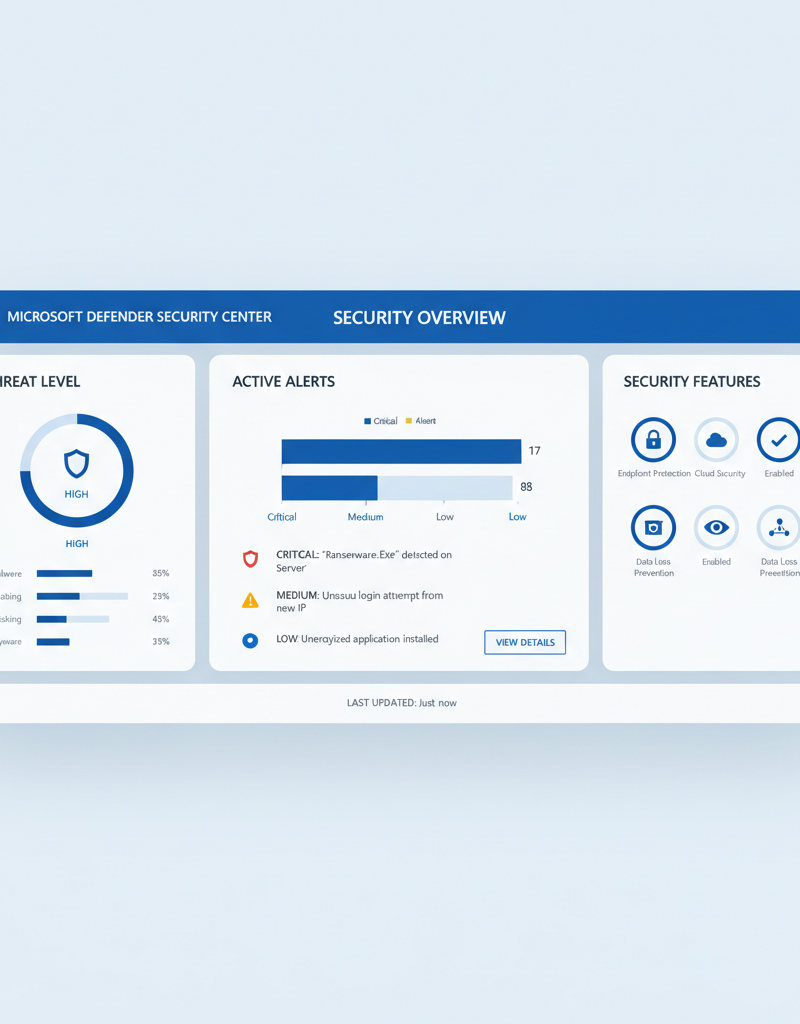
Microsoft Defender fortifies an organisation's security posture by providing comprehensive, integrated threat protection across the entire Microsoft 365 environment, safeguarding data and systems from diverse cyberattacks. This robust suite proactively defends against threats through advanced capabilities such as Microsoft Defender for Endpoint, which protects devices from malware and ransomware, and Microsoft Defender for Office 365, which blocks phishing attempts and malicious attachments in emails. For example, Defender for Office 365 is reported to block over 10 billion malicious emails monthly, demonstrating its scale and effectiveness. By integrating such a powerful tool into a security strategy, Australian businesses can significantly enhance their proactive monitoring and rapid response capabilities for potential cyber threats, ensuring a more resilient and secure operational environment for their digital assets and compliance with local data protection regulations.
- Endpoint Protection: Microsoft Defender for Endpoint protects your devices from malware, ransomware, and other threats.
- Email Security: Microsoft Defender for Office 365 protects your email from phishing attacks, malicious attachments, and other email-borne threats. Read more about Microsoft Defender for Office 365.
- Threat Intelligence: Microsoft Defender leverages Microsoft's vast threat intelligence network to identify and mitigate emerging threats.
- Incident Response: Mycelium 365 provides incident response services to help you quickly and effectively respond to security incidents. This is especially important when considering [Microsoft 365: Disaster Recovery Essentials](slug: microsoft-365-disaster-recovery-plan).
How can Mycelium 365 be a partner in Microsoft 365 success?
Mycelium 365 serves as a strategic partner in achieving Microsoft 365 success by offering comprehensive managed IT services designed to maximise the value of your investment and enable efficient business scaling. Their expertise spans all facets of Microsoft 365 management, encompassing user oversight, meticulous security configurations leveraging Microsoft Defender, and consistent ongoing maintenance and support. For example, they meticulously optimise critical components such as SharePoint and Exchange Online to significantly enhance collaboration and communication, alongside managing devices with Intune to guarantee robust security and policy compliance. Additionally, Mycelium 365 facilitates smooth and seamless cloud migrations to Microsoft 365, minimising business disruption, and provides responsive IT helpdesk support, typically resolving urgent priority tickets within two hours for Australian businesses situated in major hubs like Melbourne, Sydney, Perth, and Brisbane.
- Microsoft 365 Management: We handle all aspects of your Microsoft 365 environment, from user management and security configuration to ongoing maintenance and support. We can help you scale your business just like in [Microsoft 365 & Azure: Scaling Your Business in 2024](slug: microsoft-365-azure-cloud-migration-guide).
- Azure Cloud Services: We provide comprehensive Azure cloud services, including cloud migration, infrastructure management, and application development. Learn more about [Azure Backup & Helpdesk: Disaster Recovery for M365](slug: azure-backup-helpdesk-support-disaster-recovery).
- Cybersecurity with Microsoft Defender: We integrate Microsoft Defender into your security strategy, providing proactive monitoring and response to potential threats. We help you [Fortify Your Business with Managed IT Services](slug: managed-it-services-microsoft-defender-it-support).
- Intune Device Management: We manage your devices with Intune, ensuring they are secure and compliant with your organisation's policies. [Intune, Cybersecurity & Managed IT: A Modern Approach](slug: intune-cybersecurity-managed-it-services) is essential for modern businesses.
- SharePoint and Exchange Online: We optimise your SharePoint and Exchange Online environments to improve collaboration and communication.
- IT Helpdesk Support: We provide responsive and reliable IT helpdesk support to resolve your technical issues quickly and efficiently. Learn more about [Optimise IT with Microsoft 365 & Expert Support](slug: microsoft-365-helpdesk-it-support-sydney).
- Cloud Migrations: We ensure a smooth and seamless cloud migration to Microsoft 365, minimising disruption to your business. You can also refer to [Migrating to Microsoft 365: A Comprehensive Guide](slug: migrating-to-microsoft-365-exchange-online).
We serve businesses across Australia, including Melbourne, Sydney, Perth, and Brisbane, as well as internationally. Our expertise in Microsoft technologies and our commitment to customer satisfaction make us the ideal partner for your Microsoft 365 journey.
What are the benefits of partnering with Mycelium 365?
- Increased Productivity: Streamline your workflows and empower your employees with the right tools.
- Enhanced Security: Protect your data and systems from cyber threats with our comprehensive security solutions. The Australian Cyber Security Centre (ACSC) provides valuable resources on cybersecurity best practices.
- Reduced IT Costs: Optimise your IT infrastructure and reduce your overall IT costs.
- Improved Compliance: Meet regulatory compliance requirements with our expert guidance. Gartner's research provides insights into compliance trends and best practices.
- Peace of Mind: Focus on your core business while we take care of your IT needs.

What is the future of Microsoft 365 with Mycelium 365?
The future of Microsoft 365, especially when amplified by a dedicated partner like Mycelium 365, focuses on its continuous evolution as an integrated, secure, and highly productive modern workplace solution. Mycelium 365 specialises in empowering Australian businesses to fully utilise the platform's advanced features, including Exchange Online for seamless communication, SharePoint for collaborative content management, and Microsoft Defender for comprehensive cybersecurity protection against evolving threats. This strategic collaboration allows organisations to not only deploy Microsoft 365 effectively but also to optimise its use, leading to enhanced operational efficiency, streamlined workflows, and a reinforced security posture. For instance, businesses leveraging Mycelium 365's expertise often report a significant reduction in security incidents within the first twelve months, typically around 25-30%, due to proactive threat management and best practice implementation. This ensures all tools are aligned with overarching business objectives and continuity plans.