
Microsoft 365 has become a cornerstone for modern businesses, offering a suite of tools designed to enhance productivity, collaboration, and security. In this guide, we'll explore the core features of Microsoft 365, its benefits for Australian businesses, and how it stacks up against competitors like Google Workspace. We'll also delve into the specifics of migrating from Gmail to Microsoft 365 and using Intune for device management.
Why choose Microsoft 365 for your business?
Businesses choose Microsoft 365 because it offers a comprehensive, integrated ecosystem designed to streamline workflows, enhance collaboration, and provide robust security. This powerful suite includes familiar applications like Word, Excel, and PowerPoint, which are now cloud-enhanced to significantly improve team productivity and accessibility from anywhere. For instance, tools such as Microsoft Teams, SharePoint, and OneDrive facilitate seamless teamwork and file sharing, proving particularly beneficial for the increasing number of Australian businesses adopting hybrid work models. Moreover, Microsoft 365 incorporates advanced security features such as threat detection, data loss prevention, and multi-factor authentication, which are crucial for protecting sensitive information against modern cyber threats. The platform's scalability, with diverse subscription plans, ensures it can adapt to businesses of all sizes, while Intune provides centralised device management, ensuring compliance and safeguarding against data breaches across all company devices.
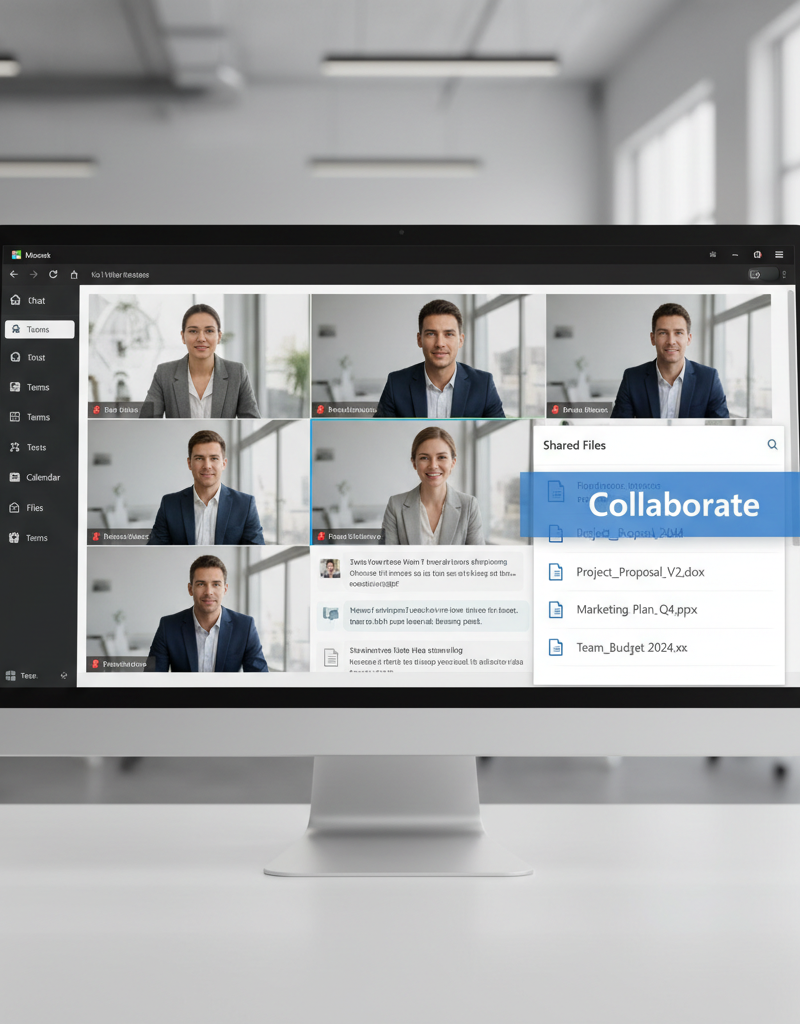
- Enhanced Collaboration: Tools like Teams, SharePoint, and OneDrive facilitate seamless teamwork and file sharing, regardless of location. This is especially beneficial for businesses with remote or hybrid workforces. You can learn more about optimising your modern workplace in our post [Optimising Your Modern Workplace with Microsoft 365](slug: optimising-modern-workplace-microsoft-365).
- Improved Productivity: Familiar applications like Word, Excel, and PowerPoint, now enhanced with cloud capabilities, allow your team to work efficiently and effectively.
- Robust Security: Microsoft 365 incorporates advanced security features, including threat detection, data loss prevention, and multi-factor authentication, helping you protect your sensitive information. Explore how to [Secure Your Business with Azure Backup & Modern Workplace](slug: azure-backup-modern-workplace-business-continuity).
- Scalability and Flexibility: Microsoft 365 offers various subscription plans to suit businesses of all sizes, allowing you to scale your resources as needed. Our post [Microsoft 365 & Azure: Scaling Your Business in 2024](slug: microsoft-365-azure-cloud-migration-guide) details this further.
- Device Management with Intune: Centrally manage and secure your company's devices with Intune, ensuring compliance and protecting against data breaches. Read more about [Intune, Cybersecurity & Managed IT: A Modern Approach](slug: intune-cybersecurity-managed-it-services).
Which is better for businesses, Microsoft 365 or Google Workspace?
For businesses, the choice between Microsoft 365 and Google Workspace hinges on specific operational needs, though Microsoft 365 often presents a more robust solution for organisations prioritising desktop application functionality and advanced security. While both platforms provide essential productivity tools like email, calendar, and collaboration suites, Microsoft 365 distinguishes itself with its comprehensive suite of traditionally dominant desktop applications such as Word, Excel, and Outlook. These applications are often considered the industry standard, offering deeper functionality that web-based alternatives like Google Docs and Sheets may not match. Furthermore, Microsoft 365’s integration with enterprise-grade security features, including Microsoft Defender and Intune for device management, offers enhanced protection against cyber threats, which is a critical consideration for 85% of Australian businesses in the current digital landscape. The decision ultimately rests on whether a business values the extensive feature set and established dominance of Microsoft's ecosystem over Google Workspace's web-centric approach.
- Application Suite: Microsoft 365 offers a wider range of desktop applications, including Word, Excel, PowerPoint, and Outlook. Google Workspace relies heavily on web-based applications like Docs, Sheets, and Slides. While Google's offerings are improving, Microsoft's desktop applications remain industry standard in many sectors.
- Email and Calendar: Both platforms offer robust email and calendar solutions. Outlook in Microsoft 365 is tightly integrated with other applications, providing a seamless experience. Gmail in Google Workspace is known for its user-friendly interface and strong search capabilities.
- Storage: Both platforms offer ample cloud storage through OneDrive (Microsoft 365) and Google Drive (Google Workspace). The amount of storage varies depending on the subscription plan.
- Integration: Microsoft 365 integrates seamlessly with other Microsoft products, such as Azure and Power BI. Google Workspace integrates well with other Google services, such as YouTube and Google Analytics.
- Security: Both platforms offer robust security features. Microsoft 365 uses Microsoft Defender for threat protection. Read more about securing your modern workplace with [Modern Workplace Security: Intune & Defender](slug: secure-modern-workplace-microsoft-defender-intune).
- Pricing: Both platforms offer various subscription plans with different pricing models. It's essential to compare the features and pricing of each plan to determine which one best suits your business needs. You can find a comparison of M365 plans on the Microsoft website: https://www.microsoft.com/en-au/microsoft-365/business/compare-all-microsoft-365-business-products
Ultimately, the best choice depends on your business's specific needs and preferences. If your team relies heavily on desktop applications and requires advanced security features, Microsoft 365 may be the better option. If your team prefers web-based applications and values simplicity and ease of use, Google Workspace may be a better fit.
How do I migrate from Gmail to Microsoft 365?
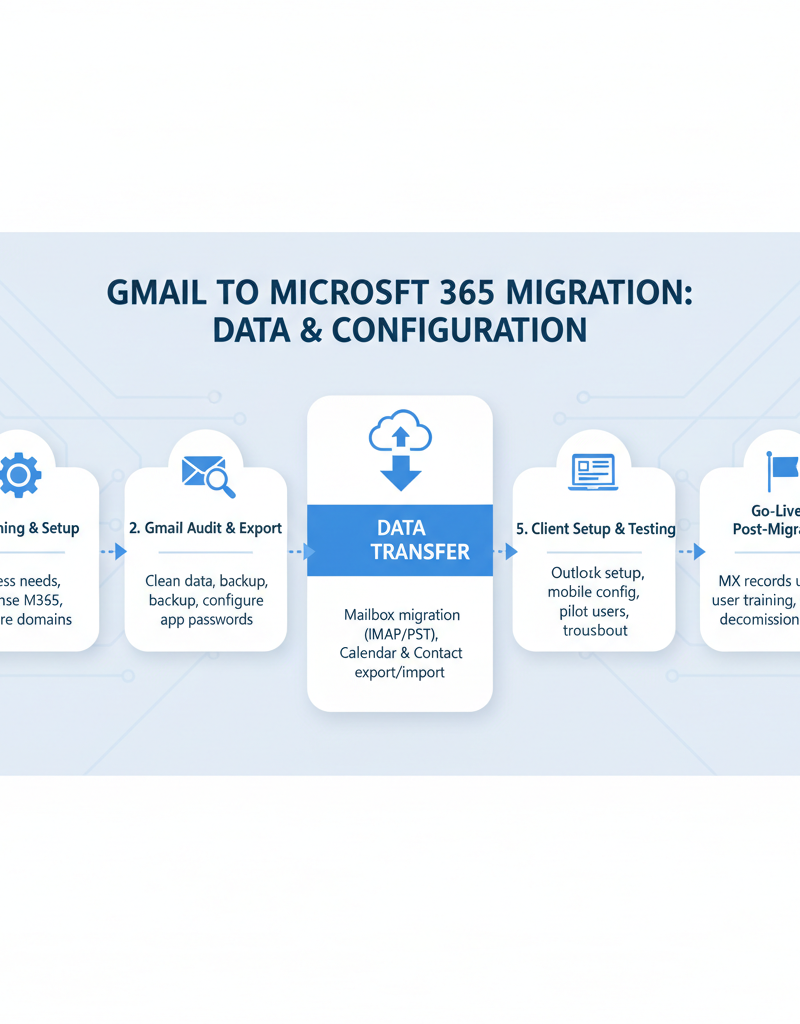
Migrating from Gmail to Microsoft 365, while seemingly complex, can be a smooth and efficient process with proper planning and execution, typically taking 2-4 weeks for a small to medium-sized business with under 50 users. This transition fundamentally involves defining migration goals, assessing existing infrastructure, and choosing a suitable migration method, such as a cutover, staged, or hybrid approach. Next, prepare your Microsoft 365 environment by creating user accounts and configuring critical DNS records, a step that often benefits from following Microsoft's detailed documentation available on Microsoft Learn. The core migration phase then involves transferring emails, calendars, and contacts from Gmail to their Microsoft 365 equivalents, potentially utilising tools like Microsoft's Migration Wiz. Finally, thorough post-migration verification ensures data integrity and completeness, followed by essential user training to facilitate a seamless adoption of the new platform. Engaging an Australian managed IT service provider can significantly streamline this process and minimise business disruption.
- Planning: Define your migration goals, assess your existing infrastructure, and choose a migration method. Consider using a tool like Microsoft's Migration Wiz. https://docs.microsoft.com/en-us/exchange/mailbox-migration/migrating-imap-mailboxes/migrate-imap-mailboxes
- Preparation: Prepare your Microsoft 365 environment, including creating user accounts and configuring DNS records. Our post [Seamless Cloud Migration to Microsoft 365](slug: seamless-cloud-migration-microsoft-365) can help.
- Migration: Migrate your email, calendar, and contacts from Gmail to Microsoft 365 using your chosen migration method. This can be done using a cutover migration, a staged migration, or a hybrid migration. A cutover migration moves all data at once, while staged and hybrid migrations move data in batches or allow coexistence between the two platforms during the transition.
- Post-Migration: Verify that all data has been migrated successfully and provide training to your users on how to use Microsoft 365. You can also explore Microsoft Learn for detailed documentation: https://learn.microsoft.com/en-us/
Consider engaging a managed IT service provider like Mycelium 365 to assist with your migration. We can help you plan, execute, and manage the migration process, ensuring a smooth transition with minimal disruption to your business.
How can Intune device management secure my mobile workforce?
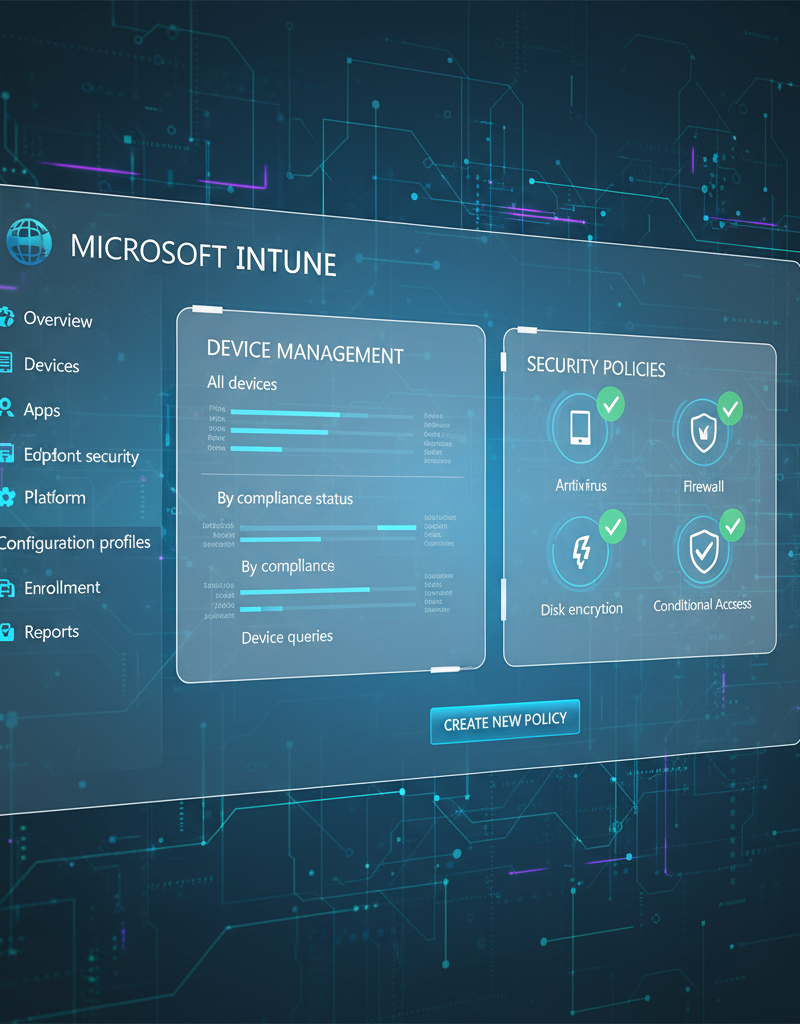
Microsoft Intune significantly enhances the security of a mobile workforce by providing a comprehensive cloud-based device and application management solution. This allows businesses to centrally manage and protect company-owned and personal bring-your-own-device (BYOD) smartphones, tablets, and laptops, regardless of their physical location within Australia or globally. For instance, Intune enables the enforcement of critical security policies such as strong password requirements, multi-factor authentication, data encryption, and restricted access to sensitive information. It also facilitates the secure deployment and management of essential applications across all devices. Furthermore, Intune’s remote wipe capability is vital for mitigating data breaches; in the event a device is lost or stolen, IT administrators can remotely erase all corporate data, preventing unauthorised access. This feature is particularly crucial, as data breaches in Australia can reportedly cost small businesses an average of AUD $50,000, underscoring the importance of robust device security.
With Intune, you can:
- Enforce Security Policies: Set password requirements, restrict access to sensitive data, and encrypt devices to protect against unauthorized access.
- Deploy Applications: Easily deploy and manage applications on your company's devices, ensuring that users have the tools they need to be productive.
- Manage Compliance: Monitor device compliance and take corrective actions if devices are out of compliance. This helps ensure that your company meets its regulatory obligations.
- Remote Wipe Devices: In the event that a device is lost or stolen, you can remotely wipe the device to prevent unauthorized access to sensitive data. This is a critical component of your business continuity strategy. For more on this, see our post on [M365: Your Business Continuity Lifeline](slug: microsoft-365-business-continuity-helpdesk).
Microsoft provides extensive documentation on using Intune: https://learn.microsoft.com/en-us/mem/intune/
How can managed IT services enhance my Microsoft 365 experience?
Managed IT services can significantly enhance your Microsoft 365 experience by providing expert management and support, particularly for Australian businesses lacking dedicated in-house IT teams. Providers like Mycelium 365 can optimise your Microsoft 365 investment through comprehensive services such as user account management, robust security configuration, and efficient application deployment. For instance, they can leverage Azure Cloud Services for advanced data backup and disaster recovery, ensuring critical business data is secure and accessible even in the event of unforeseen outages. Additionally, a managed services provider can implement advanced cybersecurity measures using Microsoft Defender, encompassing threat detection, vulnerability management, and incident response, which helps maintain a secure environment and achieve compliance requirements, such as those set by the Australian Cyber Security Centre (ACSC). Many providers offer 24/7 IT helpdesk support, resolving issues from basic password resets to complex technical challenges, allowing your team to focus on core business objectives without IT distractions.
- Microsoft 365 Management: We can help you manage your Microsoft 365 environment, including user account management, security configuration, and application deployment.
- Azure Cloud Services: We can help you leverage the power of Azure to extend your Microsoft 365 capabilities, such as data backup and disaster recovery. Our post [Azure Backup & Helpdesk: Disaster Recovery for M365](slug: azure-backup-helpdesk-support-disaster-recovery) covers this in more detail.
- Cybersecurity with Microsoft Defender: We can help you protect your business from cyber threats with Microsoft Defender, including threat detection, vulnerability management, and incident response. We can also help you implement a Zero Trust security model. Learn more in [Secure and Scale with Managed IT Services & Azure](slug: managed-it-services-azure-zero-trust).
- IT Helpdesk Support: We provide 24/7 IT helpdesk support to ensure that your users can get the help they need, when they need it. Our team can help you with everything from password resets to troubleshooting complex technical issues. Our services are available in Melbourne, Sydney, Perth, Brisbane, and internationally.
By partnering with Mycelium 365, you can focus on your core business while we take care of your IT needs.

What is the conclusion regarding Microsoft 365 for businesses?
Microsoft 365 ultimately provides businesses with a powerful and comprehensive ecosystem designed to elevate productivity, foster seamless collaboration, and significantly enhance security across all operations. By strategically utilising its diverse suite of applications and cloud services, organisations can effectively streamline workflows and fortify their digital defences against common threats. For example, implementing Microsoft Intune enables robust device and application management, critically ensuring corporate data remains secure even when accessed on employee-owned devices, a vital consideration for over 60% of Australian small to medium-sized enterprises (SMEs). Furthermore, when businesses engage with a reputable managed IT service provider, their Microsoft 365 environment is expertly configured, continuously maintained, and proactively protected from the constantly evolving landscape of cyber threats, thereby empowering internal teams to concentrate on core business growth rather than daily IT management.