
Secure Your Cloud Migration: Microsoft 365, Azure Backup, and Entra ID
· By Paul Harvey
Migrating to the cloud offers numerous benefits, including enhanced collaboration, scalability, and cost efficiency. However, a successful cloud migration requires careful planning and execution, especially when dealing with sensitive data and critical business processes. For Australian businesses, leveraging Microsoft 365 alongside robust backup and identity management solutions like Azure Backup and Entra ID is crucial for a secure and seamless transition.
This article explores the key considerations for securing your cloud migration journey, focusing on how these Microsoft technologies can help you mitigate risks and maximise the benefits of your move to the cloud.
How should I plan my Microsoft 365 cloud migration?
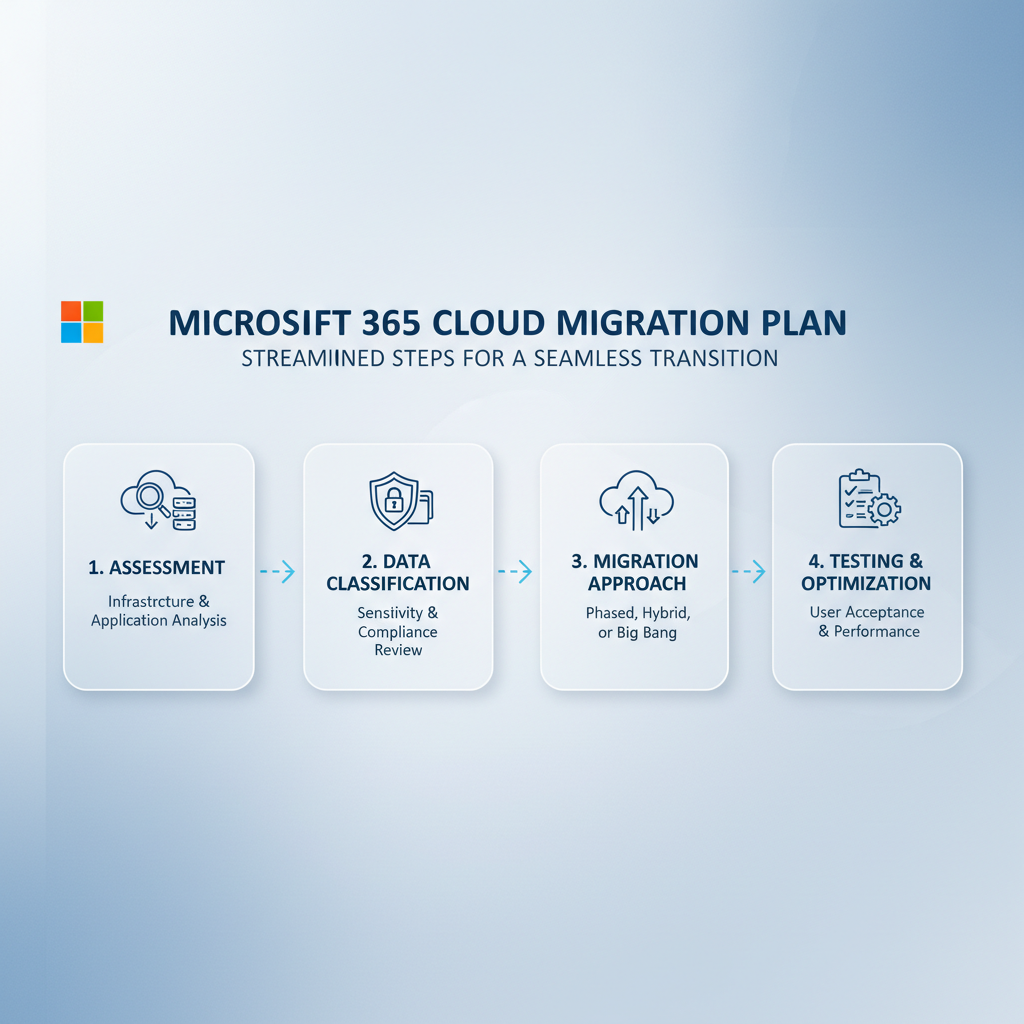
Planning a Microsoft 365 cloud migration effectively begins with a well-defined strategy, which is crucial for a smooth transition and encompasses several key stages. First, an in-depth assessment of your existing IT infrastructure is necessary to evaluate data dependencies and the overall scope, often aided by tools like the Microsoft Assessment and Planning (MAP) Toolkit. Next, data classification is vital for categorising information based on sensitivity and compliance needs, informing security policies and backup strategies in line with Australian Cyber Security Centre (ACSC) guidelines. Subsequently, choosing an appropriate migration approach—such as a phased model to minimise disruption, a hybrid approach, or a big-bang migration—is essential, with documentation from Microsoft offering further insights. Finally, thorough testing in a non-production environment is imperative to identify and resolve potential issues related to data integrity, application compatibility, and user access before going live.
- Assessment: Evaluate your current IT infrastructure, identify data dependencies, and determine the scope of the migration. Consider using tools like the Microsoft Assessment and Planning (MAP) Toolkit (https://www.microsoft.com/en-us/download/details.aspx?id=7826) to help with this process.
- Data Classification: Categorise your data based on sensitivity and compliance requirements. This will inform your security policies and backup strategy. Refer to the Australian Cyber Security Centre (ACSC) guidelines (https://www.cyber.gov.au/) for best practices.
- Choosing a Migration Approach: Decide between a phased, hybrid, or big-bang migration. A phased approach allows for gradual migration, minimising disruption. Learn more about migration strategies on the Microsoft 365 documentation (https://learn.microsoft.com/en-us/microsoft-365/enterprise/migration-options).
- Testing: Thoroughly test the migration process in a non-production environment to identify and resolve potential issues. This includes testing data integrity, application compatibility, and user access.
How can I secure my data with Azure Backup?
You can secure your data with Azure Backup through its robust, automated, and scalable features, specifically designed to protect Microsoft 365 environments comprehensively. Azure Backup automates the backup process for critical services such as Exchange Online, SharePoint Online, OneDrive for Business, and Microsoft Teams, ensuring data is regularly saved and updated without manual intervention. This system offers long-term retention capabilities, allowing Australian businesses to store data for many years, which is essential for meeting stringent regulatory compliance, such as the Australian Privacy Principles, and effectively facilitating disaster recovery. For instance, a business could retain financial records for seven years to comply with ATO requirements. Moreover, granular recovery options enable the restoration of individual files, folders, or entire mailboxes, significantly minimising downtime and offering precise flexibility should data loss occur. These capabilities are centrally managed within a single console, streamlining administration and providing a unified overview of your data protection posture.
- Automated Backups: Azure Backup automates the backup process, ensuring that your data is regularly backed up without manual intervention. This includes Exchange Online, SharePoint Online, OneDrive for Business, and Microsoft Teams data.
- Long-Term Retention: Retain backups for years, complying with regulatory requirements and ensuring data availability for disaster recovery. Consider reading our post on Azure Backup & Helpdesk: Disaster Recovery for M365.
- Granular Recovery: Restore individual files, folders, or entire mailboxes, providing flexibility and minimising downtime. You can also check out Secure Your Business with Azure Backup & Modern Workplace for a deeper dive on disaster recovery.
- Centralised Management: Manage all your backups from a single console, simplifying administration and providing a unified view of your data protection posture.
- Compliance: Azure Backup complies with various industry regulations, helping you meet your compliance obligations. You can find more information about Azure compliance offerings on the Microsoft Trust Center (https://www.microsoft.com/en-us/trust-center).
How can I leverage Entra ID for secure identity management?
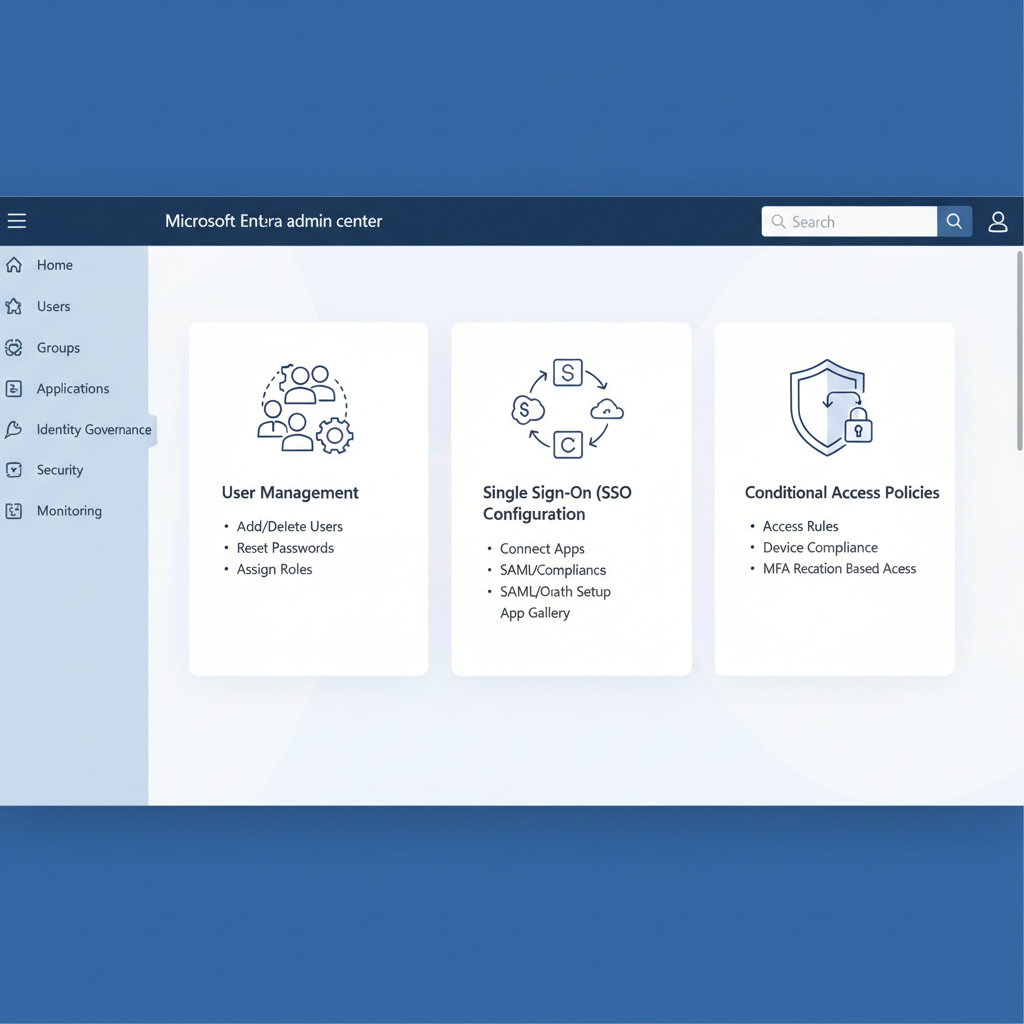
Leveraging Entra ID (formerly Azure Active Directory) for secure identity management is critical for protecting your Microsoft 365 environment by providing a comprehensive, cloud-based identity and access management service. It empowers organisations to precisely control who accesses their resources and the actions they can perform. For instance, implementing Multi-Factor Authentication (MFA) via Entra ID can reduce account compromise by over 99.9%, demanding secondary verification beyond a password for all logins. Furthermore, capabilities like Single Sign-On (SSO) enhance user experience by allowing access to multiple applications with one credential. Conditional Access policies provide granular control, enforcing access rules based on criteria such as user location or device compliance, while Role-Based Access Control (RBAC) ensures users only have permission to the specific resources essential for their job functions, bolstering overall security posture.
- Single Sign-On (SSO): Enable users to access multiple applications and services with a single set of credentials, improving user experience and reducing password fatigue. Check out Entra ID: Your Business Continuity Lifeline for more information.
- Multi-Factor Authentication (MFA): Add an extra layer of security by requiring users to verify their identity using multiple factors, such as a password and a code sent to their mobile device. This significantly reduces the risk of unauthorised access. Read our post about Modern Workplace Security: Intune & Defender.
- Conditional Access: Enforce access policies based on various factors, such as user location, device type, and application sensitivity. This allows you to grant access only when specific conditions are met, reducing the risk of data breaches.
- Role-Based Access Control (RBAC): Assign specific roles and permissions to users, ensuring that they only have access to the resources they need to perform their job duties. This helps prevent unauthorised access and data leakage.
How can I integrate Microsoft Defender for enhanced cybersecurity?
You can significantly enhance your cybersecurity by integrating Microsoft Defender for Endpoint into your Microsoft 365 environment, providing robust, unified defence against complex cyber threats well beyond standard antivirus capabilities. During a cloud migration, embedding Defender allows for proactive threat detection, leveraging advanced analytics and machine learning to identify and neutralise malware, phishing attempts, and other malicious activities in real-time across endpoints, email, and collaboration tools. For instance, Defender for Office 365 can detect and block over 99% of advanced phishing attacks, safeguarding user data and organisational reputation. This integration also automates incident response workflows, ensuring swift containment and remediation of security breaches, which is crucial for Australian organisations facing an average incident response cost of over AUD $1.2 million. Comprehensive security reporting further illuminates vulnerabilities, empowering a stronger overall security posture.
- Threat Detection: Leverage advanced analytics and machine learning to detect and respond to threats in real-time. This includes detecting malware, phishing attacks, and other malicious activities.
- Incident Response: Automate incident response workflows to quickly contain and remediate threats. This helps minimise the impact of security breaches and prevent further damage.
- Security Reporting: Gain visibility into your security posture with comprehensive reporting and analytics. This helps you identify vulnerabilities and improve your overall security posture.
- Integration with Intune: Enforce security policies on managed devices, ensuring that they are compliant with your security standards. For more information, read Intune, Cybersecurity & Managed IT: A Modern Approach.
What are the best practices for cloud migration?
- Data Encryption: Encrypt your data at rest and in transit to protect it from unauthorised access. Azure Storage provides built-in encryption options for data at rest, and you can use TLS/SSL to encrypt data in transit.
- Regular Security Audits: Conduct regular security audits to identify vulnerabilities and ensure that your security controls are effective. Consider engaging a third-party security firm to conduct a comprehensive security assessment.
- Employee Training: Train your employees on security best practices, such as identifying phishing emails and using strong passwords. Human error is a major cause of data breaches, so employee training is essential.
- Monitor and Alert: Implement monitoring and alerting systems to detect and respond to security incidents in real-time. Azure Monitor provides comprehensive monitoring and alerting capabilities for your Azure resources.

How can managed IT services help with cloud migration?
Managed IT services are instrumental in simplifying the complex and often time-consuming process of cloud migration by offering expert guidance and comprehensive support. Providers like Mycelium 365 can craft a detailed migration strategy specifically tailored to your business goals, guaranteeing a seamless and secure transition of critical data and applications. They manage the entire migration lifecycle, from the initial planning and rigorous preparation phases through to execution and ongoing post-migration support, effectively troubleshooting any technical hurdles that may emerge. For example, engaging a specialist managed IT provider can typically reduce the overall migration timeline by 25-35%, significantly minimising operational disruption. Beyond the migration itself, these services ensure the continuous security, reliability, and peak performance of your new cloud environment, such as Microsoft 365, allowing your internal teams to focus on core business innovation rather than infrastructure management.
- Expert Guidance: Our experienced consultants can help you develop a comprehensive migration strategy that aligns with your business goals.
- Seamless Implementation: We handle the entire migration process, from planning and preparation to execution and post-migration support. See how we helped others in Boost Efficiency with Managed IT & Cloud Migration.
- Ongoing Support: We provide ongoing support to ensure that your Microsoft 365 environment is secure, reliable, and optimised for performance. Learn more about our services in Secure and Scale with Managed IT Services & Azure.
Cloud migration to Microsoft 365 is a strategic move that can transform your business. By implementing a robust Azure Backup strategy and securing your identities with Entra ID, you can confidently embrace the cloud while mitigating risks and ensuring business continuity. Contact Mycelium 365 today to learn more about how we can help you secure your cloud migration journey.
For more information on cloud security best practices, consider resources from Gartner (https://www.gartner.com/en) and Forrester (https://www.forrester.com/).
