Building a Robust Security Blueprint with Azure and Zero Trust
· By Paul Harvey
In today's complex digital landscape, businesses face an ever-increasing array of cybersecurity threats. A reactive approach is no longer sufficient; organisations need a proactive, layered security strategy to protect their valuable data and infrastructure. Microsoft's Azure platform, combined with the principles of Zero Trust Security, offers a powerful foundation for building such a strategy. And to ensure business continuity, having a reliable backup solution like Azure Backup is paramount.
What is zero trust security?
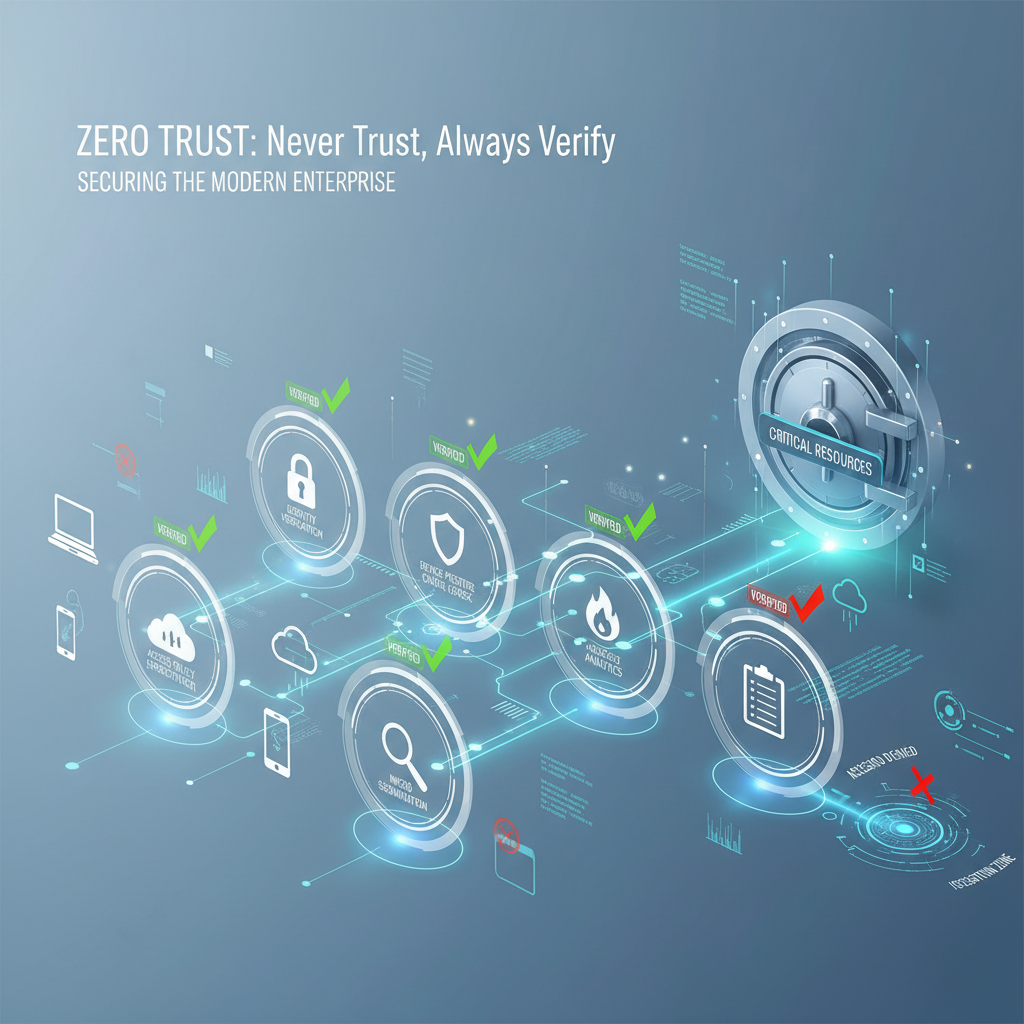
Zero Trust security is a modern cybersecurity framework that fundamentally shifts from traditional "trust by default" models to an "assume breach" mindset, requiring continuous verification for every access attempt. It operates on the principle of "never trust, always verify," meaning all users, devices, and applications, regardless of their location inside or outside the network, must be explicitly authenticated, authorised, and continuously validated before being granted access to resources. This framework significantly enhances an organisation's security posture by minimising the attack surface and limiting the impact of potential breaches by implementing principles like least privileged access and explicit verification. For instance, in Australian businesses, implementing Zero Trust can reduce the risk of data exfiltration by up to 60% compared to perimeter-based security systems by ensuring users only access strictly necessary resources, thereby containing any potential security incidents more effectively. The comprehensive Microsoft Zero Trust Model provides further insights into this crucial security approach.
Zero Trust is not a product; it's a framework. It involves implementing several key security principles:
- Verify Explicitly: Always authenticate and authorise based on all available data points, including user identity, device health, location, service classification, data anomalies, and more.
- Use Least Privileged Access: Limit user access to only the resources they need to perform their job. This minimises the blast radius in case of a breach.
- Assume Breach: Design your security controls with the assumption that a breach will occur. This includes segmenting your network, implementing threat detection, and having incident response plans in place.
How can Azure be leveraged for zero trust implementation?
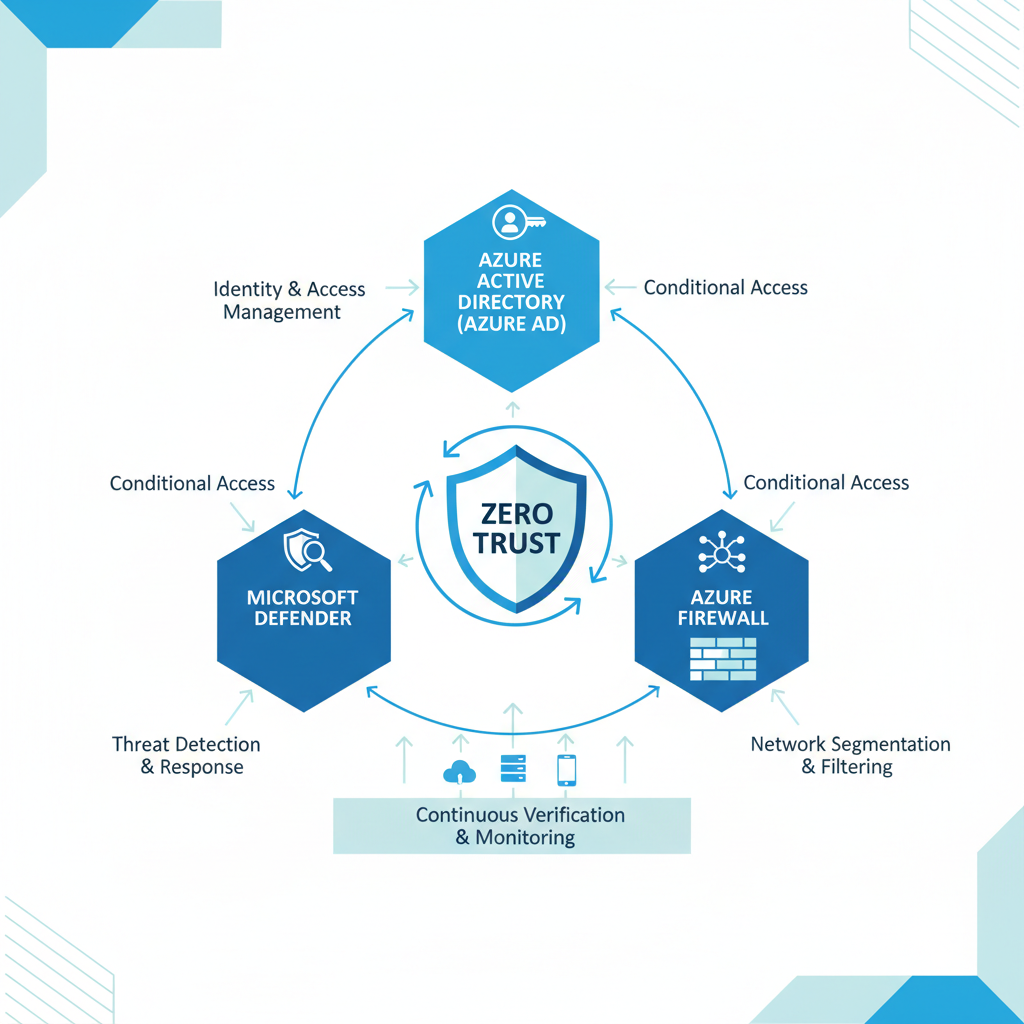
Azure can be leveraged for Zero Trust implementation by utilising its comprehensive suite of services that bolster identity, device, data, and network security. Central to this is Microsoft Entra ID (formerly Azure Active Directory), which acts as the identity cornerstone, enabling multi-factor authentication (MFA) and conditional access policies to verify every access request. For instance, an organisation can mandate MFA for all remote access attempts. Furthermore, Microsoft Defender for Cloud offers unified threat protection across hybrid environments, detecting vulnerabilities and providing security recommendations. Azure Network Security services like Azure Firewall and Network Security Groups (NSGs) segment networks and control traffic flow, significantly reducing the attack surface by an estimated 70% for organisations that effectively implement micro-segmentation. These robust tools collectively ensure that access is granted only after strict verification, aligning with Zero Trust principles.
- Azure Active Directory (Azure AD): Now known as Microsoft Entra ID, this cloud-based identity and access management service is the cornerstone of Zero Trust. It enables strong authentication through multi-factor authentication (MFA), conditional access policies, and identity protection. Read more about its features on Microsoft Entra ID Documentation. You can also read more about Entra ID: Your Business Continuity Lifeline.
- Microsoft Defender for Cloud: This unified security management system provides threat protection for your Azure resources, on-premises infrastructure, and other cloud environments. It offers vulnerability assessments, threat detection, and security recommendations. Find out more about Microsoft Defender on Microsoft Defender for Cloud.
- Azure Network Security: Azure provides a range of network security services, including Azure Firewall, Network Security Groups (NSGs), and Azure Web Application Firewall (WAF), to protect your network from malicious traffic. These tools allow you to segment your network, control inbound and outbound traffic, and protect your web applications from common attacks.
- Azure Information Protection (AIP): Integrated within Microsoft Purview, AIP helps you classify, label, and protect sensitive data, regardless of where it resides. This ensures that only authorised users can access sensitive information. Microsoft provides more information about Purview on Microsoft Purview.
- Microsoft Intune: As a part of Microsoft Endpoint Manager, Intune helps you manage and secure your devices, both company-owned and personal (BYOD). It enables you to enforce security policies, deploy applications, and remotely wipe devices if they are lost or stolen. Learn more about Modern Workplace Security: Intune & Defender.
Why is Azure Backup important for businesses?
Azure Backup is critically important for businesses as it provides a cost-effective and reliable solution for safeguarding data against an array of threats, including ransomware attacks, accidental deletions, and hardware failures. Even with robust security measures implemented, the risk of data loss remains significant, making a robust backup strategy non-negotiable for business continuity. For instance, many Australian small to medium-sized businesses utilising Microsoft 365 can face substantial financial and reputational damage from data loss, often underestimating the need for comprehensive backup beyond basic M365 features. Azure Backup centralises the management of backups for Azure VMs, on-premises servers, and various other workloads, offering features like long-term retention for compliance and robust encryption both in transit and at rest. This service’s integration with Azure Recovery Services Vault further enhances security by providing geo-redundant storage, ensuring business-critical data is protected and recoverable, crucial for any modern disaster recovery plan.
- Centralised Management: Manage all your backups from a single console.
- Long-Term Retention: Retain backups for years to meet compliance requirements.
- Encryption: Encrypt backups both in transit and at rest to protect your data.
- Integration with Azure Recovery Services Vault: Store backups securely in a geo-redundant vault.
Implementing Azure Backup is a crucial step in building a comprehensive disaster recovery plan. Explore how to Secure Your Business with Azure Backup & Modern Workplace. You can also read more about Azure Backup & Helpdesk: Disaster Recovery for M365.
What is a step-by-step approach for implementing a zero trust strategy?
Implementing a Zero Trust strategy involves a structured, step-by-step approach to enhance cybersecurity by eliminating implicit trust. Initially, organisations should assess their current security posture to identify critical assets and vulnerabilities, followed by defining clear Zero Trust goals, such as mitigating data breaches or securing remote access. A crucial next step is to develop a comprehensive roadmap, outlining the necessary resources and phased implementation. For example, deploying multi-factor authentication (MFA) and conditional access policies using Azure Active Directory within the first quarter can significantly strengthen identity and access management, a foundational pillar of Zero Trust. Network segmentation and robust data protection measures, coupled with continuous monitoring and rapid threat response, are also vital to maintain a mature security posture consistent with best practices from bodies like the Australian Cyber Security Centre (ACSC).
- Assess Your Current Security Posture: Identify your critical assets, vulnerabilities, and existing security controls.
- Define Your Zero Trust Goals: Determine what you want to achieve with Zero Trust, such as reducing the risk of data breaches, improving compliance, or enabling secure remote access.
- Develop a Roadmap: Create a plan for implementing Zero Trust, outlining the steps you will take and the resources you will need.
- Implement Identity and Access Management: Deploy MFA, conditional access policies, and other identity-based security controls using Azure AD.
- Segment Your Network: Divide your network into smaller, isolated segments to limit the blast radius of a breach.
- Implement Data Protection: Classify, label, and protect sensitive data using Azure Information Protection.
- Monitor and Respond to Threats: Use Microsoft Defender for Cloud and other security tools to monitor your environment for threats and respond to incidents quickly. The Australian Cyber Security Centre (ACSC) also provides valuable guidance on threat mitigation: ACSC Website.
- Regularly review and update your security posture: Cybersecurity is an ever-evolving landscape, so it’s important to continuously assess and improve your security measures.
What is the role of managed IT services in implementing zero trust for Australian businesses?
Managed IT services are instrumental in implementing a zero-trust security framework for Australian businesses by offering specialized expertise and critical resources to navigate this intricate architecture. These providers assist organisations in thoroughly assessing their existing security posture, formulating a bespoke Zero Trust roadmap, and efficiently deploying and managing essential Azure security services. This comprehensive support encompasses continuous monitoring, proactive threat identification, and consistent adherence to industry best practices. For example, a managed IT provider could aid an Australian financial services firm in transitioning its identity management to Azure Active Directory, establishing multi-factor authentication for over 500 employees within an 8-week period, thereby significantly strengthening their foundational security against evolving cyber threats. This expert guidance enables businesses to effectively embed robust Zero Trust principles, mitigating the need for extensive in-house security teams and reducing the average cost of a data breach, which currently stands at over AUD 3.7 million for Australian businesses.
- Assess your security posture and develop a Zero Trust roadmap.
- Implement and manage Azure security services.
- Provide ongoing monitoring and support.
- Ensure your security solutions are aligned with industry best practices.
By combining the power of Azure, the principles of Zero Trust Security, and the reliability of Azure Backup, you can create a robust security blueprint that protects your business from today's evolving threats. Don't leave your organisation vulnerable. Contact Mycelium 365 today to learn more about how we can help you implement a comprehensive security strategy and see how you can Secure and Scale with Managed IT Services & Azure. For more insights on cloud security and best practices, consider reading articles on ZDNet: ZDNet Security.