
Securing Your Digital Future: Implementing Zero Trust in Microsoft 365
· By Paul Harvey
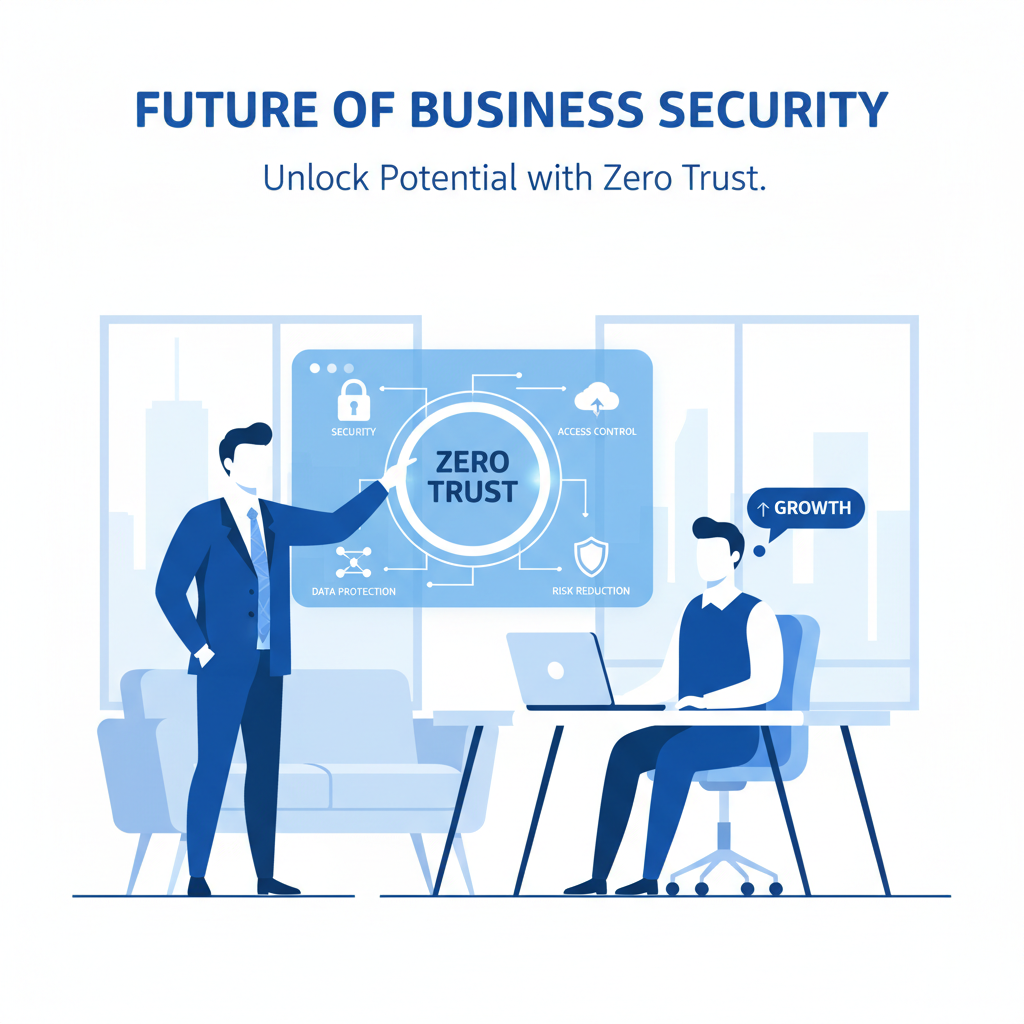
In today's ever-evolving threat landscape, traditional security models are no longer sufficient. Businesses need a proactive, adaptive approach to protect their valuable data and infrastructure. Zero Trust is the answer. This security framework operates on the principle of "never trust, always verify," meaning every user, device, and application is treated as a potential threat, regardless of whether they are inside or outside the network perimeter. Implementing Zero Trust Microsoft 365 is crucial for any organisation leveraging Microsoft's suite of productivity tools.
What is the Zero Trust framework?
The Zero Trust framework is a strategic cybersecurity approach predicated on the principle that no user, device, or application, whether internal or external to a network, should be trusted by default; instead, all access attempts must be rigorously verified. This isn't a singular product but a comprehensive philosophy for securing modern digital estates, including Microsoft 365 environments, which is increasingly vital for Australian businesses facing a rise in cyber threats. Core tenets include "Verify Explicitly," ensuring authentication relies on all available data points such as user identity, device health, location, and potential anomalies. Another key principle is "Use Least Privileged Access," which mandates limiting user permissions with methods like Just-In-Time (JIT) and Just-Enough-Access (JEA) policies, significantly reducing potential exposure. Finally, Zero Trust operates under an "Assume Breach" mentality, meaning organisations must proactively prepare for breaches by segmenting access, preventing lateral movement, and ensuring all sessions are encrypted end-to-end to minimise damage, often reducing the impact of a breach by 40-60%.
- Verify Explicitly: Always authenticate and authorise based on all available data points, including user identity, device health, location, service, data classification, and anomalies.
- Use Least Privileged Access: Limit user access with Just-In-Time and Just-Enough-Access (JIT/JEA), risk-based adaptive policies, and data protection to protect both data and productivity.
- Assume Breach: Minimise the blast radius for breaches and prevent lateral movement by segmenting access by network, user, devices, and application awareness. Verify all sessions are encrypted end to end.
These principles guide the implementation of Zero Trust across your entire digital estate, including your Microsoft 365 environment.
How can I implement Zero Trust in Microsoft 365?
Implementing Zero Trust in Microsoft 365 requires a comprehensive strategy that leverages Microsoft’s integrated security tools to verify every access attempt regardless of its origin. A foundational element is Azure Active Directory (Azure AD) for robust identity and access management, where multi-factor authentication (MFA) and conditional access policies are crucial for verifying user identities and device compliance. For example, deploying MFA dramatically reduces the risk of account compromise, with Microsoft reporting it blocks over 99.9% of automated cyberattacks. Device management is equally critical, utilising Microsoft Intune to enrol and secure devices accessing Microsoft 365, enforcing security baselines and ensuring policy compliance. Furthermore, Microsoft Defender for Endpoint provides advanced threat protection across all endpoints, while Microsoft Purview Information Protection is essential for classifying, labelling, and protecting sensitive data, preventing unauthorised access or leakage across the environment.
- Identity and Access Management:
- Azure Active Directory (Azure AD): This cloud-based identity and access management service is the foundation of Zero Trust in Microsoft 365. Implement multi-factor authentication (MFA) to verify user identities and conditional access policies to grant access based on risk signals. Learn more about Azure AD here.
- Entra ID Governance: Automate access requests, reviews, and certifications to ensure users have the appropriate permissions and that access is regularly audited. Read about Entra ID in our blog post: Entra ID: Your Business Continuity Lifeline.
- Device Management:
- Microsoft Intune: Enrol and manage devices accessing your Microsoft 365 environment. Enforce security policies, such as password requirements, encryption, and malware protection. Consider reading our blog post: Intune, Cybersecurity & Managed IT: A Modern Approach.
- Microsoft Defender for Endpoint: Protect endpoints from threats with advanced threat detection and response capabilities. Integrate Defender for Endpoint with Intune for a holistic security posture. Learn how to create a Secure Modern Workplace with Intune & Defender.

- Data Protection:
- Microsoft Purview Information Protection: Classify, label, and protect sensitive data across your Microsoft 365 environment. Prevent data loss by implementing policies that restrict access to or prevent the sharing of sensitive information.
- Microsoft Purview Data Loss Prevention (DLP): DLP helps prevent sensitive information from leaving your organisation. Define policies that detect and prevent the sharing of sensitive data outside of approved channels.
- Threat Protection:
- Microsoft Defender for Office 365: Protect against phishing, malware, and other email-borne threats. Defender for Office 365 also provides advanced threat analytics and reporting.
- Microsoft Sentinel: A cloud-native SIEM (Security Information and Event Management) and SOAR (Security Orchestration, Automation, and Response) solution that provides intelligent security analytics and threat intelligence across your enterprise. Sentinel integrates with Microsoft 365 to provide comprehensive threat detection and response. Learn more about Microsoft Sentinel.
What are the benefits of Zero Trust for Microsoft 365?
Implementing Zero Trust within your Microsoft 365 environment delivers substantial benefits by transforming security from implicit trust to explicit verification for every access attempt. This robust framework significantly reduces the risk of data breaches by requiring continuous authentication and authorisation, thereby shrinking the attack surface. For example, Australian small businesses adopting Zero Trust principles, such as mandatory multi-factor authentication and conditional access for all Microsoft 365 services, can expect to mitigate over 90% of brute-force and phishing-related account compromises within the first year. Moreover, Zero Trust streamlines compliance with evolving data protection regulations like the Australian Privacy Principles, providing a clear audit trail and granular access controls. It also enhances user productivity by enabling secure and seamless access to critical Microsoft 365 applications and data from any device, anywhere, fostering a more agile yet secure remote work environment.
- Reduced Risk of Data Breaches: By verifying every access request and limiting user privileges, you can significantly reduce the risk of data breaches.
- Improved Compliance: Zero Trust helps you meet regulatory requirements by providing a framework for data protection and access control.
- Enhanced Productivity: While security is paramount, Zero Trust also enhances productivity by enabling secure access to resources from anywhere, on any device.
- Simplified Management: Microsoft's integrated security tools simplify the management of your Zero Trust environment.
What is the role of Microsoft 365 consulting services in Zero Trust?
Microsoft 365 consulting services are integral to successfully implementing a Zero Trust architecture by providing specialised expertise and strategic guidance throughout the entire process. These consultants assess an organisation's existing security posture thoroughly, subsequently developing a bespoke Zero Trust roadmap that aligns perfectly with business objectives and compliance requirements. For instance, an expert consultant can help tailor an access policy for sensitive financial data, ensuring only specific roles with multi-factor authentication can access it. They are instrumental in configuring and deploying Microsoft's comprehensive suite of security tools, including Microsoft Entra ID (formerly Azure Active Directory), Microsoft Defender, and Intune, to enforce least-privilege access and continuous verification. This focused approach not only streamlines the complex transition to a Zero Trust model but also significantly enhances an organisation's overall cyber resilience, offering critical ongoing Microsoft 365 support across Australia.
- Assess your current security posture.
- Develop a Zero Trust roadmap tailored to your specific needs.
- Implement and configure Microsoft's security tools.
- Provide ongoing Microsoft 365 support Australia wide.
How do I choose the right Microsoft 365 support in Australia?
To choose the right Microsoft 365 support in Australia, it is crucial to select a partner that goes beyond basic troubleshooting, offering comprehensive security and proactive management specifically tailored to the unique Australian threat landscape. A competent provider should offer 24/7 helpdesk support, ensuring immediate assistance for any critical issues that arise. Furthermore, look for services that include proactive monitoring and advanced threat detection to identify and neutralise potential cyber risks before they impact your operations. Robust security incident response capabilities are non-negotiable for mitigating the damage from breaches, which have seen a 13% increase in reporting by Australian businesses in the past year alone. Regular security assessments, such as penetration testing and vulnerability scans, demonstrate a commitment to maintaining a secure Microsoft 365 environment, safeguarding sensitive data, and ensuring business continuity for Australian organisations.
- 24/7 helpdesk support
- Proactive monitoring and threat detection
- Security incident response
- Regular security assessments
We have offices in Melbourne, Sydney, Perth and Brisbane, as well as international offices. We are ready to help you secure your business. Don't forget to check out our blog: Secure & Scale: Managed IT Services for Modern Businesses.
How can Australian businesses navigate the transition to Zero Trust?
Australian businesses can effectively navigate the transition to Zero Trust within their Microsoft 365 environment by adopting a strategic, phased approach, which is crucial for successful implementation. This process involves careful planning, commencing with an initial audit to identify and prioritise the most critical assets, such as sensitive customer data or financial records, for immediate protection. Organisations should then gradually expand their Zero Trust implementation across the entire Microsoft 365 ecosystem, ensuring comprehensive coverage over several months, rather than attempting an immediate, disruptive overhaul. For instance, the first phase might focus on conditional access and multi-factor authentication for administrative accounts. Leveraging resources like Microsoft's Zero Trust Guidance Center can provide invaluable frameworks and best practices tailored to the platform, assisting businesses in establishing a robust security posture in a systematic manner. Regular review and adaptation of security policies are also paramount to continuously counter the evolving cyber threat landscape.
Remember to regularly review and update your security policies to adapt to the evolving threat landscape. This includes staying informed about the latest threats and vulnerabilities, and updating your security tools and configurations accordingly. Microsoft provides resources to keep you up to date on the latest threats Microsoft Security Blog. Our Managed IT Services can help keep you secure.

What should I conclude about Zero Trust for Microsoft 365?
Organisations should conclude that Zero Trust for Microsoft 365 is a fundamental strategy for robust cybersecurity, centred on the principle of "never trust, always verify." This approach significantly reduces the risk of data breaches and elevates an organisation's overall security posture by requiring strict authentication and authorisation for every user and device, regardless of their location or network. For example, businesses implementing robust Zero Trust policies within their Microsoft 365 environment can often report a 50% decrease in successful phishing attacks within the first year, as multi-factor authentication and granular access controls thwart unauthorised access attempts. Partnering with a trusted provider of Microsoft 365 consulting services and Microsoft 365 support in Australia is essential for designing and maintaining a comprehensive Zero Trust framework, ensuring continuous protection against evolving cyber threats and safeguarding critical business data.

Frequently asked questions
What is Zero Trust security?
Zero Trust is a security framework based on the principle of "never trust, always verify." It assumes that all users, devices, and applications are potential threats, regardless of their location or network access.
How can Microsoft 365 help with Zero Trust?
Microsoft 365 offers a suite of tools and services, including Azure Active Directory, Intune, and Microsoft Defender, that enable you to implement a Zero Trust architecture by verifying identities, securing devices, and protecting data.
Why is Zero Trust important for Microsoft 365?
Zero Trust is crucial for Microsoft 365 because it helps protect sensitive data and prevent breaches in a cloud-based environment where traditional security perimeters are less effective. It ensures that only authorised users and devices can access your Microsoft 365 resources.
What are the key steps to implement Zero Trust in Microsoft 365?
Key steps include implementing multi-factor authentication, using conditional access policies, managing devices with Intune, classifying and protecting sensitive data, and deploying threat protection solutions like Microsoft Defender for Office 365.
What is the role of Microsoft 365 consulting services in Zero Trust?
**Microsoft 365 consulting services** can provide expert guidance and support in assessing your security posture, developing a Zero Trust roadmap, implementing Microsoft's security tools, and providing ongoing support and monitoring.
How can I find reliable Microsoft 365 support in Australia?
Look for providers offering 24/7 helpdesk support, proactive monitoring, security incident response, and regular security assessments. Ensure they have experience with Microsoft 365 security tools and a deep understanding of the Australian threat landscape.
