Microsoft 365 offers a powerful suite of tools designed to enhance productivity and collaboration within your organisation. However, simply adopting the platform isn't enough. To truly unlock its potential and safeguard your business, a strategic approach to security and management is essential. This involves understanding key components like Entra ID and Exchange Online, and leveraging them effectively. Let's explore how you can maximise the benefits of Microsoft 365 while ensuring a secure and productive environment.
What is Entra ID and how does it help with access management?
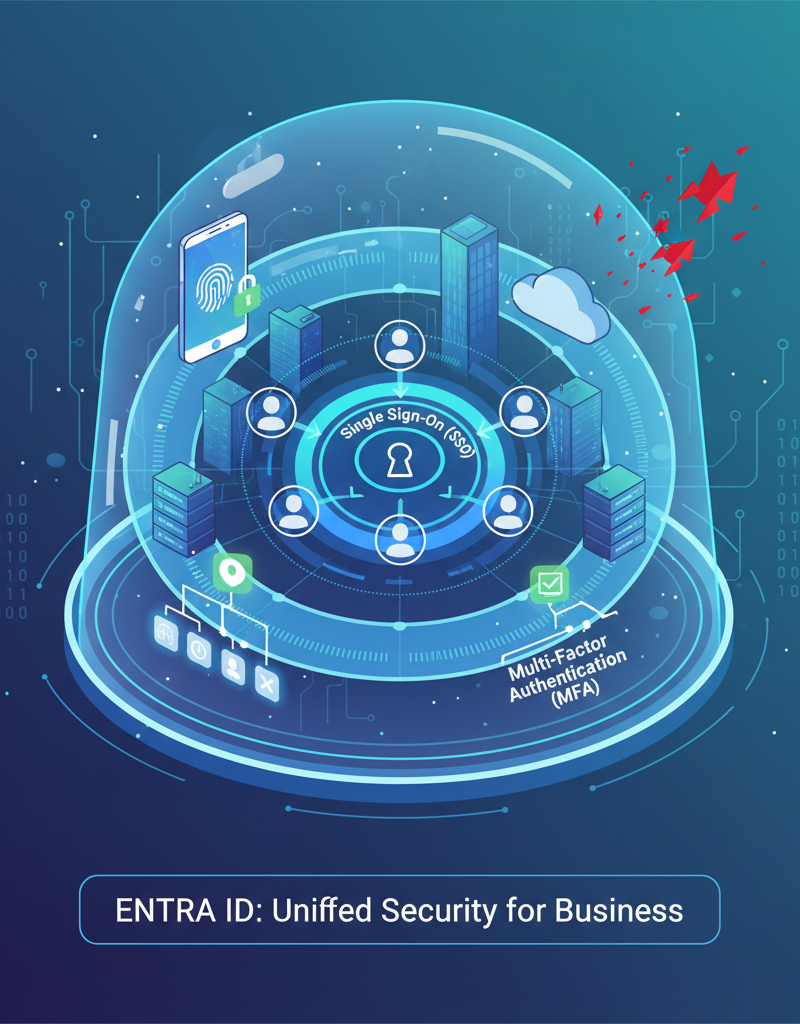
Entra ID, formerly Azure Active Directory, serves as the identity and access management backbone of Microsoft 365, controlling precisely who has access to your organisation's resources and what actions they are permitted to perform. It helps with access management by providing robust mechanisms such as Single Sign-On (SSO), which allows users to access multiple applications with a single set of credentials, improving efficiency and reducing password fatigue. Furthermore, Multi-Factor Authentication (MFA) adds a crucial layer of security, significantly reducing the risk of account compromise – it's estimated that MFA can block over 99.9% of automated attacks. Conditional Access policies further enhance security by enforcing access controls based on factors like user location or device, ensuring that access is granted only when specific, predefined conditions are met. A well-configured Entra ID is vital for preventing unauthorised access and mitigating data breach risks for Australian businesses.
- Single Sign-On (SSO): Allows users to access multiple applications and services with a single set of credentials, improving user experience and reducing password fatigue. Learn more about SSO with Entra ID.
- Multi-Factor Authentication (MFA): Adds an extra layer of security by requiring users to verify their identity through multiple methods, such as a code sent to their mobile phone. MFA significantly reduces the risk of account compromise. Explore MFA options with Microsoft.
- Conditional Access: Enforces access control policies based on various factors, such as location, device, and user risk. This allows you to grant access only when specific conditions are met. Understand conditional access policies.
- Role-Based Access Control (RBAC): Assigns specific roles and permissions to users, ensuring that they only have access to the resources they need to perform their job duties. This minimises the potential damage from compromised accounts.
Without a properly configured Entra ID, your organisation is vulnerable to unauthorised access, data breaches, and compliance violations. Consider reading our blog post, [Entra ID: Your Business Continuity Lifeline](slug: entra-id-business-continuity-cybersecurity), for a deeper dive into its capabilities.
How can I secure communications using Exchange Online?
Securing communications using Exchange Online is paramount because email remains a primary attack vector for cybercriminals, with an estimated over 90% of successful cyberattacks originating from phishing emails. Robust security measures can be implemented within Microsoft's cloud-based email service, Exchange Online, to effectively mitigate these prevalent risks. Key strategies involve leveraging built-in anti-malware and anti-phishing protection via Exchange Online Protection (EOP), which actively filters out malicious emails before they reach inboxes. For enhanced defence, Advanced Threat Protection (ATP), now Microsoft Defender for Office 365, adds crucial layers like safe links that prevent access to malicious websites and safe attachments. Furthermore, Data Loss Prevention (DLP) policies prevent sensitive information, such as health records or patient data, from leaving the organisation via email, while email encryption safeguards message confidentiality both in transit and at rest, ensuring only authorised recipients can access the content.
- Anti-Malware and Anti-Phishing Protection: Exchange Online Protection (EOP) provides built-in anti-malware and anti-phishing capabilities to filter out malicious emails. Explore Exchange Online Protection.
- Advanced Threat Protection (ATP): Enhances EOP with advanced features such as safe links, safe attachments, and anti-phishing policies. ATP provides comprehensive protection against sophisticated email threats. Learn about Microsoft Defender for Office 365 (formerly ATP).
- Data Loss Prevention (DLP): Prevents sensitive information from leaving your organisation through email. DLP policies can identify and block emails containing confidential data, such as credit card numbers or social security numbers. Understand Data Loss Prevention in Exchange Online.
- Email Encryption: Protects the confidentiality of email messages by encrypting them during transit and at rest. Encryption ensures that only the intended recipient can read the message. Explore email encryption options in Microsoft 365.
Ignoring email security can lead to data breaches, financial losses, and reputational damage. We can assist with [Migrating to Microsoft 365: A Comprehensive Guide](slug: migrating-to-microsoft-365-exchange-online) and setting up these vital security features.
How can Australian businesses maximise productivity while maintaining security?
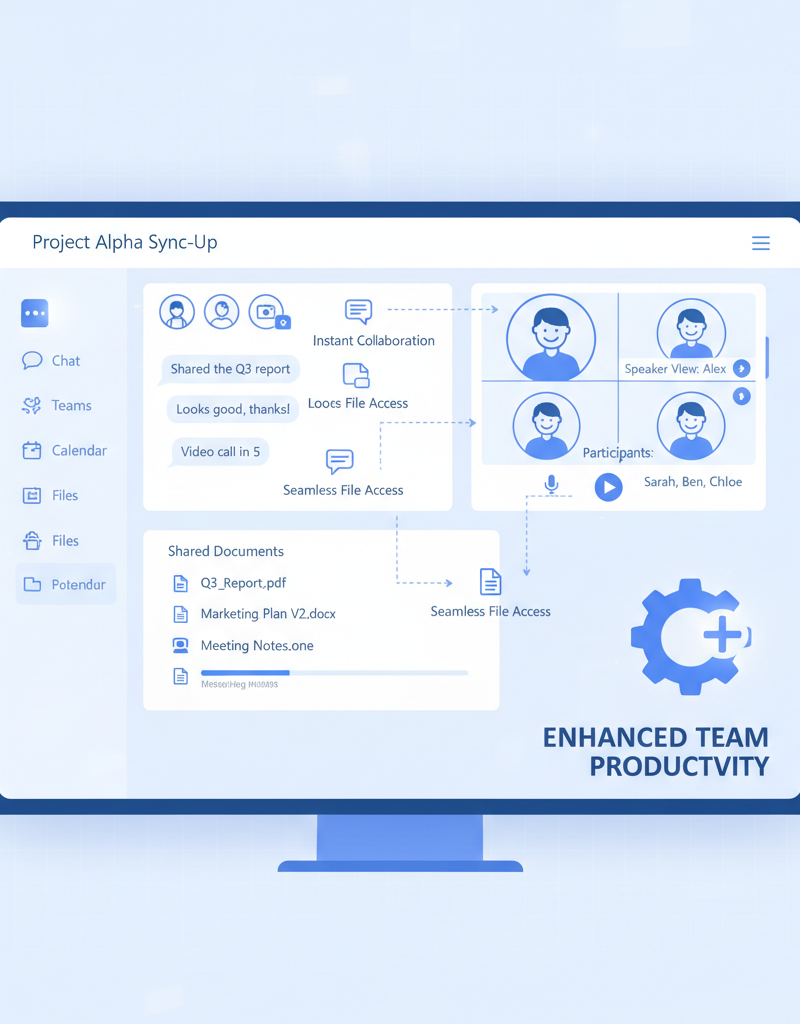
Australian businesses can maximise productivity while maintaining robust security by strategically leveraging the integrated capabilities of Microsoft 365. Platforms such as Microsoft Teams serve as a centralised hub for communication, file sharing, and project collaboration, significantly streamlining workflows and reducing reliance on less secure communication channels. This consolidation can save an average Australian business up to 15% in time spent on inter-departmental communication weekly, fostering more efficient teamwork. Furthermore, secure cloud storage solutions like SharePoint Online and OneDrive for Business empower employees to access and co-edit documents from any device, anywhere, while ensuring data integrity through version control, stringent access permissions, and built-in compliance features. This comprehensive and integrated approach embeds essential security measures directly into daily operations, allowing businesses to thrive without compromising data protection or operational fluidity.
- Microsoft Teams: Provides a central hub for collaboration, communication, and file sharing. By consolidating these activities into a secure platform, you can reduce reliance on email and improve productivity. Explore Microsoft Teams features.
- SharePoint Online: Enables secure document storage and collaboration. SharePoint Online allows you to control access to sensitive documents and track changes, ensuring data integrity and compliance. See how we can help you with [SharePoint & Azure: Streamline Your Cloud Migration](slug: sharepoint-azure-cloud-migration).
- OneDrive for Business: Offers secure cloud storage for individual users. OneDrive for Business allows users to access their files from anywhere, on any device, while maintaining data security and compliance. Learn about OneDrive for Business.
By leveraging these tools effectively, you can create a productive and secure work environment. Remember to check out our resources on [Modern Workplace Security: Intune & Defender](slug: secure-modern-workplace-microsoft-defender-intune) for more information.
What is the role of managed IT services in Microsoft 365 security?
Managed IT services play a crucial role in bolstering Microsoft 365 security by providing specialised expertise and continuous oversight that many Australian businesses lack internally. These providers handle the intricate configurations of components like Entra ID (formerly Azure Active Directory) and Exchange Online, ensuring robust identity and access management and safeguarding email environments against evolving cyber threats. For instance, an experienced managed IT firm can implement multi-factor authentication across all Microsoft 365 accounts and continuously monitor for suspicious login attempts, significantly reducing the risk of unauthorised access. This comprehensive approach ensures that complex security settings are correctly applied and maintained, freeing internal teams to focus on core business functions while improving overall cyber resilience and often helping to meet compliance obligations under Australian regulatory bodies like the ACSC.
- Configure and manage Entra ID: Ensure that your identity and access management is properly configured and maintained.
- Implement and manage Exchange Online security: Protect your email environment from threats.
- Provide ongoing monitoring and support: Detect and respond to security incidents promptly.
- Ensure compliance with industry regulations: Help you meet your compliance obligations. The Australian Cyber Security Centre (ACSC) provides valuable guidance on cybersecurity best practices. Visit the ACSC website.
- Offer helpdesk support: Quickly resolve technical issues and provide user assistance. We pride ourselves on [Optimise IT with Microsoft 365 & Expert Support](slug: microsoft-365-helpdesk-it-support-sydney).

Partnering with a managed IT provider can free up your internal resources to focus on your core business objectives. Read more about how to [Secure & Scale: Managed IT Services for Modern Businesses](slug: managed-it-services-azure-backup-virtual-desktop).
Why is a proactive approach important for Microsoft 365 security?
A proactive approach is crucial for Microsoft 365 security because it allows organisations to pre-emptively defend against evolving cyber threats, rather than reacting after a breach occurs. This involves understanding key components like Entra ID (formerly Azure Active Directory) for identity management and Exchange Online for email security, and implementing robust, layered protection before vulnerabilities can be exploited. For instance, Australian small businesses reported an average loss of over $30,000 due to cyber incidents in 2023, highlighting the financial imperative of proactive security measures. Investing in continuous monitoring, regular security assessments, and proper configuration of Microsoft 365 services helps prevent data loss, minimise downtime, and protect sensitive business information. This preventative stance, incorporating elements like multi-factor authentication across all user accounts and regular patch management, ultimately maximises the platform’s productivity benefits while significantly mitigating risks.