
Ensure Business Continuity with Microsoft 365 and Intune
· By Paul Harvey
In today's dynamic business landscape, ensuring business continuity is paramount. A robust Business Continuity plan minimises downtime, protects critical data, and maintains operational efficiency in the face of unforeseen disruptions. Microsoft 365, coupled with Intune managed services, provides a powerful platform for achieving this, offering a comprehensive suite of tools and capabilities to safeguard your organisation. Mycelium 365 offers expert [Microsoft 365 consulting services](slug: microsoft-365-helpdesk-it-support-sydney) to guide you through the implementation and management of these solutions.
Why is business continuity important in the modern workplace?
Business continuity is crucial in the modern workplace because it moves beyond traditional disaster recovery to embed resilience within an organisation's core operations. This proactive approach ensures data availability, mitigates various risks, and empowers employees to maintain secure and productive workflows regardless of their location, whether they are in the office or working remotely from home. Failing to implement comprehensive business continuity plans can lead to substantial financial setbacks, severe damage to an organisation's reputation, and exposure to various legal liabilities. For instance, a major data breach in Australia could cost an average of AUD $3.5 million, highlighting the significant financial imperative of robust continuity measures. The Australian Cyber Security Centre (ACSC) specifically advises organisations to develop strong business continuity strategies to defend against cyber threats and other operational disruptions, ensuring sustained productivity, data integrity, and stakeholder trust in an increasingly volatile digital landscape.

How does Microsoft 365 provide a foundation for business continuity?
Microsoft 365 fundamentally underpins business continuity by offering a suite of cloud-based services designed to maintain operations and data integrity even during disruptive events. Its inherent cloud infrastructure eliminates reliance on vulnerable on-premises hardware, significantly reducing the risk of downtime from power outages, natural disasters, or equipment failures, with Australian businesses often experiencing financial losses averaging $8,000 per hour during such disruptions. Critical to this is Microsoft 365's robust data redundancy across multiple global data centres, ensuring data availability and swift recovery following any localised outage. Furthermore, integrated collaboration tools like Microsoft Teams and SharePoint Online ensure that employees can continue working productively from any location, fostering seamless communication and workflow continuity. Coupled with advanced security features such as multi-factor authentication and threat protection, Microsoft 365 safeguards critical business assets against evolving cyber threats, guaranteeing operational resilience and data integrity.
- Cloud-Based Infrastructure: By leveraging the cloud, Microsoft 365 eliminates the reliance on on-premises infrastructure, reducing the risk of data loss and downtime due to hardware failures, natural disasters, or other physical incidents. Our [Seamless Cloud Migration to Microsoft 365](slug: seamless-cloud-migration-microsoft-365) service ensures a smooth transition.
- Data Redundancy and Backup: Microsoft 365 employs multiple layers of data redundancy, ensuring that your data is always available, even in the event of a major outage. Consider adding [Azure Backup & Helpdesk: Disaster Recovery for M365](slug: azure-backup-helpdesk-support-disaster-recovery) to improve recovery capabilities.
- Collaboration and Communication Tools: Microsoft Teams, SharePoint Online, and Exchange Online enable seamless collaboration and communication, ensuring that employees can continue working productively, regardless of their location. Learn how to [Optimise IT with Microsoft 365 & Expert Support](slug: microsoft-365-helpdesk-it-support-sydney).
- Security Features: Microsoft 365 incorporates robust security features, including data encryption, multi-factor authentication, and threat protection, to safeguard your data from cyber threats. Enhance your security with [Modern Workplace Security: Intune & Defender](slug: secure-modern-workplace-microsoft-defender-intune).
How do Intune managed services enhance business continuity?
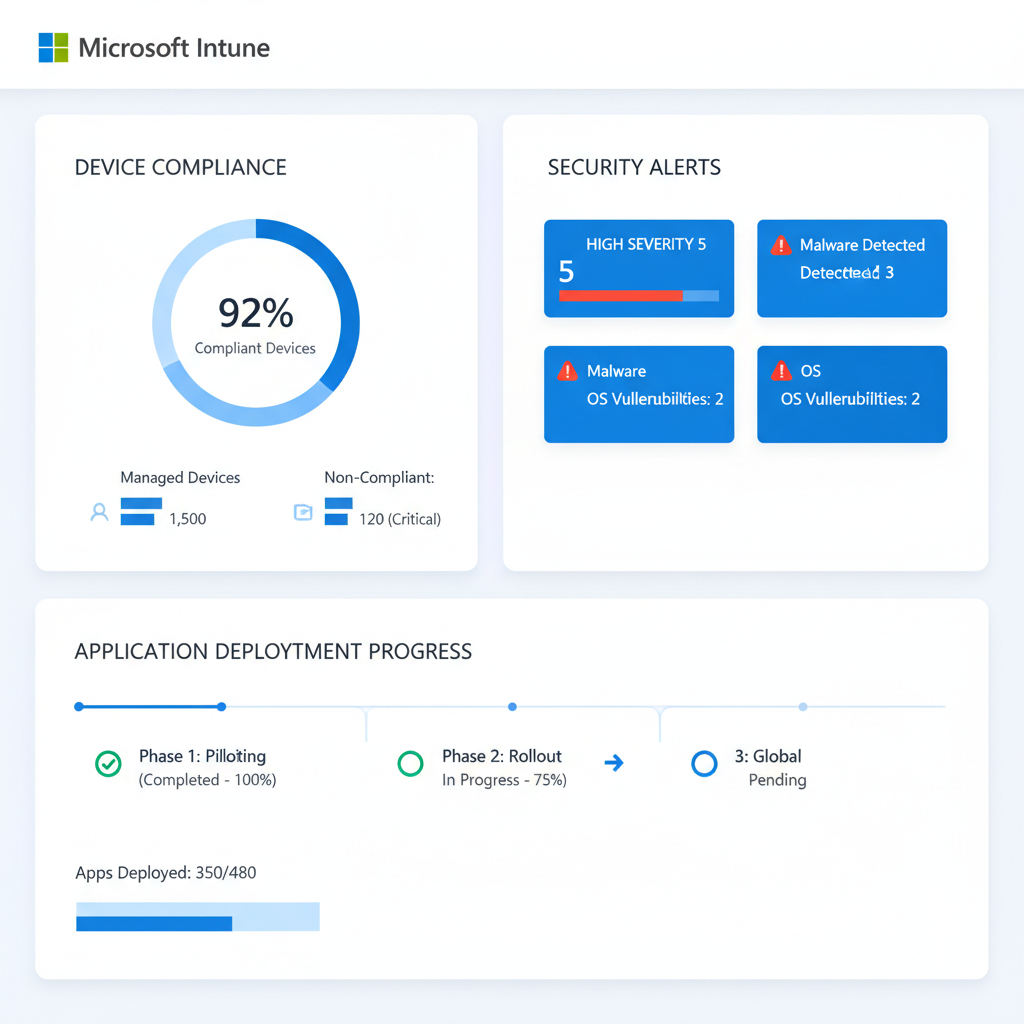
Intune managed services significantly enhance business continuity by extending Microsoft 365's robust foundation with comprehensive device management and security capabilities. These services ensure that Australian businesses can maintain operations and protect critical data even in the face of disruptions. Specifically, [Intune managed services](slug: intune-cybersecurity-managed-it-services) provide Mobile Device Management (MDM) to secure all devices accessing the Microsoft 365 environment, including laptops, smartphones, and tablets, preventing data breaches if a device is lost or stolen. For example, if an employee's work phone is misplaced, Intune can remotely wipe sensitive corporate data in minutes. Furthermore, Intune’s conditional access policies restrict unauthorised access based on factors like device compliance and user identity, markedly reducing cyber risks and preventing approximately 90% of account takeover attempts. It also offers automated patch management, which ensures devices are consistently updated against the latest threats, thereby bolstering the entire IT infrastructure's resilience against an estimated 80% of common cyber vulnerabilities, contributing to uninterrupted business operations.
- Mobile Device Management (MDM): Intune enables you to manage and secure all devices accessing your Microsoft 365 environment, including laptops, smartphones, and tablets. This ensures that sensitive data remains protected, even if a device is lost or stolen. Learn how to [Secure and Scale with Managed IT Services & Azure](slug: managed-it-services-azure-zero-trust).
- Mobile Application Management (MAM): Intune also allows you to manage and secure specific applications on personal devices, without requiring full device management. This provides a flexible approach to securing corporate data while respecting employee privacy. More information on app management can be found in Microsoft Learn documentation.
- Conditional Access: Intune's conditional access policies allow you to control access to Microsoft 365 resources based on various factors, such as device compliance, location, and user identity. This helps to prevent unauthorised access and data breaches. See the Microsoft 365 blog for updates.
- Automated Patch Management: Intune automates the process of deploying security updates and patches to devices, ensuring that your environment is always protected against the latest threats. This is crucial for maintaining a secure and resilient infrastructure. Read about this feature in Microsoft Intune's overview.
How can a Microsoft 365 MSP provide expert guidance and support for business continuity?
A Microsoft 365 Managed Services Provider (MSP) offers crucial expertise and support for developing and maintaining robust business continuity plans, navigating the complexities of integrating Microsoft 365 and Intune. These providers begin by thoroughly assessing a business's specific needs, identifying critical risks and vulnerabilities to operations. For instance, an MSP like Mycelium 365 might help a small business identify that data loss from a cyber-attack is their highest continuity risk. They then craft tailored strategies, ensuring that essential business functions can persist even amidst disruptions, such as unexpected system outages or data breaches. This includes the technical implementation and careful configuration of Microsoft 365 and Intune, guaranteeing seamless integration and optimisation within the existing IT infrastructure, alongside ongoing management and support to keep plans current and effective, typically reviewing strategies quarterly.
- Assess Your Business Continuity Needs: We work with you to understand your specific business requirements and identify potential risks and vulnerabilities.
- Develop a Tailored Business Continuity Plan: We create a customised Business Continuity plan that addresses your unique needs and ensures that your critical business functions can continue operating in the event of a disruption. We can also assist with [Microsoft 365: Disaster Recovery Essentials](slug: microsoft-365-disaster-recovery-plan).
- Implement and Configure Microsoft 365 and Intune: We handle the technical aspects of implementing and configuring Microsoft 365 and Intune, ensuring that they are properly integrated and optimised for your environment. For information regarding configuration, see Microsoft documentation.
- Provide Ongoing Management and Support: We provide ongoing management and support to ensure that your Business Continuity plan remains effective and up-to-date. We can help you [Fortify Your Business with Managed IT Services](slug: managed-it-services-microsoft-defender-it-support).
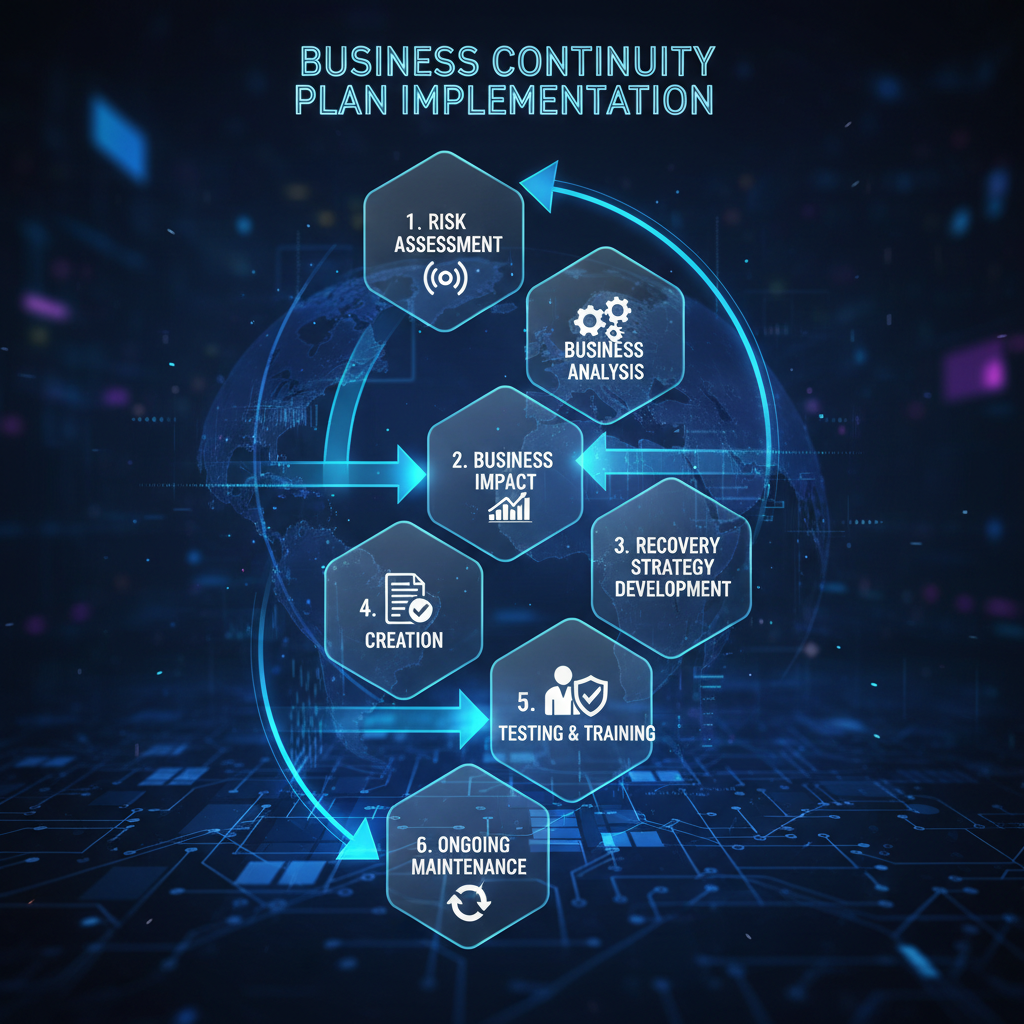
What are the key steps for implementing a business continuity plan?
- Risk Assessment: Identify potential threats and vulnerabilities that could disrupt your business operations.
- Business Impact Analysis (BIA): Determine the impact of each potential disruption on your business functions.
- Develop a Recovery Strategy: Define the steps required to recover critical business functions in the event of a disruption.
- Create a Business Continuity Plan: Document the recovery strategy and procedures in a comprehensive Business Continuity plan.
- Test and Train: Regularly test and train your employees on the Business Continuity plan to ensure that they are prepared to respond effectively in the event of a disruption.
- Maintain and Update: Regularly review and update your Business Continuity plan to reflect changes in your business environment and threat landscape. Consider referencing reports from Gartner or Forrester for industry best practices.
By investing in Microsoft 365 and Intune managed services, and partnering with a trusted [Microsoft 365 MSP](slug: microsoft-365-business-continuity-helpdesk) like Mycelium 365, you can build a resilient and secure business that is prepared to weather any storm. Contact us today to learn more about how we can help you ensure Business Continuity.
[Optimising Your Modern Workplace with Microsoft 365](slug: optimising-modern-workplace-microsoft-365) is key to your BC strategy.
If you operate internationally, our global offices can help, contact Mycelium 365 in Melbourne, Sydney, Perth, and Brisbane.

Frequently asked questions
What is Business Continuity and why is it important?
Business Continuity is the ability of an organisation to maintain essential functions during and after a disruption. It's crucial because it minimises downtime, protects data, and ensures continued operations, preventing financial losses and reputational damage.
How does Microsoft 365 contribute to Business Continuity?
Microsoft 365 offers cloud-based infrastructure, data redundancy, collaboration tools, and security features that enable businesses to maintain operations during disruptions. Its cloud-based nature eliminates reliance on physical infrastructure, ensuring data availability and accessibility from anywhere.
What role does Intune play in Business Continuity?
Intune enhances Business Continuity by providing mobile device and application management, conditional access policies, and automated patch management. This ensures that devices accessing Microsoft 365 resources are secure and compliant, preventing data breaches and maintaining productivity.
What are the key steps in implementing a Business Continuity plan?
The key steps include conducting a risk assessment, performing a business impact analysis, developing a recovery strategy, creating a detailed plan, testing and training employees, and regularly maintaining and updating the plan to reflect changes in the business environment.
Why should I use a Microsoft 365 MSP for Business Continuity?
A Microsoft 365 MSP provides expert guidance, custom plan development, implementation assistance, and ongoing support for your Business Continuity strategy. Their expertise ensures that your plan is tailored to your specific needs and effectively protects your business from disruptions.
How can I test my Business Continuity plan?
Testing involves simulating various disruption scenarios and practicing the recovery procedures outlined in your plan. This can include tabletop exercises, functional drills, and full-scale simulations to identify weaknesses and improve the plan's effectiveness.
